

Description
Beherrsche den Bifröst, entfessle drei Kräfte und gleite als leuchtender goldener Geist durch Wände – ohne Inventarverlust.
Mod Wiki
Hofund
Quickstart
- Obtain Hofund from the Creative inventory, or use:
/give @s hofund-52x42zc7:hofund - Equip Hofund in your main hand or off-hand.
- Hold G to open the Hofund Mode Ring. Move the cursor to mode 1, 2, or 3, then release G to select it.
- Try the selected ability with right-click:
- Mode 1 — Bifröst Travel: Hold right-click for about 3 seconds, then choose a dimension and safe coordinates.
- Mode 2 — Bifröst Strike: Hold right-click to vanish and mark an area. Right-click again anywhere to call down the strike.
- Mode 3 — Spirit Projection: Right-click to leave your body and fly as a golden spirit.
- While projected as a spirit, press H to open Heimdall’s Spirit Sight. Use its pages to travel to coordinates, players, or discovered structures.
Overview
Hofund is a fireproof Netherite-grade sword that grants access to the Bifröst and three selectable modes. Its abilities provide:
- Cross-dimensional travel through the Bifröst
- A powerful delayed Bifröst strike
- A golden spirit form that can fly through blocks and search the world
Hofund’s default controls are G for the mode ring and H for the spirit projection screen. Both controls can be changed in Minecraft’s keybind settings.
What It Adds
Hofund
Hofund functions as a sword and is included in the Combat Creative tab. Its abilities work only while Hofund is held in either hand.
Three Modes
| Mode | Ability | Main control |
|---|---|---|
| 1 | Bifröst Travel | Hold right-click |
| 2 | Bifröst Strike | Hold right-click, then right-click again |
| 3 | Spirit Projection | Right-click; press H while active |
Crafting And Obtaining
Craft Hofund with a Netherite ingot, two amethyst shards, and a stick.


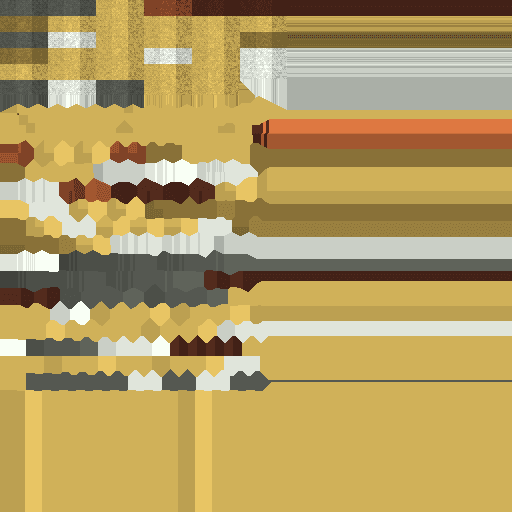
You can also obtain it from the Creative inventory or use the item command:
/give @s hofund-52x42zc7:hofund
Abilities And Mechanics
Mode 1: Bifröst Travel
- Select mode 1.
- Hold right-click with Hofund equipped.
- After the charge finishes, the Bifröst travel screen opens.
- Choose a destination dimension.
- Enter the X, Y, and Z coordinates.
- Confirm the journey once the coordinates are validated as safe.
The travel screen checks the destination for:
- A safe standing position
- Coordinates inside solid blocks
- Excessive height above the ground
- Blocks that would damage you on contact
If the position is unsafe, use Find safe location to search around the entered coordinates for a suitable arrival point. Small Y-coordinate errors may also be corrected automatically.
Press Esc to cancel the journey and return to your current position.
Bringing Others Through the Bifröst
Hold sneak while the summoning beam begins to bring nearby living mobs and players along with you. The Bifröst captures entities in a circular area around the beam and preserves their relative positions at the destination.
Mode 2: Bifröst Strike
The Bifröst Strike has a default cooldown of 60 seconds.
- Select mode 2.
- Hold right-click for about 3 seconds.
- You vanish into the Bifröst and a ground area is marked.
- Move or aim as desired while phased.
- Right-click again anywhere—even into the air—to strike the marked area.
A vertical Bifröst pillar damages living entities within roughly 5 blocks of the marked column. The strike excludes its caster, sets affected targets on fire, and continues dealing damage while the beam remains active.
The first press must be held long enough to complete the charge. Releasing early cancels the charge. The second press does not need to hit a block or entity.
Adjusting the Strike Cooldown
The server-wide default cooldown can be viewed or changed with these commands:
/hofund cooldown
/hofund cooldown set <seconds>
/hofund cooldown <seconds>
/hofund cooldown reset
The value accepts between 0 and 3600 seconds. The normal default is restored by /hofund cooldown reset.
Mode 3: Spirit Projection
- Select mode 3.
- Right-click with Hofund equipped.
- Your normal body remains seated at the starting location while you become a translucent golden spirit.
The spirit can fly in every direction and pass through walls and other blocks. Use normal movement controls:
- WASD: Move horizontally
- Jump: Rise
- Sneak: Descend
- Sprint: Move faster
Spirit Projection lasts for up to one minute unless ended earlier.
While projected:
- Your inventory remains intact.
- You cannot drop or pick up items.
- You cannot attack entities.
- You cannot use blocks or entities.
- You cannot break blocks.
- Your abandoned body remains at the projection anchor.
Damage to the abandoned body is transferred to you. A lethal hit ends the projection, so leave the body somewhere secure when exploring.
Press H to open Heimdall’s Spirit Sight. The projection screen also provides a Return to body button, which ends the ability immediately.
Heimdall’s Spirit Sight
The spirit projection screen contains four pages.
Coordinates
Choose an available dimension and enter X, Y, and Z coordinates. Select Project spirit here to travel there. The destination is checked for a safe arrival position before the spirit is moved.
Players
The Players page lists other players currently online. Select a player to project your spirit to a safe position near them, including players in another dimension.
If no other players are online, the page remains empty.
Structures
Choose a structure type to search for its nearest known location. The available searches are:
- Villages
- Desert Temples
- Jungle Temples
- Ocean Monuments
- Woodland Mansions
- Pillager Outposts
- Mineshafts
- Shipwrecks
- Ancient Cities
- Bastions
- Nether Fortresses
- Strongholds
Select a structure, then start the search. Results are recorded in the Projection History page.
History
History stores previously discovered structure locations. Select an entry to project your spirit directly to that structure.
Use the mouse wheel to scroll through longer lists of discovered locations.
Progression And Strategy
- Place your projection body in a protected room before exploring as a spirit.
- Use Spirit Projection to scout through mountains, underground areas, and dangerous structures without physically walking through them.
- Search for a structure first, then use its History entry as a quick return point during the same projection.
- Use Bifröst Travel for planned long-distance or cross-dimensional movement, and use the safe-coordinate helper when arriving in rough terrain.
- Keep enemies away from your projection body; damage to it is transferred to the projected spirit.
- For the Bifröst Strike, mark an area near groups of enemies, then use the phasing period to reposition before triggering the beam.
- The travel and strike abilities are separate: the Bifröst Strike cooldown does not prevent Bifröst Travel.
How to install
This Java mod can be used on Windows and Mac PCs with the CreativeMode Launcher or any Minecraft launcher of your choice.

1. Download and install the new CreativeMode Launcher
2. Click to play on the top of the screen.
3. That's it — launches instantly. No complicated setup required.
Want to use on a different launcher? Download mod and manually install.
Players also liked
Glassblaster


create a minecraft item that has the following description: 'a lazer that fires continously and turns evrything it touches into black stained glass.'
Catalyst Astrolabe


Use catalysts to make your astrolabe point like a compass to villages, dungeons, and mineshafts. V2 displays coordinates right now, working on making it work like a real compass.
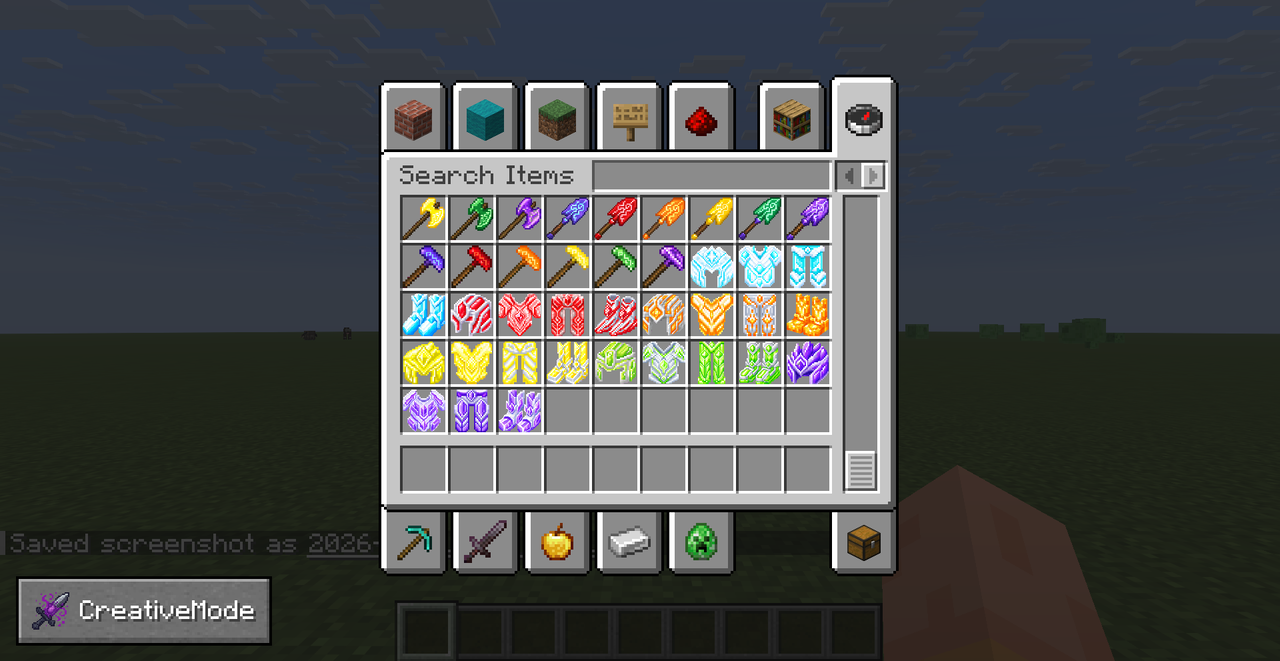
Masterwork Tools

Masterwork Tools overhauls harvesting by adding Enchanted Ore in caves and deepslate that drops Enchanted Crystals you can dye into red, orange, yellow, green, and purple variants to craft matching enchanted tools and armor or use as repair material, while preserving enchanted be…



Final Stand Arena

Final Stand Arena adds a tense 10-wave survival minigame you launch with /finalstand start (use /finalstand stop and /finalstand status to manage sessions). Waves escalate from ordinary zombies (1), skeletons (2), spiders (3), netherite‑armored zombies (4) and skeletons (5), spid…
This mod is licensed under the CreativeMode Mods License.