

Description
Found a complete town of villagers, homes, shops, and lit roads, then manage its bank and craft Dollars. Play with friends in one town or everyone can have their own town to control! This mod is a WORK IN PROGRESS it will be updated, fixed, changes made, etc to make the mod better and more enjoyable. I hope to see everyone enjoy this mod and watch it grow as I continue to make it better!
Mod Wiki
Townfolk Tycoons
Quickstart
- Read the Townfolk Tycoons Guide you receive when you first join.
- Craft a Town Charter:


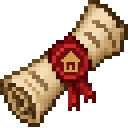
- In the Overworld, find an open spot above solid ground with a clear five-block border. Use the Charter on the ground, enter a town name, and choose Found settlement. The Charter is consumed only when founding succeeds; sites too close to another town are rejected.
- Craft Dollars and a Town Bank using the recipes below. Place the Bank and use it to open your personal account.
- Explore the shops, then stand inside town borders and use
/town editto manage town funds and upgrades or/town buildingsto browse properties.
Overview
Found a ready-made settlement with a Town Hall, homes, shops, villagers, and lit streets. Its name appears on your screen while you are within its borders. Towns are fully laid out when founded; they do not expand on their own, but you can fund building upgrades.
What It Adds
- Town Charter: Starts the town-founding process and lets you name your settlement.
- Dollar: Physical currency used at shops and in property transactions.
- Town Bank: A place to manage your personal account, transfer funds, and borrow or repay a loan.
- Town merchants: Food, armor, and tools-and-materials shops with purchase and sell offers.
- Town management and property offices: Tools for funding upgrades and renting, buying, or listing town buildings.
How To Use
Explore and trade
Use a named town merchant to open its shop. Buy goods with Dollar items in your inventory; the shop displays its offers and prices. You can also sell listed goods to merchants for Dollars. Higher Town Hall levels unlock more merchant offers.
Manage a town
While inside a settlement, run /town edit, or use the settings bookshelf in its Town Hall. The screen shows town funds, the mayor, upgrade levels, and upgrade prices.
- Deposit all the Dollars you carry into the town fund.
- Spend town funds on road, building, and Town Hall upgrades. A building upgrade constructs another town building; road upgrades improve town roads.
- Town Hall upgrades unlock additional merchant offers, up to 11 offers at level 10.
- The mayor can rename the town, withdraw town funds, set upgrade prices, and transfer mayorship to another player who is online. Other players can deposit town funds and purchase upgrades.
Town funds are separate from your personal bank account and from Dollar items in your inventory.
Rent, buy, and manage buildings
Use /town buildings while inside a settlement to open the property office. Its Rent, Buy, and Sell tabs list homes and storefronts; use the page buttons to browse more listings.
- Rent an available or listed building for seven in-game days. Rent is paid in Dollar items.
- Buy an available or listed building with Dollar items.
- In Sell, select a building you own to adjust its weekly rent or sale price and turn either listing on.
Use the Town Bank
Use a placed Town Bank to open your personal account. Enter an amount to deposit or withdraw, pay an online player by their exact name, or borrow and repay funds. Deposits convert Dollar items into account balance; withdrawals give you Dollar items.
A loan adds 20% interest and is due in seven in-game days. You can have only one outstanding loan. Repay it from your bank balance before it is due: overdue debt can trigger the bank selling property you own, and any remaining debt stays due.
Crafting And Obtaining
Craft Dollars for shop and property transactions:


Craft and place a Town Bank to access your personal account:


A Town Charter is consumed only when a settlement is successfully founded. You can also find the Charter and Dollar in Creative Mode’s Tools & Utilities tab, and the Town Bank in Functional Blocks.
Abilities And Mechanics
- The town is created with its streets, homes, shops, and residents at founding. It will not automatically grow; use town-funded building upgrades to add buildings.
- The settlement border repels several common hostiles, including zombies and related variants, skeletons, spiders, creepers, and slimes.
- Shop purchases and property transactions use physical Dollar items. Town upgrades use the separate town fund; bank transactions use your personal account.
- The Town Bank is a shared station, but each player’s account and loan are personal.
Progression And Strategy
Start by crafting Dollars and visiting the merchants to see which offers are available at the town’s current Hall level. Selling goods can earn more physical Dollars for later purchases. Keep enough on hand for property deals, and use your personal account for transfers and loans.
For town improvements, deposit Dollars into the town fund and compare the displayed upgrade prices. Hall upgrades unlock more shop stock; building upgrades add structures. Treat loans cautiously: plan to repay the full balance within seven in-game days to avoid property sales.
How to install
This Java mod can be used on Windows and Mac PCs with the CreativeMode Launcher or any Minecraft launcher of your choice.

1. Download and install the new CreativeMode Launcher
2. Click to play on the top of the screen.
3. That's it — launches instantly. No complicated setup required.
Want to use on a different launcher? Download mod and manually install.
Players also liked
The Virus Mod


Enter Hygron rifts to be pulled into the Hygron Core — a sprawling raid stronghold of themed sections (corrupted courtyards, labs, cathedrals, factories, mirror halls, sky bridges and a final castle) where you fight patrols, ambushes, minibosses and cinematic bosses to unlock pro…

Not Enough Challenge


NotEnoughChallenge/ ├── 🎯 Goal │ └── Competitive challenge framework with server-side lobbies and synced settings. │ ├── ⚡ Classic Speedrun │ ├── 🐉 Race to defeat the Ender Dragon. │ ├── 👤 Solo or 👥 team. │ └── 🌪️ Optional Chaos Mode with random maluses. │ ├── 🎲 Spe…

The Backrooms Experience
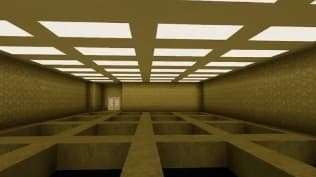
🌌 THE BACKROOMS EXPERIENCE ├─ 🚪 How to enter the Backrooms │ ├─ While walking in the Overworld, a hidden noclip event can occur. │ ├─ Every time you enter the Overworld (or return from the Backrooms), │ │ a random distance between 20 and 100 blocks is selected. │ ├─ Once…
Super Duper Stuff Menu


Press Shift+M to open the Super Duper Stuff Menu — a sleek item browser that hides vanilla items and creates alphabetically sorted tabs for each installed mod while still offering smart categories like Building Blocks, Cool Weapons, Tasty Treats, Wacky Mobs, and Magical Stuff; cl…
This mod is licensed under the CreativeMode Mods License.