

Super Duper Stuff Menu
Description
Press Shift+M to open the Super Duper Stuff Menu — a sleek item browser that hides vanilla items and creates alphabetically sorted tabs for each installed mod while still offering smart categories like Building Blocks, Cool Weapons, Tasty Treats, Wacky Mobs, and Magical Stuff; click any item to instantly add a full stack to your inventory, scroll lists with the mouse wheel or the ▲/▼ buttons, and close with ESC or M. The menu now features louder looping shop music and an animated outer glow that pulses in time with the tune around the existing rainbow border for a flashier, beat-driven presentation; the selected tab is highlighted in yellow and empty categories show a helpful message.
How to install
This Java mod can be used on Windows and Mac PCs with the CreativeMode Launcher or any Minecraft launcher of your choice.

1. Download and install the new CreativeMode Launcher

2. Click to play on the top of the screen.

3. That's it — launches instantly. No complicated setup required.
Want to use on a different launcher? Download mod and manually install.
Players also liked


The Virus Mod


Enter Hygron rifts to be pulled into the Hygron Core — a sprawling raid stronghold of themed sections (corrupted courtyards, labs, cathedrals, factories, mirror halls, sky bridges and a final castle) where you fight patrols, ambushes, minibosses and cinematic bosses to unlock pro…
Astral Control Helm


This mod adds an item that allows the user to become a god. this mod adds several commands, guis, and a new pocket dimension feature. once worn press m (or a bindable button) to activate the helm, once activated a clone will be set in your place this clone is the only way the use…
Divine Tenfold Sword

The Divine Tenfold Sword is an incredibly powerful divine weapon that combines devastating melee damage with ten unique abilities. Eight abilities activate automatically when you strike enemies: Blazing Strike sets foes ablaze, Lightning Caller summons lightning bolts, Wither Tou…
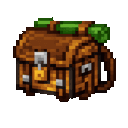
Traveler Pack Chest
The Traveler Pack Chest is a portable double chest that provides 54 slots of storage accessible anywhere in the world. Simply right-click while holding the item to open its inventory GUI, where you can store and retrieve items just like a normal chest. All items stored inside are…
This mod is licensed under the CreativeMode Mods License.