

Description
Wield reality-bending tools to reshape chunks, flip terrain, create voids, defy gravity, and unleash block chaos.
Mod Wiki
Reality Bender
Quickstart
- Get a tool by crafting it or, in Creative mode or with command permission, use a command such as:
/give @s reality-bender-okgjlu3r:reality_distortion_catalyst - Hold the tool and use it with the default right mouse button. Hold Shift while using tools with alternate abilities.
- Start with the Reality-Distortion Catalyst:
- Right-click normally to rearrange a 7×7×7 area three blocks in front of you.
- Hold Shift and right-click to launch nearby mobs into a temporary zero-gravity zone.
- Try the Chaos Cannon in an open area. It fires a random block projectile that places a block on impact.
- Test chunk-wide tools in a disposable area. The Glass Wand, Chunk Inverter, and Void Staff can completely transform or erase a chunk.
Overview
Reality Bender provides seven single-item tools for altering terrain, gravity, scale, movement, and block placement. Its effects range from small random distortions to changes across an entire chunk.
Many abilities are destructive or difficult to undo. Use the Omnitool of Absolute Will to create a checkpoint before experimenting with major terrain changes.
What It Adds
| Tool | Main effect |
|---|---|
| Reality-Distortion Catalyst | Rearranges blocks or creates a zero-gravity zone |
| Dimension Glitch Blade | Teleports you or randomly changes the size of nearby living entities |
| Omnitool of Absolute Will | Creates a rewind point or reverses gravity for nearby mobs |
| Glass Wand | Converts your entire chunk into glass |
| Chunk Inverter | Flips a chunk vertically |
| Void Staff | Erases a complete chunk-height column |
| Chaos Cannon | Fires random blocks as projectiles |
All seven tools are limited to one per inventory slot.
How To Use
In the tables below, use means right-click with the item. Attack means left-clicking a block or entity. Alternate abilities require holding Shift while using the item.
Reality-Distortion Catalyst
| Action | Result |
|---|---|
| Use normally | Creates a spatial tear three blocks in front of you |
| Use while crouching | Creates a zero-gravity zone |
| Attack a block or entity | Creates a spatial tear |
Spatial tear
The tear affects a 7×7×7 cube centered three blocks ahead. Blocks in the area are replaced with randomly selected blocks from the same area, producing a chaotic mixture of terrain.
Some transformations are predictable:
- Stone becomes glass.
- Water becomes lava.
- Some air blocks become dirt.
- Some dirt blocks become air.
- Bedrock and End Portal blocks are left untouched.
Zero-gravity zone
The crouching ability affects mobs within roughly eight blocks of you. Affected mobs:
- Lose normal gravity.
- Rise upward.
- Receive levitation and glowing for five seconds.
- Fall with a strong downward impulse when the effect ends.
The ability also copies nearby solid, non-fluid ground into a raised shelf above the player, creating an inverted-terrain landmark.
Dimension Glitch Blade
| Action | Result |
|---|---|
| Use normally | Blink-phases you 10 blocks in the direction you are looking |
| Use while crouching | Creates a texture-swap burst |
| Attack | No special attack ability |
The normal blink leaves a portal-like trail. Mobs along the phase path can be heavily slowed, hindered, and made visible with glowing for five seconds.
The crouching texture-swap burst affects nearby living entities within about eight blocks. Each affected entity is randomly made much smaller or much larger for ten seconds. The burst also applies glowing and briefly applies either darkness or night vision.
Nearby ground can be altered as part of the burst:
- Grass blocks become mycelium.
- Dirt becomes coarse dirt.
- Stone becomes amethyst or crying obsidian.
Omnitool of Absolute Will
| Action | Result |
|---|---|
| Use normally | Marks a timeline checkpoint |
| Use while crouching | Restores the saved checkpoint |
| Attack a block or entity | Creates a perspective shift |
Timeline checkpoint
A checkpoint records:
- Your position.
- Your health.
- The blocks in a 9×9×9 area around you.
The on-screen message describes it as a 10-second rewind window. The checkpoint remains available until you use it or create another one, but it only works in the dimension where it was created.
Rewinding restores the captured blocks, returns you to the saved position, restores your saved health, and stops your movement. It does not restore entities, inventory contents, or changes outside the captured area.
Perspective shift
Attacking a block or entity affects nearby mobs within about ten blocks. They temporarily lose gravity, rise toward the ceiling, and receive levitation and glowing for five seconds. Normal gravity returns when the effect ends.
Glass Wand
Use the Glass Wand while standing in the chunk you want to transform. Every block from the bottom of the world through the build limit in that 16×16 chunk becomes glass, including terrain and empty space.
The wand affects the chunk containing the player, not necessarily the block being aimed at.
Chunk Inverter
Use the Chunk Inverter while standing in the target chunk. It mirrors the chunk vertically across the midpoint of its full build height:
- Blocks near the bottom move near the top.
- Blocks near the top move near the bottom.
- The entire 16×16 chunk column is affected.
The tool flips the terrain from bedrock level to the build limit, so keep clear of the area before activating it.
Void Staff
The Void Staff removes every block from the bottom of the world to the build limit in one chunk.
- If you are looking at a block within range, the chunk containing that block is erased.
- If you are not targeting a block, the chunk containing the player is erased.
- The targeting ray reaches up to 64 blocks.
The resulting area is an empty bedrock-to-sky void pit. Stand safely away from the target chunk before using the staff.
Chaos Cannon
Use the Chaos Cannon to fire a visible Chaos Block projectile. It automatically chooses one of these block types:
- TNT
- Anvil
- Lava
- Glass
- Diamond block
- Obsidian
The projectile travels in the direction you are looking and places its selected block when it hits a block or entity. Mobs within three blocks of a successful impact take damage, except for the cannon’s owner.
TNT is placed as a TNT block; the cannon does not directly ignite it. The cannon can fire again after a brief four-tick delay and does not require ammunition.
Crafting And Obtaining
You can craft every Reality Bender tool with the recipes below. In Creative mode or with command permission, the corresponding item commands are also available.
Chaos Cannon


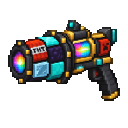
Command: /give @s reality-bender-okgjlu3r:chaos_cannon
Chunk Inverter


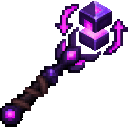
Command: /give @s reality-bender-okgjlu3r:chunk_inverter
Dimension Glitch Blade

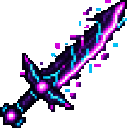
Command: /give @s reality-bender-okgjlu3r:dimension_glitch_blade
Glass Wand


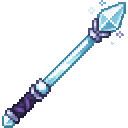
Command: /give @s reality-bender-okgjlu3r:glass_wand
Omnitool of Absolute Will



Command: /give @s reality-bender-okgjlu3r:omnitool_of_absolute_will
Reality-Distortion Catalyst

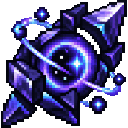
Command: /give @s reality-bender-okgjlu3r:reality_distortion_catalyst
Void Staff


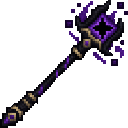
Command: /give @s reality-bender-okgjlu3r:void_staff
Progression And Strategy
There is no fixed progression path. Choose tools according to the scale of the experiment:
- Set up a safety point with the Omnitool before altering terrain.
- Use the Catalyst for localized block chaos and gravity experiments.
- Use the Dimension Glitch Blade for mobility and entity effects.
- Use the Chaos Cannon to place unusual blocks at range and harass mobs.
- Escalate to chunk tools when you want a complete glass conversion, vertical inversion, or void pit.
For controlled experiments, mark chunk borders first. The Glass Wand, Chunk Inverter, and Void Staff operate on complete chunk columns, while the Catalyst and entity abilities affect areas around the player or in front of the player.
How to install
This Java mod can be used on Windows and Mac PCs with the CreativeMode Launcher or any Minecraft launcher of your choice.

1. Download and install the new CreativeMode Launcher

2. Click to play on the top of the screen.
3. That's it — launches instantly. No complicated setup required.
Want to use on a different launcher? Download mod and manually install.
Players also liked
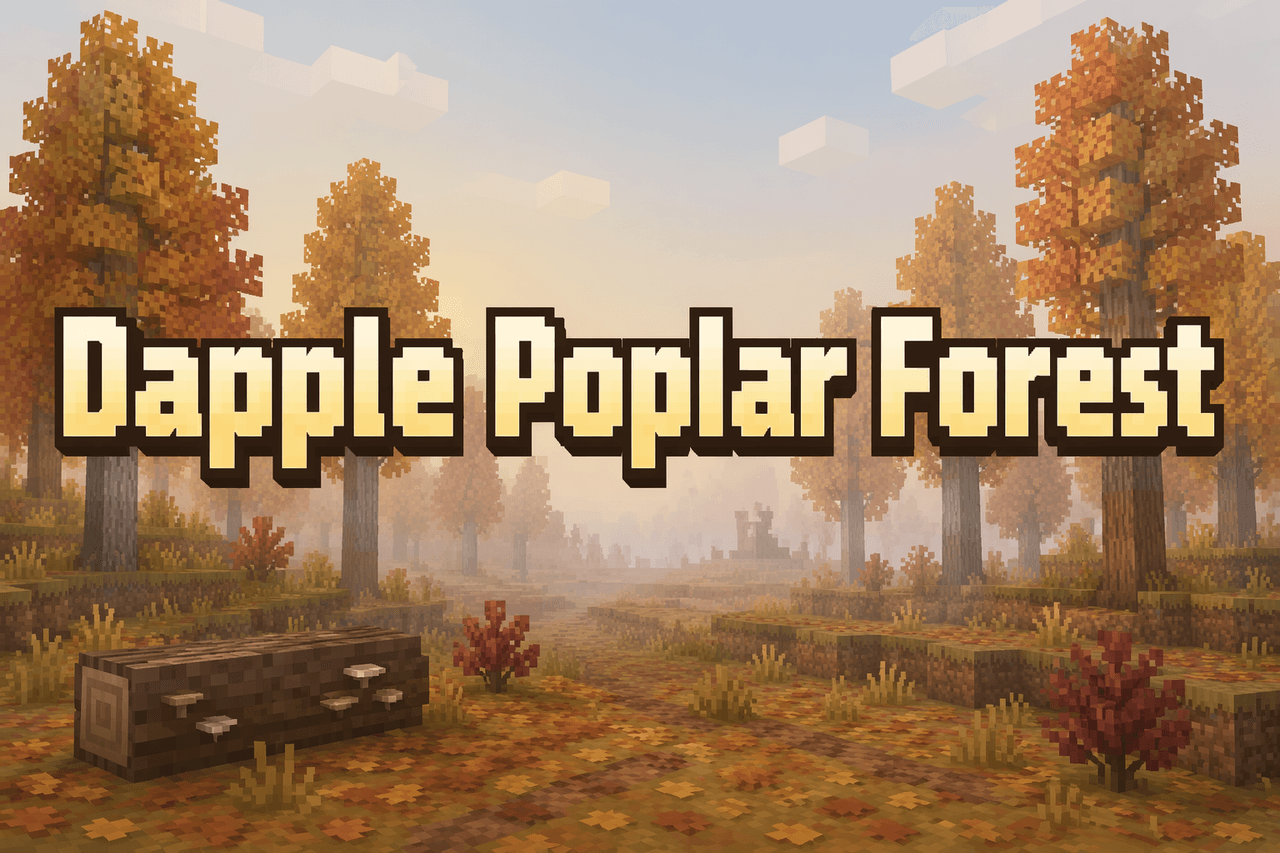
Dapple Poplar Forest


Dapple Forest transforms the Overworld into a warm, autumnal poplar woodland with drifting leaf particles, sunset-tinted skies and fog, recolored maps, crisper waters, richer light tints and immersive daytime bird and night cricket ambiences. The biome keeps vanilla grass but add…
Shattered Dreamlands


Echoes of the Fracture drops you into a fractured Dreamlands of purple skies and floating islands where Reality Fractures randomly warp terrain, corrupt or duplicate blocks, and fling explorers into surreal mini‑realms like the Silent Below, Mirror Sky or Endless Stair while spaw…
Shadowmancer Cat


Face the roaming black cat wizard and survive its shadow spells.
Ashen Wastes


Ashen Wastes adds a bleak, naturally generated Nether biome carpeted in Ash Blocks with deterministic patches of soul soil and abundant Ash Flowers that only grow on ash, converting exposed Nether terrain to ash during world generation. Ash Flowers spawn in clustered patches of o…
Cherry Blossom Village


Adds a sprawling Cherry Blossom Forest biome full of dense cherry trees, blossom-covered ground, drifting petals, unique ambience and music, plus new cherry wood blocks and decorative building assets for building. Explore to discover deterministic giant cherry lakes with sandy, m…
This mod is licensed under the CreativeMode Mods License.