

Cheat Menu [KEY TO OPEN: left alt key]
Description
A mod menu that has enchantments, effects, item spawners, and structure spawners, you can use it in survival and creative,sorry for no other screenshots, the rest is for you to explore and find
Mod Wiki
Toodles Mod Menu
Quickstart
- Craft the Toodles Mod Menu item using the recipe below.
- Place it in your hotpit and right-click while holding it — a message will remind you to press Left Alt to open the menu.
- Press Left Alt at any time to toggle the mod menu screen open or closed.
- Use the menu's toggles and buttons to apply effects, enchantments, X-ray vision, and moderation actions.


Overview
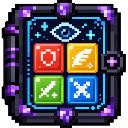
Toodles Mod Menu adds a single special item that opens an in-game admin/cheat panel. The panel gives quick access to toggles, an X-ray vision mode, moderation tools like kick and ban, and icon-based menus for applying items, effects, and enchantments. It's designed for server operators and admins who want a fast, visual way to manage a world and players without typing commands.
What It Adds
- Toodles Mod Menu item — a craftable tool item that opens the mod's GUI.
- On-screen admin menu — opened with a key press, containing toggle switches and icon-filled panels.
- X-ray Mode — a visual toggle that hides normal terrain and highlights ores, deepslate, bedrock, and Netherite-related blocks, replacing valuable ore blocks with easy-to-spot markers.
- Effect and Enchantment tools — menu options to apply status effects or enchantments to your currently held item or yourself.
- Kick and Ban tools — moderation shortcuts exposed through the menu for managing players.
How To Use
- Opening the menu: Hold or have the Toodles Mod Menu item, then press Left Alt to open and close the panel. You do not need to be holding the item after your first interaction with it — the key works globally once the mod is loaded.
- Toggling X-ray: Use the X-ray toggle inside the menu. When enabled, normal blocks are hidden from view while ores, deepslate, bedrock, and Netherite blocks remain visible (diamond-related ores are highlighted as diamond blocks, and Netherite-related blocks as Netherite blocks) so they stand out. Fluids are also hidden while X-ray is active. Toggling it off restores normal rendering.
- Applying effects: Select an effect from the icon menu and choose a level and duration; it will be applied to you.
- Applying enchantments: Select an enchantment from the icon menu and choose a level; it will be applied to the item you are currently holding.
- Kick/Ban tools: Use the moderation buttons in the menu to remove or ban players from the server.
Crafting And Obtaining
Craft the Toodles Mod Menu item using gold ingots, ender eyes, command blocks, a nether star, and redstone, as shown in the recipe below. Once crafted, keep it in your inventory for easy access, though the menu key works independently of holding it.
Abilities And Mechanics
- Effect, enchantment, kick, and ban actions are server-validated — they only take effect if you have the appropriate administrative permission on the server you're playing on. This keeps the menu from granting powers on servers where you aren't an operator.
- Effects applied through the menu affect only yourself, not other players.
- Enchantments applied through the menu affect the item currently in your main hand.
- X-ray mode is a personal client-side visual aid and does not affect what other players see.
Progression And Strategy
This mod is best suited for admins and creative-mode server operators who want a convenient control panel instead of typing chat commands. Craft the item early in a creative or admin-permission world, keep the Left Alt shortcut in mind, and use X-ray mode when scouting for ore-rich areas or checking cave structure without mining. Use the effect and enchantment menus for quick testing or setup, and rely on the kick/ban tools for fast moderation during multiplayer sessions.
How to install
This Java mod can be used on Windows and Mac PCs with the CreativeMode Launcher or any Minecraft launcher of your choice.

1. Download and install the new CreativeMode Launcher
2. Click to play on the top of the screen.
3. That's it — launches instantly. No complicated setup required.
Want to use on a different launcher? Download mod and manually install.
Players also liked

traders


Trade rare Phantom’s Eyes with Pale Garden Traders, Jungle Traders, and Desert Traders for a Creaking-crushing lantern.

Infinite Halo Sword

Wield the Infinite Halo Sword and unleash godlike power beneath a radiant ring of light.

Ember Fortune Pickaxe

The Ember Fortune Pickaxe is a netherite-tier mining tool that combines netherite-level speed and durability with automatic Fortune III and auto-smelt—so ores like iron drop ingots with increased yields and ancient debris auto-smelts into 1–4 netherite scrap. Auto-smelted drops n…

Inferno Blaster


create a minecraft item that has the following description: 'A fireball gun that shoots a fireball upon right clicking in the direction the player is looking, if the player has no TNT in the inventory, it will shoot a fireball with an explosion power of 1, consuming 1 durability,…
This mod is licensed under the CreativeMode Mods License.