

Description
Mine, water, lava, bedrock, and nether portals.
Mod Wiki
The Anything Miner
Quickstart
Craft The Anything Miner in a crafting table:


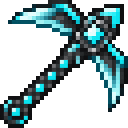
Hold it in your main hand and mine blocks as usual. It works as a netherite pickaxe and can also remove bedrock, source water or lava, and Nether portal blocks. These special targets must be within about six blocks. Try mining bedrock first to get Bedrock for the armor recipes.
Mine a source water or lava block to collect its placeable item. Mine a Nether portal block to collect a Nether Portal Block, then place it and step into it to use it for portal travel. Flowing fluids aren’t collectible.
Craft and equip Water Boots to walk across water, or wear any Bedrock armor piece for strong Resistance. The Lava Sword sets living targets on fire when you hit them.
Overview
The Anything Miner combines a powerful pickaxe with placeable fluid and portal blocks, water-walking boots, a fire sword, and Bedrock armor. In Creative mode, the mod’s items are also available in the Tools & Utilities tab.
What It Adds
| Item | Use |
|---|---|
| The Anything Miner | Mines ordinary pickaxe-mineable blocks and can remove certain otherwise unmineable blocks. |
| Water Block and Lava Block | Placeable source-fluid blocks; the Miner can collect them from source water or lava. |
| Bedrock | A placeable block and the material for the armor set. |
| Nether Portal Block | A placeable portal tile collected from Nether portal blocks. |
| Water Boots | Let you walk across water and prevent fall damage. |
| Lava Sword | A melee weapon that ignites targets. |
| Bedrock armor | A helmet, chestplate, leggings, and boots; wearing any one piece grants strong Resistance. |
How To Use
- Mine with The Anything Miner: Hold it in your main hand and break blocks normally. It works like a netherite pickaxe on regular pickaxe-mineable blocks. It can also remove bedrock, source water, source lava, and Nether portal blocks within about six blocks.
- Collect special blocks: Mine a source block, not flowing water or lava, to get the corresponding Water Block or Lava Block item. Nether portal blocks drop a Nether Portal Block item.
- Place the blocks: Use Water Block, Lava Block, Bedrock, and Nether Portal Block as you would other placeable blocks. The Nether Portal Block is a standalone portal tile; step into it to travel.
- Walk on water: Equip Water Boots in your feet slot and walk over the water’s surface. The boots create temporary support underfoot; they don’t create a floor beneath a submerged swimmer.
- Fight with the Lava Sword: Hold it in your main hand and attack. Living targets catch fire for four seconds. The sword does not consume durability.
- Wear Bedrock armor: Equip any Bedrock armor piece in its matching armor slot. The Resistance effect is maintained while at least one piece is worn.
The Miner can also remove End portal blocks, but they do not drop an item.
Crafting And Obtaining
The Miner is the key to collecting Bedrock, source-fluid blocks, and Nether Portal Blocks in Survival. Craft it from netherite ingots, a nether star, and a stick using the recipe above.
Use the collected custom blocks to make the other equipment:
| Item | Recipe |
|---|---|
| Water Boots | |
| Lava Sword | |
| Bedrock Helmet | |
| Bedrock Chestplate | |
| Bedrock Leggings | |
| Bedrock Boots |
Abilities And Mechanics
- Water Boots prevent fall damage while equipped, in addition to supporting you over water.
- Any one Bedrock armor piece grants strong Resistance. The effect ends when no Bedrock armor is worn.
- The Lava Sword ignites living targets for four seconds and has no durability loss.
- The Anything Miner collects only source water and source lava; flowing fluids do not drop blocks.
- Nether Portal Blocks can be mined and placed as individual tiles, without building a portal frame.
How to install
This Java mod can be used on Windows and Mac PCs with the CreativeMode Launcher or any Minecraft launcher of your choice.

1. Download and install the new CreativeMode Launcher

2. Click to play on the top of the screen.
3. That's it — launches instantly. No complicated setup required.
Want to use on a different launcher? Download mod and manually install.
Players also liked



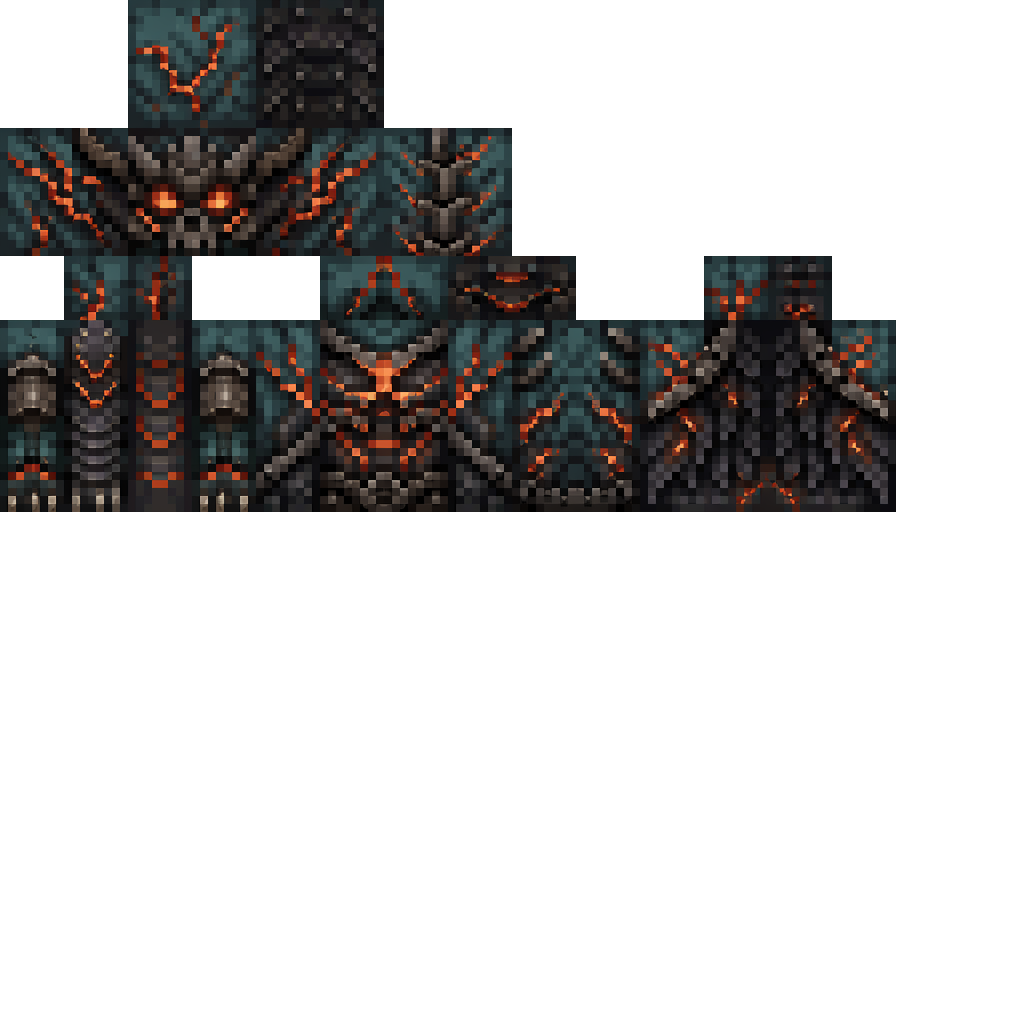
The Virus Mod


Enter Hygron rifts to be pulled into the Hygron Core — a sprawling raid stronghold of themed sections (corrupted courtyards, labs, cathedrals, factories, mirror halls, sky bridges and a final castle) where you fight patrols, ambushes, minibosses and cinematic bosses to unlock pro…

Diamond Magnet


The Diamond Magnet is a utility item that, when right-clicked while held, instantly grants you one diamond. It has a 1-second cooldown and plays the item pickup sound on use; if your inventory is full the diamond will instead be dropped at your feet so you won't lose it.
Obsidian Bedrock Fortune


Craft an unbreakable pickaxe that instantly breaks anything—even bedrock—and unleashes Fortune 100. A pickaxe capable of mining everything in the early game—even bedrock.
This mod is licensed under the CreativeMode Mods License.