

Description
Assemble the Pink Skyhopper, soar through the skies, and leave a trail of hearts behind.
Mod Wiki
Pink Skyhopper
Quickstart
- Gather 3 pink wool, 2 iron ingots, 1 saddle, and 1 elytra.
- Craft the Pink Skyhopper:


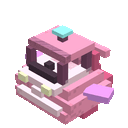
- Place the Pink Skyhopper in a clear area. It assembles into its full pink structure.
- Right-click any part of the placed structure without crouching. The structure becomes a flyable vehicle and you immediately mount it.
- Fly with WASD:
- W — move forward
- S — move backward
- A/D — move sideways
- Space — ascend
- Shift — descend
- Sprint key — dismount
While riding, the camera switches to third-person view, your rider model is hidden, and a heart particle trail follows the Skyhopper.
Overview
The Pink Skyhopper is a one-passenger flying vehicle assembled from a crafted item. It has no gravity, responds directly to your movement controls, and leaves a trail of hearts while piloted.
A small flight display appears at the top of the screen while riding:
- SPD — current movement speed
- HDG — heading in degrees
- ALT — current Y-level
What It Adds
- The craftable Pink Skyhopper item
- An automatically assembled multi-block Pink Skyhopper structure
- A mountable, free-flying vehicle
- Recurring heart particles while flying
- A flight HUD showing speed, heading, and altitude
The visible structure is made from a main Pink Skyhopper block and several Pink Skyhopper Parts. The parts function as sections of the assembled craft rather than separate vehicles.
How To Use
Assemble the Skyhopper
Hold the Pink Skyhopper item and place it like a block. The remaining craft sections are placed automatically around it, provided their spaces can be replaced.
Place it in an open area so the complete structure has room to form.
Activate It
Right-click any section of the assembled structure without crouching. You do not need to interact with a particular part. The structure is removed and replaced by a flying Pink Skyhopper vehicle, with you mounted as its pilot.
Fly
Use your normal movement keys to guide the vehicle. Forward movement is faster than sideways or reverse movement. The Skyhopper gently loses height when you are not actively ascending or descending.
The vehicle follows the pilot’s facing direction and can fly freely in the air. It can carry only one passenger.
Dismount
Press your Sprint key to leave the Skyhopper. Do not use Shift for dismounting—Shift controls descent while you are flying.
After dismounting, the vehicle remains where you left it and can be mounted again by right-clicking it. Your previous camera view is restored when you leave the vehicle.
Crafting And Obtaining
The Pink Skyhopper recipe uses:
- Pink wool
- Iron ingots
- A saddle
- An elytra
The recipe becomes available after entering a world. In Creative mode, search for Pink Skyhopper in the Creative inventory.
Abilities And Mechanics
Heart Trail
While a player is piloting the Skyhopper, heart particles appear repeatedly behind and around the vehicle. The trail stops when the vehicle has no rider.
No Gravity
The Skyhopper remains airborne instead of falling normally. Use Space to gain height and Shift to descend in a controlled way.
Vehicle Recovery
Attack the Pink Skyhopper vehicle to dismantle it. The rider is ejected and a Pink Skyhopper item is dropped for reuse.
Structure Dismantling
Breaking a section of the placed Skyhopper dismantles the assembled structure. The vehicle itself is created only when the structure is activated.
Progression And Strategy
The elytra is the main high-value component of the recipe, so assemble the Pink Skyhopper when you want a reusable, controllable flying vehicle rather than ordinary gliding.
For your first flight:
- Activate the craft in a wide, unobstructed area.
- Gain height with Space before traveling.
- Watch the ALT display when flying over terrain.
- Use Shift for landing or controlled descent.
- Press Sprint to park the Skyhopper safely when finished.
How to install
This Java mod can be used on Windows and Mac PCs with the CreativeMode Launcher or any Minecraft launcher of your choice.

1. Download and install the new CreativeMode Launcher

2. Click to play on the top of the screen.

3. That's it — launches instantly. No complicated setup required.
Want to use on a different launcher? Download mod and manually install.
Players also liked


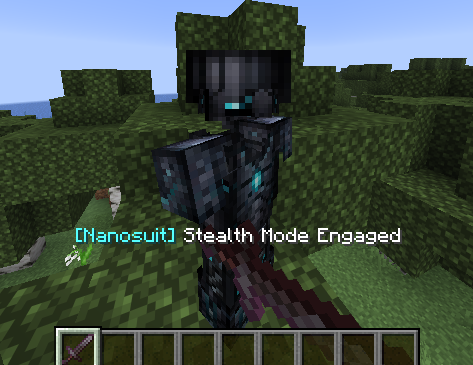
Crynet Phantom Suit


Sneak to toggle invincible defense or vanish—armor never breaks. Inspired in Cysis Armor
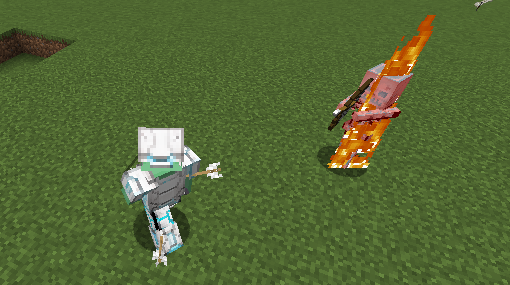

Bandana Wolf


Encounter the Bandana Wolf, a giant wolf wearing a glowing rune-etched bandana that prowls the forests with chilling howls and devastating melee strikes. Combine salmon, cod, and the legendary Eternal Bandana to summon the Grizzly Boss, a colossal bear whose thunderous charges an…
Railrunner Battery


Speed up your minecart rides — press spacebar to instantly stop until you steer again. Regular Rails goes faster. Powered Rails they go even faster.
This mod is licensed under the CreativeMode Mods License.