
Description
Keep your home safe while you aren't in it. Just use the Phase Box outside one corner bottom block, then the block on the opposite corner (at the same level), and finally above your house/base, and submit. From then on until you remove the mod or pick a new place, the selected area will phase out of existence until you come back within bounds.
Mod Wiki
Phase Box
Quickstart
- Craft a Phase Box at a crafting table:


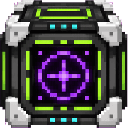
- Hold the Phase Box and use it to open the setup menu.
- Stand on the block that should define the first corner and choose 1st Corner.
- Stand on the opposite corner and choose 2nd Corner.
- Stand on a block at the desired top height and choose Set Height.
- Choose Submit Box.
- Move outside the activation area around the selected box. The blocks inside the box are hidden.
- Return to the activation area to restore the box exactly as it was, including block states and container contents.
The Phase Box is a single item and is not consumed when used. You can also obtain it with:
/give @s com_phase_box_4x57tfy3:my_sword
Overview
The Phase Box hides a rectangular region of blocks while you are away and restores it when you return. It is useful for concealing builds, temporary structures, entrances, or storage areas.
The selected region must be entirely within one dimension. The first two marks define its horizontal boundaries and lower height; the third mark defines its upper height.
What It Adds
- Phase Box — A placeable/useable item that lets you select and manage one hidden region.
- Rectangular region selection using two corners and a height mark.
- Automatic hiding when you leave the region’s activation area.
- Automatic restoration when you return.
- Preservation of block states and the contents of supported block containers.
How To Use
Select a region
Use the Phase Box while holding it to open the setup menu. The menu guides you through four steps:
| Step | What to do |
|---|---|
| 1st Corner | Stand on the block marking the first corner and select the button. |
| 2nd Corner | Stand on the block marking the opposite corner and select the button. |
| Set Height | Stand on a block at the desired top level and select the button. |
| Submit Box | Confirm the selected region. |
Each mark uses the block directly beneath your feet. The two corner marks determine the minimum and maximum X and Z coordinates, as well as the bottom of the region. The height mark determines the top of the region.
All three marks must be in the same dimension. The height mark must be at or above the lower corner level.
Hide the region
After submitting, remain within the activation area and then leave it. The selected region is cleared to air when you cross outside the activation area.
The activation area extends three blocks beyond the selected region in every direction. Leaving this surrounding area triggers the hide action, not merely stepping outside the exact build boundary.
Restore the region
Return to the activation area in the same dimension. The saved region is restored when you cross back into the activation area.
The restoration first clears the entire selected volume, then brings back the saved blocks. Blocks placed inside the hidden volume while it is away are removed when the original region returns.
Cancel setup
Choose Cancel at any setup step to stop the current selection process. You can use the Phase Box again to begin a new setup.
Crafting And Obtaining
Craft the Phase Box at a crafting table using the available recipe:
The recipe uses iron, amethyst, redstone, and an ender eye.
Abilities And Mechanics
- The Phase Box works as a held item; using it opens the region-selection menu.
- The selected region includes every coordinate between the two corners from the lower level through the chosen top level.
- Air is not stored as part of the snapshot, but the full volume is cleared before hiding or restoring.
- Block states are preserved, including orientation and other state-dependent properties.
- Container inventories are preserved when the block supports an inventory.
- The region is monitored automatically while you are in the world.
- A region is hidden when you leave its activation area and restored when you return.
- The region remains associated with the player who created it during the current play session.
Progression And Strategy
- Select a region that is large enough to contain the entire build, including its highest blocks.
- Stand inside or near the selected region when submitting it, then walk beyond the three-block activation border to test hiding.
- Keep important builds and storage inside the selected volume; anything outside it remains visible.
- Avoid building in the hidden volume while it is away, since restoration clears that volume before replacing the saved structure.
- For reliable selection, mark the two corners at the same bottom level and use the third mark to set the build’s highest level.
How to install
Download the mod and follow the step-by-step installation guide.
Players also liked
Drop Box


Quick escape to a safe room where you can do some crafting, sleep, and restore your health. Just use the handheld remote and instantly be delivered to your safe room. Using the remote once again returns you to the exact spot you were before.
Work Box
Work Box is a job-based kit delivery mod for Minecraft Bedrock that allows players to instantly request specialized equipment sets delivered right in front of them ranging from plain, to good, to best.
Shape Box
Mark your center point, choose your material, choose the geometric shape, choose the size in blocks, and submit. A 15 sec delay allows you time to move away and then Shape Box delivers exactly what you asked for! Sphere, Dome, Cube, Horizontal and Vertical: Cylinders and Squares…
Stat Box
Stat Box adds a craftable, handheld tech reader to Minecraft Bedrock that tracks and displays your detailed world and player stats in a clean, categorized interface. There are many stats you can view and many of them do not show on screen until you actually have information to ad…
Home Box
Save and name multiple locations, then teleport to them whenever you need to, also set your respawn point with one handy device.
This mod is licensed under the CreativeMode Mods License.