

Description
Collect mob shards, forge powerful souls, and unleash monster abilities while conquering rarity-locked towers.
Mod Wiki
Mob Souls
Quickstart
- Get shards. Defeat mobs for a chance to receive their matching shard. In Creative mode, shard variants are available in the Ingredients tab.
- Forge a soul. Place a Soul Forge, hold a shard type in your hand, and right-click the forge while you have at least three matching shards in your inventory.
- Try the Zombie Soul. You can also craft it directly:
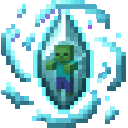

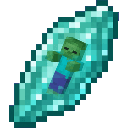
- Equip a soul. Hold a soul in your main hand. Some souls grant passive effects while held.
- Awaken the ability. Press R, the default Soul Ability key, or right-click while holding the soul. The ability HUD displays the soul's rarity and ability.
- Find a tower. Run
/mobsouls toweron solid ground to generate a three-floor tower nearby. You can also wait for towers to appear naturally in the Overworld. - Unlock the floors. Bring a Common Soul for the first lock and a Rare Soul for the upper lock.
Overview
Mob Souls turns defeated mobs into a progression system:
- Hunt mobs for Mob Shards and mob-specific shards.
- Combine three matching shards at a Soul Forge.
- Hold a forged soul for passive powers and activate its monster ability.
- Explore three-floor towers filled with increasingly dangerous spawners.
- Use souls of the correct rarity to open tower locks.
- Defeat rare tower threats for large shard rewards.
Souls are single-stack items, so keep your active soul in the main hand when using its powers.
What It Adds
Shards
The mod includes a generic Mob Shard and shard variants for the following mobs:
- Hostile mobs: Zombie, Skeleton, Creeper, Spider, Cave Spider, Enderman, Witch, Pillager, Vindicator, Evoker, Ravager, Vex, Slime, Magma Cube, Blaze, Ghast, Guardian, Elder Guardian, Phantom, Shulker, Wither, Ender Dragon, Warden, Hoglin, Zoglin, Piglin, Piglin Brute, Drowned, Husk, Stray, Zombified Piglin, Silverfish, Endermite, Bat, and Ultra Soul Dragon
- Passive and neutral mobs: Pig, Cow, Sheep, Chicken, Rabbit, Fox, Wolf, Bee, Goat, Villager, Iron Golem, Snow Golem, Allay, Frog, Turtle, Camel, Horse, Llama, Panda, Parrot, Axolotl, Strider, Ocelot, Cat, Cod, Salmon, Pufferfish, and Tropical Fish
The matching shard is the usual reward for defeating a registered mob. The generic Mob Shard is used for mobs without a dedicated shard variant.
Souls
Named souls are available for:
| Soul | Rarity |
|---|---|
| Zombie Soul | Common |
| Skeleton Soul | Common |
| Chicken Soul | Common |
| Ocelot Soul | Common |
| Bat Soul | Common |
| Creeper Soul | Uncommon |
| Spider Soul | Uncommon |
| Bee Soul | Uncommon |
| Enderman Soul | Rare |
| Witch Soul | Rare |
| Blaze Soul | Rare |
| Pillager Soul | Epic |
| Iron Golem Soul | Epic |
| Ghast Soul | Epic |
| Ravager Soul | Epic |
| Ender Dragon Soul | Legendary |
| Ultra Soul Dragon Soul | Legendary |
How To Use
Holding a soul
A soul must be in your main hand for its passive effect to work. The passive effect is refreshed continuously while you hold it.
The Soul HUD shows the held soul and its rarity. The action bar also reports the current held soul and reminds you of the ability key.
Activating a soul
Press R by default, or right-click with the soul in your main hand. You can change the key in the Minecraft Controls menu under the Mob Souls category.
Abilities activate immediately and may grant status effects, launch the player, damage nearby creatures, create explosions, or teleport the player. Explosive souls can destroy terrain and harm the user, so use them carefully.
Using the Soul Forge
- Place a Soul Forge.
- Hold one shard from the type you want to forge.
- Make sure you have at least three matching shards in your inventory.
- Right-click the Soul Forge.
The forge consumes three matching shards, including shards spread across multiple inventory stacks, and gives the corresponding soul. Only shard types with a named soul produce that soul.
A Soul Forge can also forge a Zombie Soul from three Zombie Shards.
Using rarity locks
Hold a soul with the required rarity and right-click the matching lock:
| Lock | Required soul |
|---|---|
| Common Level Lock | Common Soul |
| Uncommon Level Lock | Uncommon Soul |
| Rare Level Lock | Rare Soul |
| Epic Level Lock | Epic Soul |
| Legendary Level Lock | Legendary Soul |
The soul is not consumed. A matching lock breaks open when successfully unlocked. A soul of the wrong rarity does not open it.
Crafting And Obtaining
Finding shards
When a non-player mob is defeated, it has a 1-in-3 chance to drop one shard. Registered mobs drop their own shard type, such as a Zombie dropping a Zombie Shard or a Blaze dropping a Blaze Shard.
The regular tower mobs follow the same drop chance. The special tower entities provide larger rewards:
- Soul Boss: 3 generic Mob Shards
- Ultra Soul Dragon: 3 Ultra Dragon Shards
Forging souls
Most souls are made by taking three matching shards to a Soul Forge. For example, three Creeper Shards make a Creeper Soul, while three Enderman Shards make an Enderman Soul.
The direct Zombie Soul recipe is also available:
The Soul Forge and all rarity locks are available in the Functional item category. Soul items are available in the Combat category, and shard items are available in Ingredients.
Abilities And Mechanics
The following passive effects apply while the soul is held in the main hand. The active effect is triggered with R or right-click.
| Soul | Passive while held | Active ability |
|---|---|---|
| Zombie Soul | None | Strength II for 18 seconds and Regeneration I for 8 seconds |
| Skeleton Soul | None | Haste II for 15 seconds |
| Creeper Soul | None | Creates an explosion centered on the player |
| Spider Soul | Speed I | Speed II and Jump Boost II for 15 seconds, then places a cobweb directly ahead |
| Chicken Soul | Slow Falling I | Launches the player upward, with Slow Falling I for 18 seconds and Jump Boost III for 12 seconds |
| Bee Soul | Haste I | Haste II for 18 seconds, Resistance I for 8 seconds, and sting damage to nearby living creatures |
| Enderman Soul | None | Moves the player about 12 blocks forward |
| Ocelot Soul | Speed I | Speed II for 18 seconds and Invisibility I for 9 seconds |
| Witch Soul | None | Poison II for 8 seconds |
| Pillager Soul | None | Strength II and Resistance I for 15 seconds |
| Iron Golem Soul | None | Strength IV for 18 seconds, Resistance II for 12 seconds, and knocks nearby enemies away |
| Blaze Soul | Fire Resistance I | Fire Resistance I for 30 seconds and an explosion about three blocks ahead |
| Ghast Soul | Resistance I | Creates a powerful explosion about six blocks ahead |
| Bat Soul | Night Vision I | Night Vision I for 30 seconds, Slow Falling I for 15 seconds, and an upward launch |
| Ravager Soul | None | Knocks nearby enemies away within roughly four blocks |
| Ender Dragon Soul | Builds burn while held | Creates a very large explosion centered on the player |
| Ultra Soul Dragon Soul | None | Creates an enormous explosion centered on the player |
Ender Dragon Soul burn
The Ender Dragon Soul has a limited burn budget. While it is held, the soul accumulates burn over time, and each activation consumes more of that budget. Once the burn becomes too high, the explosion no longer fires. Avoid keeping it equipped when you are not planning to use it.
Explosion safety
Creeper, Blaze, Ghast, Ender Dragon, and Ultra Soul Dragon abilities create real explosions. Do not activate them near important builds, storage, or other players unless destruction is intended.
Towers And Progression
Generating towers
Towers can appear naturally near players in the Overworld. To generate one immediately, use:
/mobsouls tower
The command uses your current position and requires a solid block beneath the generation point. Towers contain three levels arranged vertically, with a gold block marking the top.
You can also use /mobsouls guide to display the shard, forging, tower, and ability instructions in-game.
Tower floors
| Floor | Usual spawner | Entrance lock |
|---|---|---|
| Lower floor | Zombies | None |
| Middle floor | Pillagers | Common Level Lock |
| Upper floor | Ender Dragons | Rare Level Lock |
The lower floor has a small chance to contain an Ultra Soul Dragon instead of its usual mob. The middle floor has a small chance to contain a Soul Boss. The upper floor has a substantial chance to contain an Ultra Soul Dragon instead of an Ender Dragon.
The generated tower uses Common and Rare locks, but Uncommon, Epic, and Legendary locks are also available for building your own rarity-gated areas.
Special tower enemies
- Soul Boss: A powerful zombie-like enemy that repeatedly refreshes Resistance II. It awards 30 experience and drops three generic Mob Shards when defeated.
- Ultra Soul Dragon: A creeper-like enemy that periodically creates an explosion around itself. It awards 100 experience and drops three Ultra Dragon Shards.
For Creative testing, these entities can be summoned with:
/summon mob-souls-fifbmakv:soul_boss
/summon mob-souls-fifbmakv:ultra_soul_dragon
Progression And Strategy
- Start with common mobs such as zombies, skeletons, chickens, ocelots, or bats.
- Forge a Common Soul and use it to open the middle tower floor.
- Collect three Creeper, Spider, Bee, Enderman, Witch, or Blaze Shards to work toward stronger abilities and higher rarities.
- Forge a Rare Soul to pass the upper tower lock.
- Reserve Epic and Legendary souls for the most dangerous fights and custom rarity locks.
- Keep mobility souls available: Spider, Chicken, Ocelot, and Bat abilities help with movement and vertical terrain.
- Use Blaze Soul for fire-heavy areas and Ghast Soul for ranged explosive attacks.
- Switch away from an explosive soul before entering a base or crowded area.
- Keep the soul in your main hand when relying on a passive effect; merely carrying it elsewhere does not activate the passive.
How to install
This Java mod can be used on Windows and Mac PCs with the CreativeMode Launcher or any Minecraft launcher of your choice.

1. Download and install the new CreativeMode Launcher
2. Click to play on the top of the screen.
3. That's it — launches instantly. No complicated setup required.
Want to use on a different launcher? Download mod and manually install.
Players also liked
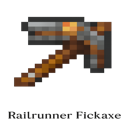
Railrunner Pickaxe


The Railrunner Pickaxe automatically carves a 3×4×4 tunnel in the direction you’re facing whenever you mine a block, laying rails along the bottom center and placing glowstone at the top for instant lighting. Just swing the pickaxe at any block to create a fully lit, minecart-rea…
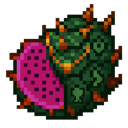
Dragon Fruit


The Dragon Fruit is a legendary food item that gives you the strength of a dragon when consumed. Simply right-click to eat it like any regular food - it will completely restore your hunger and grant you five powerful effects for 5 minutes: Resistance IV (80% damage reduction), Ab…
Chaos Tempest Relics

The Chaos Tempest Relics is a powerful multi-functional magical artifact that combines six legendary items into one versatile tool. The item cycles between six different modes: Reality Shard (transforms blocks and mobs randomly), Limitless Barrier (creates a protective energy fie…
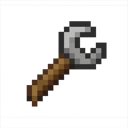
Timber Turnkey


The Timber Turnkey is a wooden wrench tool that allows you to easily rotate blocks to change their orientation. Simply right-click on any rotatable block (like stairs, logs, furnaces, or dispensers) to cycle through its available orientations, or shift + right-click to rotate in…
Catalyst Astrolabe


Use catalysts to make your astrolabe point like a compass to villages, dungeons, and mineshafts. V2 displays coordinates right now, working on making it work like a real compass.
This mod is licensed under the CreativeMode Mods License.