

Description
A pentagon stone fort with a bastion at each point, with a grass courtyard with a brick path that goes through it add a basement that is tunnels with storage rooms in each tunnel that connects the north bastion with the south bastion
Mod Wiki
Fivepoint Stonehold
Quickstart
- Open the Creative inventory and search for Structure Wand.
- Place yourself in an open area with enough room for a large fort.
- Hold the wand and use it while looking toward the ground or another block.
- The wand launches a projectile. When it hits, the Fivepoint Stonehold is placed at the impact point.
- Walk through the fort to explore the courtyard, bastions, and basement tunnels.
The wand has a short cooldown of about 3 seconds between uses. Its placement is scaled to keep the structure within roughly 128 blocks of its target size.
You can also use the client command:
/structure list— lists available structures./structure build fivepoint_stonehold— builds the fort at your current position./structure build fivepoint_stonehold <size>— builds it with a target size from 16 to 256 blocks.
Overview
Fivepoint Stonehold is a large pentagonal stone fort designed as a ready-made stronghold or settlement centerpiece. Each of the pentagon’s five points has its own bastion, while the center contains a grass courtyard crossed by a brick path.
The fort also includes a basement network. Tunnels run beneath the structure, with storage rooms in the tunnels and a route connecting the north bastion to the south bastion.
What It Adds
- Fivepoint Stonehold — a large pentagonal stone fort.
- Five bastions — one at each point of the pentagon.
- Grass courtyard — an open central area inside the fort.
- Brick path — a path crossing the courtyard.
- Basement tunnels — underground passages beneath the fort.
- Storage rooms — rooms built into the basement tunnels.
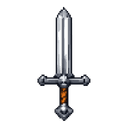
- Structure Wand — a Creative-mode tool for placing the fort.
- Structure Wand Projectile — the visible projectile launched by the wand.
How To Use
Placing the Fort With the Structure Wand
The Structure Wand is available in the Creative inventory and does not require crafting.
- Select the wand.
- Aim at the block or location where you want the structure to begin.
- Use the wand.
- Wait for the projectile to reach its target.
On impact, the wand plays a chime and produces magical particles while the structure is placed. The fort’s orientation follows the direction you are facing when you use the wand.
Choose a clear area before placing it. The structure is large and includes underground sections, so avoid cramped interiors, steep terrain, and important builds.
Placing the Fort With Commands
Use /structure list to confirm the available structure name. Then run:
/structure build fivepoint_stonehold
To choose a target size, add a value between 16 and 256:
/structure build fivepoint_stonehold 200
The command builds the structure at your current position. Larger sizes require more open space and may take longer to finish.
Exploring the Stonehold
Courtyard
Enter the central courtyard to find grass-covered open space and a brick path running through the fort. The courtyard provides a natural area for landscaping, gathering, or placing additional decorations.
Bastions
The five bastions form the fort’s outer points. Use them as lookout posts, defensive positions, or distinctive rooms for different purposes.
Basement
Look for access to the underground level and follow the tunnels beneath the fort. The basement contains storage rooms along the tunnels, and the tunnel network connects the north bastion with the south bastion.
The basement is useful for organizing supplies while keeping storage out of the main courtyard and bastions.
Crafting And Obtaining
There are no crafting recipes for the structure or the Structure Wand.
In Creative mode, obtain the Structure Wand from the Creative inventory. The fort can also be placed with /structure build fivepoint_stonehold or by specifying a target size.
Progression And Strategy
- Place the fort first, then use the courtyard as the center of your settlement.
- Assign the five bastions different functions, such as watch posts, armories, housing, or farms.
- Organize materials in the basement storage rooms and use the connecting tunnels for travel between the north and south sides.
- Keep the area around the fort open so the pentagonal outline and all five bastions are visible.
- Use the brick courtyard path as the main route for entrances, gates, and additional buildings.
How to install
This Java mod can be used on Windows and Mac PCs with the CreativeMode Launcher or any Minecraft launcher of your choice.

1. Download and install the new CreativeMode Launcher

2. Click to play on the top of the screen.
3. That's it — launches instantly. No complicated setup required.
Want to use on a different launcher? Download mod and manually install.
Players also liked




Blueberry Frostwing


Blueberry Frostwing adds the humid, colorful Bluewood Grove biome full of purplewood and bluewood trees with rainbow leaves, Violet Grove Moss, Blue‑Violet Sprouts, craftable planks, and harvestable Mountain Blueberry bushes you pick by right‑clicking (they regrow after five minu…


This mod is licensed under the CreativeMode Mods License.