

Description
You can operate on mobs and players
Mod Wiki
Blockside Surgery
Quickstart
- At a crafting table, make a Scalpel, Sterile Suture Kit, and Operating Table using the recipes below. Leave room around the spot where you place the table.
- Have the scalpel and a suture kit in your inventory. Interact with the table and choose an injured player nearby—including yourself, if you have trauma.
- Stay near the table with the patient for 10 seconds to complete treatment. The suture kit is consumed when the procedure begins.
- To try creature surgery, hit a non-player mob with the scalpel to open its surgery menu. Open the incision, select a part to remove or replace, and use a suture kit to close the incision.
- Use a Gauze Bandage from your hand for a quick treatment that reduces trauma.
Overview
Blockside Surgery adds a trauma-and-treatment loop for players and a part-removal and grafting system for non-player mobs. Use the Operating Table to treat injured players; use a scalpel to open a mob’s surgery menu.
What It Adds
| Item or block | Use |
|---|---|
| Operating Table | Start procedures for nearby injured players. |
| Scalpel | Open the surgery menu by hitting a non-player mob. |
| Sterile Suture Kit | Required to begin player surgery and to close a mob’s incision. |
| Gauze Bandage | Reduce your own trauma and restore some health. |
| Heart, lung, liver, kidney, and bone grafts | Replace matching parts removed during mob surgery. |
How To Use
Treat players at the Operating Table
Interact with the table to see injured players in reach and select a patient. The doctor and patient must remain within about 6 blocks of the table while treatment is underway. Moving away or losing the table interrupts the procedure.
A scalpel and Sterile Suture Kit must be in the doctor’s inventory. The kit is consumed when surgery starts. On completion, the patient receives healing and has up to 8 trauma removed; the doctor earns 3 XP.
Operate on mobs
Hit a non-player mob with a scalpel to open its surgery menu. Choose Open incision, then select a part to remove or replace. Use More organs & bones... to access the liver, kidneys, and bone.
Removing a present part gives you its matching graft. Replacing a missing part consumes the matching graft from your inventory. Close the incision with a Sterile Suture Kit, which is consumed. The surgery menu works only while you stay near the mob.
Use bandages
Use a Gauze Bandage from your hand to reduce your trauma by 3 and restore some health. Each use consumes one bandage.
Crafting And Obtaining
Craft these items at a crafting table:
- Scalpel — 1 iron ingot and 1 stick:
- Sterile Suture Kit — 1 string, 1 paper, and 1 iron nugget; crafts 2:
- Gauze Bandage — 1 white wool and 1 paper; crafts 2:
- Operating Table — craft with iron ingots, a glass pane, and smooth stone:


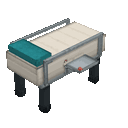
Grafts are obtained by removing the corresponding present part during mob surgery.
Abilities And Mechanics
Player trauma rises when you take damage and is capped at 20. It is separate from your ordinary health: bandages reduce it by 3, while a completed table procedure reduces it by up to 8. The Operating Table’s patient list shows nearby players with trauma.
Mob surgery tracks whether each of the five parts—heart, lungs, liver, kidneys, and bone—is present or missing. Use the matching graft to replace a removed part.
How to install
Download the mod and follow the step-by-step installation guide.
Players also liked

Fortune Block


create a minecraft item that has the following description: Lucky Block that drops random items when broken Edit v2: Make the crafting recipe 8 gold ingots and 1 chest Edit v3: Block can drop up to 20 items
Tsunami Bucket


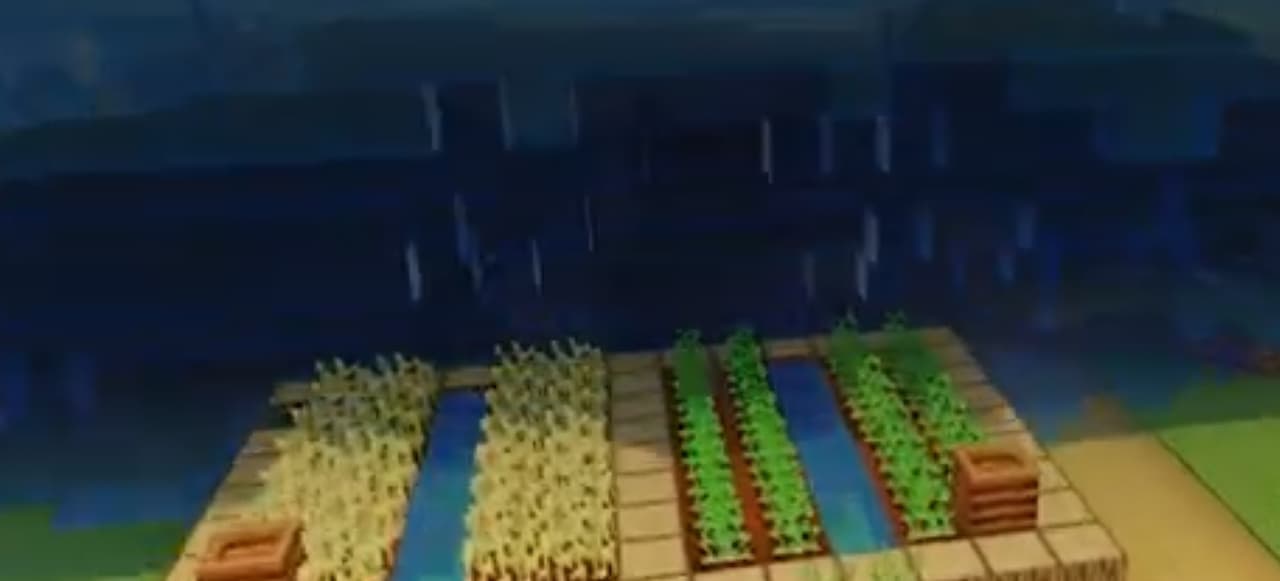
Tsunami Bucket - place to create a 10-block-tall water tsunami that radiates outward in all directions; removing or breaking the source block stops and removes the tsunami.
Endless madness horror add on

This horror addon adds 16 new horror themed mobs to your Minecraft world as well as creepy sounds, jump scares and more. Will you survive the terrors?.. WARNING This addon was designed to be relatively difficult. Some mobs and encounters may require better gear or different way…
Floatater Block

Place the Floatater Block under any connected structure to lift and move the entire attached build; single-click the block to activate or deactivate. While active, use quick multi-clicks to set direction: 2 quick clicks = Forward (+X/east), 3 quick clicks = Backward (-X/west), 4…

Soul Jar Vacuum (Capture Mobs)

Catch mobs in jars boi. Seriously. Release them when ya want, or store them on shelves like a creepy mob hunter. Or... make soul stews or even soul arrows that release the captured mob when your designated soul arrow makes impact at a target. Yours truly, Ballblaster. The soul st…
This mod is licensed under the CreativeMode Mods License.