

Description
Deploy a twin-barrel laser turret to defend your base—or target your rivals.
Mod Wiki
Azure Twin Turret
Quickstart
- Craft one Azure Twin Turret at a crafting table.


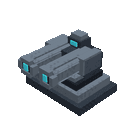
- Hold the turret and use it on the ground to deploy the full twin-turret structure. It faces the direction you place it.
- Keep the turret item selected and use it again to fire an energy burst at nearby hostile mobs.
- To target another player, sneak while using the turret to open Twin Turret G2L Programming, then select an online player.
- Use the turret normally to fire. Targets must be in the same dimension and within 20 blocks when you fire.
Overview
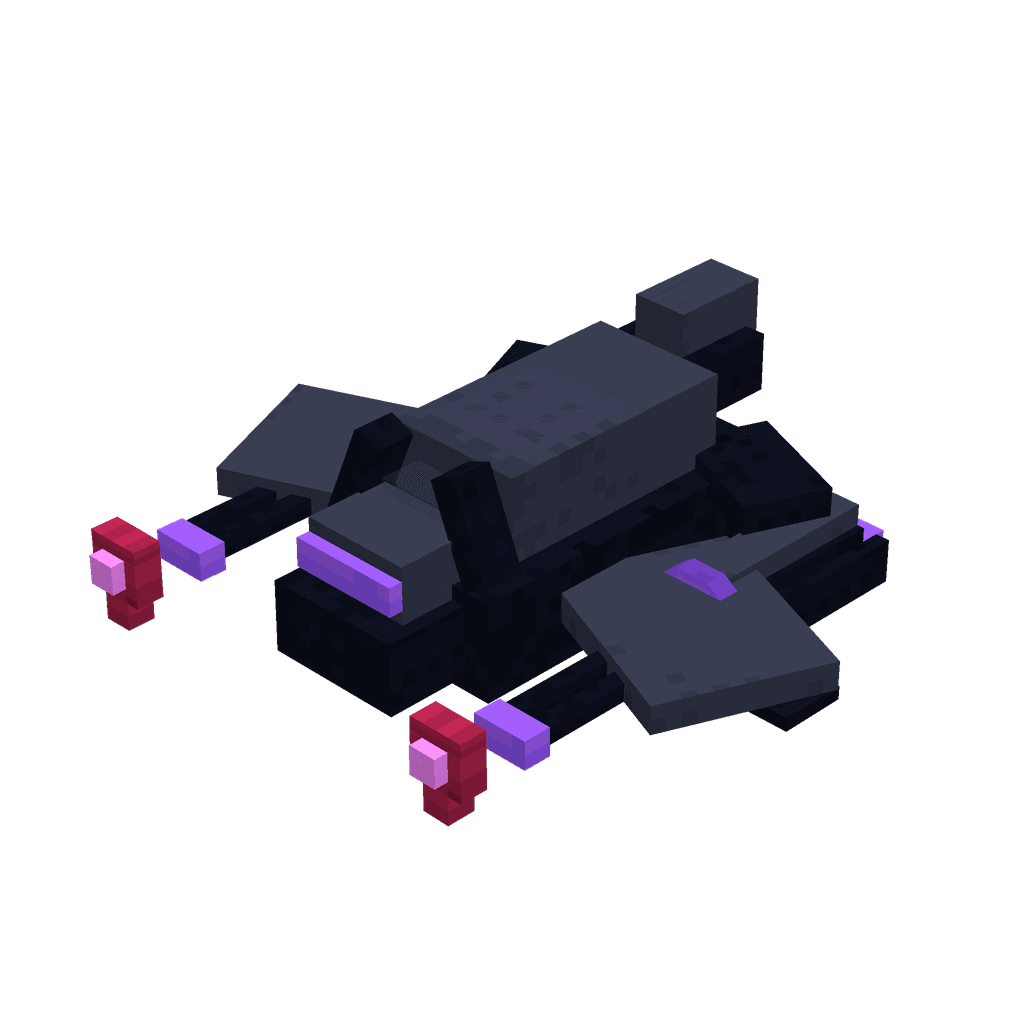
Azure Twin Turret is a deployable laser-turret item for base defense, hostile-mob clearing, and player-versus-player battles. Placing it creates a large two-level turret structure, while using the held item triggers its energy attack.
The turret fires rapidly, has a short 2-tick cooldown between shots, and deals 20 damage to every valid target in range.
What It Adds
- Azure Twin Turret item
- A directional, multiblock turret structure measuring 3 blocks wide, 3 blocks deep, and 2 blocks tall
- Energy bursts with blue-flame particles and a beacon-like sound
- Automatic targeting of nearby hostile mobs when fired
- Optional targeting of one programmed player
How To Use
Deploying the Turret
Hold the Azure Twin Turret and use it on a suitable block surface. The item places the complete turret structure at once and orients it according to your placement direction.
The deployed structure is primarily the turret’s physical display and emplacement. It does not independently scan or fire on its own; hold and use the turret item to activate its attack.
Firing
With the turret item selected, use it without sneaking.
Each activation:
- Searches within 20 blocks of you
- Targets hostile mobs in the same dimension
- Deals 20 damage to every hostile mob found
- Produces a blue energy-burst effect and sound at each target
- Can also hit your programmed player target, if one is online and in range
The turret cannot target you. If no valid target is nearby, it displays a “no hostile targets in range” message.
Programming a Player Target
- Hold the Azure Twin Turret.
- Sneak while using it.
- Select a player from the programming menu.
- Use the turret normally to fire at valid targets.
The programmed player must remain online, in the same dimension, and within 20 blocks when the turret fires. Programming a player does not prevent the turret from targeting nearby hostile mobs.
To remove the player target, sneak-use the turret and choose Clear programmed target.
Crafting And Obtaining
Craft the Azure Twin Turret in a crafting table using the recipe below.
The recipe produces one Azure Twin Turret.
Abilities And Mechanics
| Feature | Details |
|---|---|
| Hostile-mob targeting | Targets hostile mobs within 20 blocks |
| Player targeting | Supports one selected online player |
| Damage | 20 damage per valid target per activation |
| Firing cooldown | 2 ticks between activations |
| Player range requirement | Same dimension and no more than 20 blocks away |
| Visual effect | Blue-flame particle burst |
| Sound effect | Beacon activation sound |
| Placement | Deploys a directional 3 × 3 × 2 turret structure |
| Sneak-use | Opens the player-target programming menu |
The attack checks targets around the player firing the turret, so stand near the area you want to defend or clear.
Progression And Strategy
- Place the structure at a base entrance, arena, or defensive checkpoint for a visible turret emplacement.
- Stand near the deployed turret when firing so hostile mobs fall within the 20-block range.
- Use the turret against groups of monsters: one activation can damage every hostile mob currently in range.
- Program a rival before a duel, but remember that the player must stay online, nearby, and in the same dimension.
- Use repeated normal activations to take advantage of the turret’s rapid firing cooldown.
- Keep the structure protected: its turret blocks can be mined relatively quickly and have no explosion resistance.
How to install
Download the mod and follow the step-by-step installation guide.
Players also liked






This mod is licensed under the CreativeMode Mods License.