

Description
Ride the Void Knight Warpjet, blast enemies with explosive hearts, and warp across dimensions.
Mod Wiki
Void Knight Warpjet
Quickstart
- Gather the materials for the Warpjet and craft it at a crafting table.
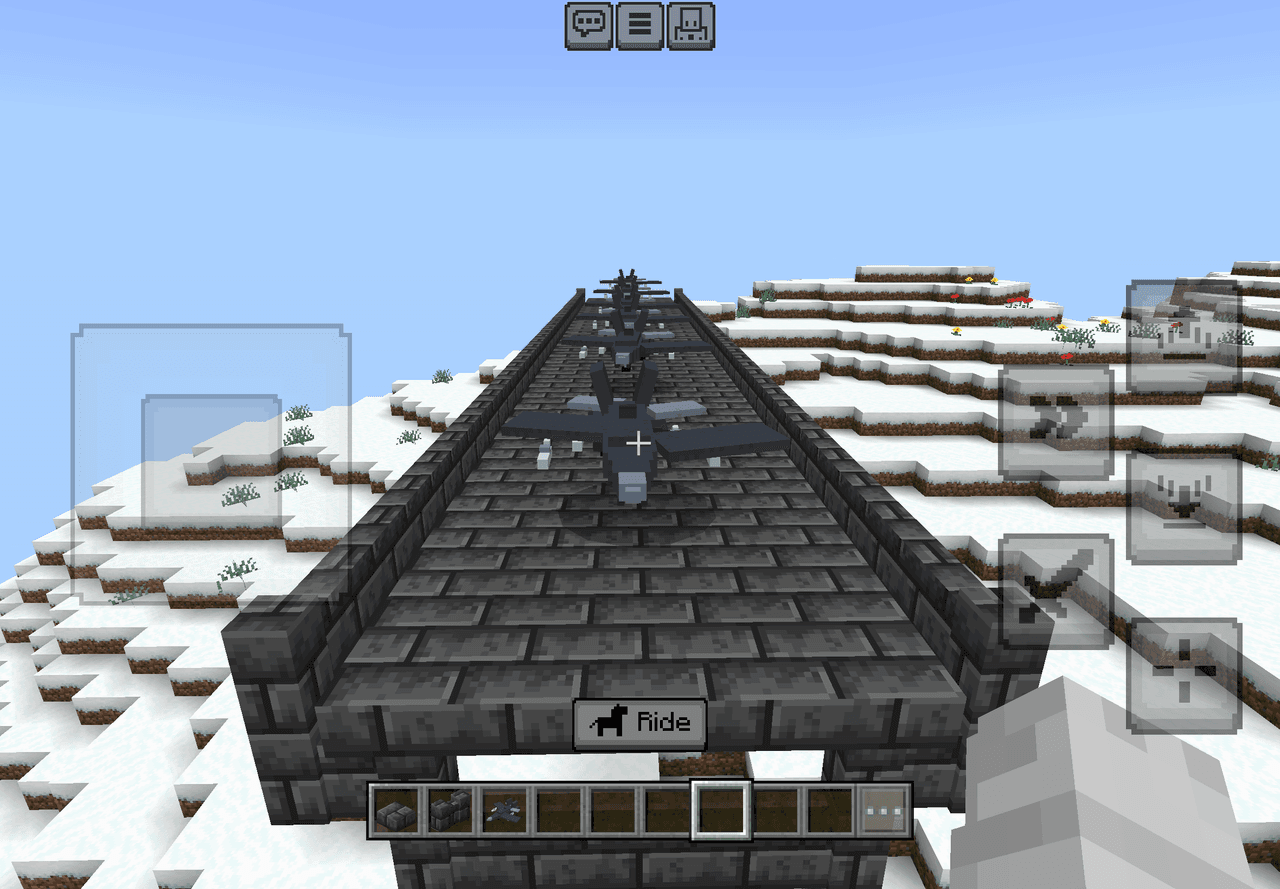
- Use the crafted Void Knight Warpjet item on the ground to place the vehicle.
- Interact with the Warpjet to mount it. It has one seat.
- While riding, use normal movement and look controls to fly.

- Tap or right-click, or press the Jump button, to fire two explosive Void Knight Hearts in the direction you are looking.
- Use the Warpjet for fast aerial travel and dimensional adventures.
Overview
The Void Knight Warpjet is a one-seat flying vehicle built for high-speed exploration and combat. It floats without gravity, responds to air movement, and fires twin explosive projectiles while piloted.
The Warpjet can be damaged and has 40 health. It can be named with a name tag.
What It Adds
- Void Knight Warpjet rideable flying vehicle
- One-player seating
- Gravity-free flight
- Air-controlled movement
- Twin explosive Void Knight Heart projectiles
- A large third-person riding view
- Dimensional travel with a void-themed vehicle
How To Use
Placing the Warpjet
Hold the crafted Void Knight Warpjet item and use it on a suitable location. The vehicle appears where you place it.
You can also summon one with commands:
/summon com_void_knight_warpjet_mibk24bw:my_vehicle
Riding
Interact with the Warpjet to mount it. Only one player can ride at a time.
While mounted:
- Use movement controls to fly.
- Look in the direction you want to travel or fire.
- Use the Jump button for the primary weapon.
- Tapping or right-clicking also activates the primary weapon.
- Crouching skips the normal mount interaction.
- Dismount to the top-center position of the Warpjet.
The Warpjet has no gravity and can fly through the air. Its backward movement is slower than forward movement, so turn around when retreating over long distances.
Crafting And Obtaining
Craft the Void Knight Warpjet at a crafting table. The recipe requires:
- Obsidian
- A Nether Star
- Iron Blocks
- An Ender Eye
- Ender Pearls
- A Netherite Ingot


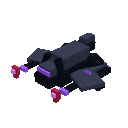
The crafted item is a single-use-sized stack item and places the rideable Warpjet when used.
Abilities And Mechanics
Flight
The Warpjet is a flying mount with no gravity. It can be controlled in the air and can path over water. Use normal movement and camera controls to steer it through open space.
Explosive Void Knight Hearts
The primary weapon fires two dangerous wither-skull-like projectiles at once. They travel forward from the rider and explode when they reach their target or finish their normal projectile behavior.
Keep enemies in front of the Warpjet before firing, and avoid using the weapon near builds or terrain you do not want damaged.
The weapon has a brief cooldown between volleys.
Dimensional Travel
The Warpjet is designed for void-themed travel between dimensions. Bring it with you when exploring the Nether, the End, or other accessible dimensions, and use it as a flying combat mount wherever it can be placed and ridden.
Progression And Strategy
- Gather Nether and End resources before crafting the Warpjet; its recipe requires both a Nether Star and Ender materials.
- Use the vehicle’s flight to attack from above and reposition quickly.
- Fire while looking directly at enemies to keep both projectiles on target.
- Maintain distance from hostile mobs and your own explosions.
- Use open areas for takeoff, combat, and landing.
- Name your Warpjet to distinguish it from other vehicles in multiplayer worlds.
- Remember that the Warpjet has one seat, so each player needs a separate vehicle.
How to install
Download the mod and follow the step-by-step installation guide.
Players also liked







This mod is licensed under the CreativeMode Mods License.