

Description
Guard your base with a metal door only you and trusted players can open.
Mod Wiki
Ironclad Ward Door
Quickstart
- Craft an Ironclad Ward Door from iron ingots and redstone, or take one from the Creative inventory.


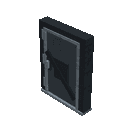
- Hold the door and place it on a suitable floor block. The door builds itself as a large 2-block-wide, 2-block-high entrance and faces the direction you place it.
- Interact with the door normally to open or close it. The door opens only for its owner by default.
- Crouch and interact with the door as its owner to open the access menu. Add trusted players by entering their Minecraft player names.
- Trusted players can interact normally to open and close the door, but only the owner can edit the access list or break the door.
The door closes automatically after about 5 seconds when opened.
Overview
Ironclad Ward Door adds a metal security door for bases, vaults, workshops, and other protected areas. Each placed door is bound to the player who placed it. Other players cannot open, edit, or break it unless you give them access.
The door occupies a 2-by-2 area and automatically creates its complete multi-block structure when placed. Placement direction determines which way the entrance faces.
What It Adds
- Ironclad Ward Door — A player-owned, automatically closing metal door.
- Door Smithing Tablet — Used with a smithing table to customize a nearby door.
- Riveted Border Door Pattern — A decorative pattern item.
- Ward Sigil Door Pattern — A decorative pattern item.
- Redstone Door Trim
- Diamond Door Trim
- Netherite Door Trim
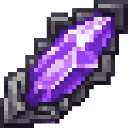
- Amethyst Door Trim
Door trims and patterns are decorative customization items. They do not grant additional access permissions.
How To Use
Place a door
Hold the Ironclad Ward Door and use it on the block where you want the bottom of the entrance. Leave enough room for the complete 2-by-2 door structure.
The door records the placing player's identity when it is created. The door's initial appearance can be selected before placement by crouching and using the door item.
Open and close the door
- Normal interaction: Toggle the door open or closed.
- Owner or trusted player: The door responds to the interaction.
- Unauthorized player: The door remains locked and displays a locked-door message.
- Automatic closing: An opened door closes after approximately 5 seconds.
Opening the door removes the solid door pieces temporarily, allowing players to pass through. Closing it rebuilds the door in the same position.
Manage trusted players
The owner can crouch and interact with any part of their door to open the Ironclad Ward Door access menu.
- Choose Add a person.
- Enter the player's Minecraft name.
- The player is added to the access list.
- Use Remove a person later to revoke their access.
The menu displays everyone currently allowed to open the door. The owner already has access automatically and does not need to be added.
Trusted players can use the door, but cannot change its access list.
Break a door
Only the player who placed the door can break it. Mine any part of the door structure as its owner to remove it. Other players are prevented from breaking it.
The door is access-controlled rather than explosion-proof; its physical pieces have no explosion resistance.
Crafting And Obtaining
Ironclad Ward Door
Craft the door with eight iron ingots and one redstone dust.



Door Smithing Tablet
Craft the tablet with iron ingots, redstone, and books.


Use the tablet on a smithing table. The tablet does not open a menu when used on other blocks.
Door patterns
Craft the patterns at a crafting table. Each pattern is consumed when applied to a door.
Riveted Border Door Pattern

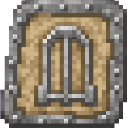
Ward Sigil Door Pattern
Door trims
Each trim recipe produces two trim items. A trim is consumed when applied through the Door Smithing Tablet.
Redstone Door Trim

Diamond Door Trim


Netherite Door Trim

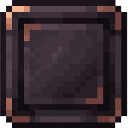
Amethyst Door Trim
Abilities And Mechanics
Door appearance
The Ironclad Ward Door item has four built-in looks. To cycle through them:
- Hold the door item.
- Crouch.
- Use the item without placing it.
A message shows the selected look as a number from 1/4 through 4/4. The selected look is used when the door is placed.
Smithing customization
The Door Smithing Tablet lets the owner customize a door within 16 blocks.
- Carry at least one door pattern and one door trim in your inventory.
- Stand within 16 blocks of your owned door.
- Use the tablet on a smithing table.
- Select the door, pattern, and trim in the menu.
- Confirm the operation.
The tablet consumes one selected pattern and one selected trim. The available choices are limited to the pattern and trim items currently in your inventory.
Available combinations include:
| Pattern | Trim choices |
|---|---|
| Riveted Border | Redstone, Diamond, Netherite, or Amethyst |
| Ward Sigil | Redstone, Diamond, Netherite, or Amethyst |
Ownership and access
Door ownership is tied to the player who placed the door. The owner can:
- Open and close the door.
- Add trusted players.
- Remove trusted players.
- Customize the door with the Door Smithing Tablet.
- Break the door.
Players on the access list can:
- Open and close the door.
Players not on the access list cannot interact with the door successfully.
Progression And Strategy
- Place the door at the entrance to a compact, enclosed base so the 2-by-2 structure fits cleanly.
- Add trusted players immediately when building in multiplayer.
- Use the access list instead of sharing ownership; only the original placer can customize or remove the door.
- Keep the Door Smithing Tablet and spare patterns and trims in a secure workshop.
- Choose a door appearance before placement, then use the tablet later when you want a specific pattern-and-trim combination.
- Remember that the door closes quickly, so coordinate with players following behind you.
- Pair the ward door with walls, lighting, and other defenses: it restricts interaction, but it is not resistant to explosions.
How to install
Download the mod and follow the step-by-step installation guide.
Players also liked

Infernal Maze Mace
 anon

Wield a flaming maze mace that obliterates anything in one devastating strike.
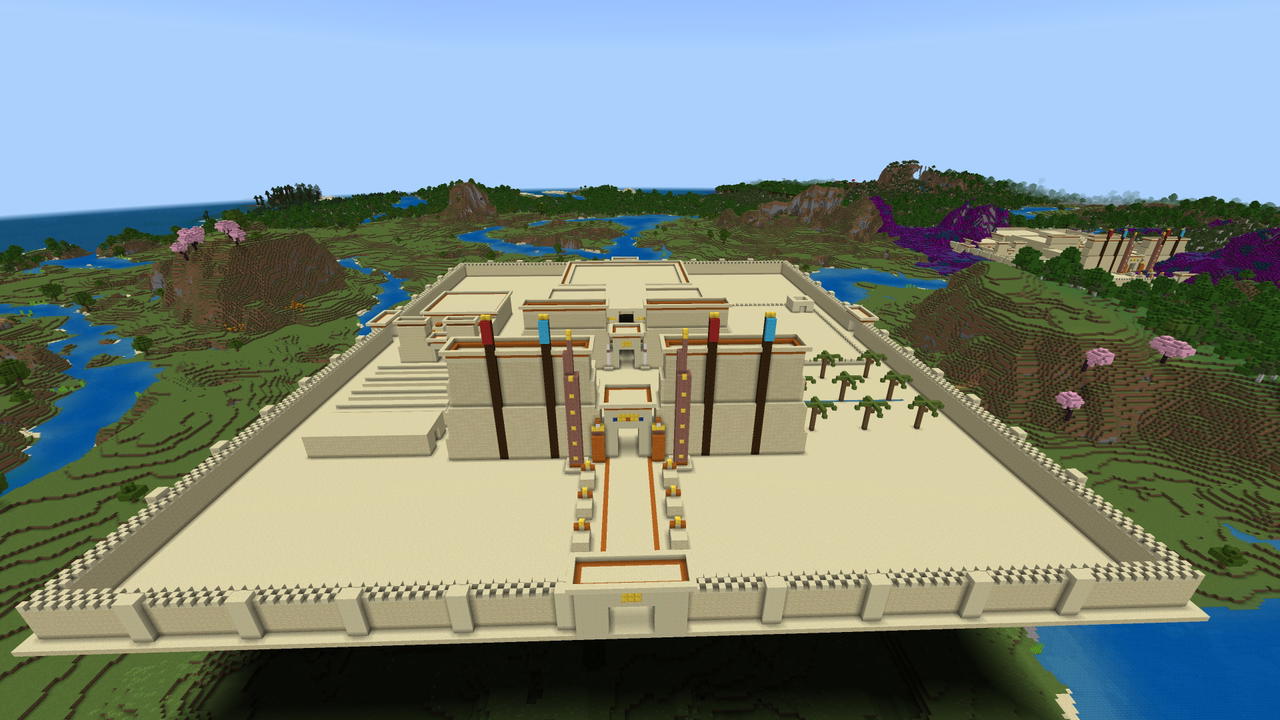
Sandstone Sun Temple


A vast Egyptian Temple complex perfect for a little bit of extra decorating and then dress your villagers to meet the Pharaoh... or dress one of your villagers up as the Pharaoh!

The Aegis Beacon
The Aegis Beacon is a placeable, permanent utility block resembling an ornate obsidian-and-gold lantern with a glowing cyan soul-flame and star-of-purity highlight; when placed it creates a 64-block radius sanctuary that instantly despawns or teleports hostile mobs that spawn in…

Villages Alive The Apiary
VILLAGES ALIVE - A mod series that brings you helpful villagers to make your build easier. Finally a Beekeeper! Set the place block and watch as your Apiary is instantly built; 4 cherry trees, 8 beehives, pink petal ground cover, and lots of flowers. Two seconds later Nectar Ned…
Diamondbound Iron Sword


Reforge iron with diamonds and unleash devastating sword strikes.
This mod is licensed under the CreativeMode Mods License.