

Description
The Andesite Tunnel Bore is a rideable multiblock mining vehicle modeled after a subway tunnel-boring machine, complete with a large circular cutterhead, steel ring, shield, industrial panels, venting and hazard striping. Right-click the main block to mount (camera switches to third-person) and drive forward to carve a 5x4 tunnel up to three blocks ahead while automatically laying a polished andesite floor and, now, building a polished-andesite tunnel shell as it moves—placing side walls just outside the 5-wide opening and a ceiling cap above the 4-tall interior. It preserves bedrock and obsidian, steers with WASD relative to your look direction, press Shift to dismount and leave the bore in place, or hit it to destroy and retrieve the item; all original behavior is preserved.
Mod Wiki
Andesite Tunnel Bore
Quickstart
- Craft the Andesite Tunnel Bore (the recipe is unlocked automatically when you join the world):


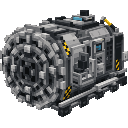
- Place the item in the world — the full multiblock structure assembles automatically, facing toward you.
- Right-click the machine to mount it. Your camera switches to third-person automatically.
- Drive forward with
Wto start boring. The machine mines ahead and builds the tunnel as it moves. - Press Shift to dismount and leave the bore in place, or hit it to destroy it and recover the item.
Overview
The Andesite Tunnel Bore is a rideable multiblock vehicle inspired by real-world subway tunnel-boring machines. It sports a large circular cutterhead, steel ring, shield body, industrial panels, venting, and hazard striping. Place it, climb in, and drive it through the earth — it carves a clean 5-wide × 4-tall tunnel, lays a polished andesite floor beneath you, and lines the sides and ceiling with polished andesite as it advances, leaving a finished tunnel behind.
What It Adds
| Content | Description |
|---|---|
| Andesite Tunnel Bore (item/multiblock) | Craftable rideable vehicle that bores tunnels and constructs tunnel linings |
| Boring sound | Unique mechanical grinding sound plays while the machine is active |
How To Use
Mounting and Dismounting
- Right-click the bore to mount it. Only one rider at a time is supported.
- The camera automatically switches to third-person view while riding.
- Press Shift to dismount. The bore stays exactly where it is.
- Hit (attack) the bore to destroy it and drop the item, so you can pick it up and redeploy elsewhere.
Steering
- Steer with W / A / S / D relative to your current look direction.
- The bore turns to match your yaw as you move.
HUD
While mounted, a heads-up display appears:
- A top bar shows ⛏ ANDESITE TUNNEL BORE.
- A bottom bar shows the active control hints.
Abilities And Mechanics
Tunnel Boring
As the bore moves forward it mines a 5 blocks wide × 4 blocks tall cross-section up to three blocks ahead. Mining fires every 4 ticks while the machine is in motion, and cloud particles puff out from broken blocks.
Automatic Floor Laying
The bore places polished andesite under its path as it travels, giving you a smooth, finished floor automatically.
Tunnel Lining
Beyond just the floor, the bore also constructs the side walls and ceiling in polished andesite — placing wall blocks just outside the 5-wide opening and a ceiling cap above the 4-tall interior. The result is a fully enclosed, finished tunnel with no extra work required.
Block Preservation
The bore never breaks bedrock or obsidian. All other breakable blocks are mined normally and drop their items.
Physics
The bore obeys gravity and rests on the ground. It cannot be pushed by other entities.
How to install
This Java mod can be used on Windows and Mac PCs with the CreativeMode Launcher or any Minecraft launcher of your choice.

1. Download and install the new CreativeMode Launcher

2. Click to play on the top of the screen.
3. That's it — launches instantly. No complicated setup required.
Want to use on a different launcher? Download mod and manually install.
Players also liked

Black Hole Apocalypse


An endless black hole that swallows everything, grows without limit, and now needs a pause between uses

Neon Gamer Abyss


Explore a neon purple, blue, and black gamer biome filled with cyber trees, glowing terrain, and hidden Gamer Shards.
Void Bin


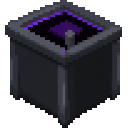
The Void Bin is now a single-block (1x1x1) placeable trash can that permanently destroys any items placed on or inside it with no way to recover them. Dropped items that land on the block are automatically voided every quarter second with a satisfying destruction sound and swirli…

Infinity Gloves


Infinity Gloves are powerful gauntlets that let you instantly eliminate mobs, launch a single target into the sky, or—newly added—mark nearby foes for easy tracking. Hold Shift and Right‑Click to apply the Glowing effect to all living entities within 64 blocks (excluding you) for…
Infinite Spread Button

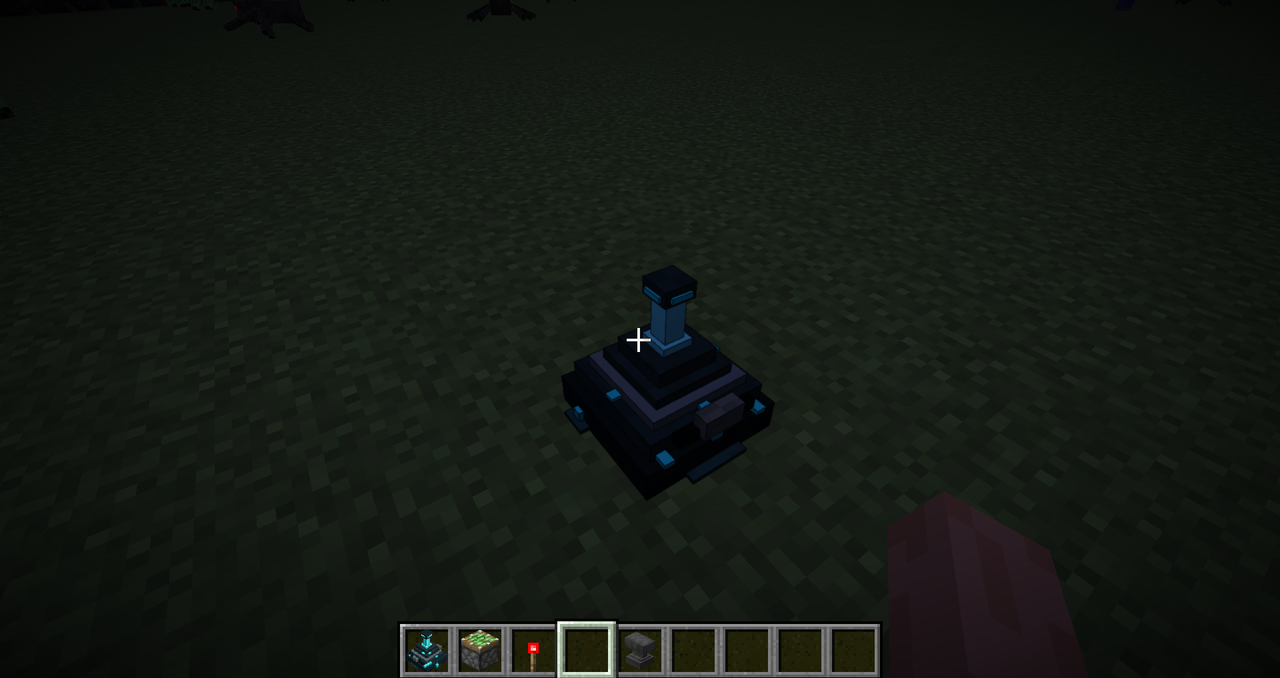
The Infinite Spread Button is a special block that, when right-clicked while holding any block, causes that block to spread outward infinitely like sculk—replacing air, water, and lava as it goes and producing sculk-like sounds and particles. Right-click the button with a differe…
This mod is licensed under the CreativeMode Mods License.