

Description
Admin Panel is a handheld admin tool that opens a two-tab UI: Moderation (kick a selected player; ban a username; unban by typing a Minecraft username) and Fun (fling a player, kill a player, toggle fly for a selected player). Hold the Admin Panel and use the in-game action to open the panel, choose a player from the list or type a username for ban/unban, then press the buttons to apply the selected action. Banned users are checked every time they join the world and will be kicked immediately with the reason Admin Panel Mod - Banned; persistent bans require the AdminBed mod to be installed.
Mod Wiki
Adminbed
Quickstart
- Craft the Admin Panel at a crafting table using a Nether Star, a Gold Block, and a Stick (see recipe below).
- Hold the Admin Panel in your hand.
- Use the item (right-click on Java-style input, or tap Use Item on touch) to open the Admin Panel UI.
- Choose Moderation or Fun, then select an action and follow the on-screen prompts.


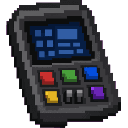
Overview
Adminbed adds a single powerful handheld tool — the Admin Panel — to your world. It gives server administrators and world owners a fast, menu-driven interface for managing players without typing commands manually. All actions are performed through clean in-game UI screens accessible straight from your hotbar.
What It Adds
| Item | Description |
|---|---|
| Admin Panel | An epic-rarity, enchant-glinting handheld tool that opens a two-tab admin UI. Stacks to 1. Has effectively unlimited durability. |
How To Use
Hold the Admin Panel and use it (the standard "use item" input) to open the Admin Panel main menu. From there you choose one of two categories:
⚖ Moderation Tab
| Action | How It Works |
|---|---|
| Kick Player | Shows a list of all online players (excluding yourself). Select one, then type an optional kick reason. The player is removed from the world immediately. |
| Ban Username | Type any Minecraft username. That player is added to the world's permanent ban list and will be auto-kicked the next time they join. If they are already online when banned, they are kicked right away. |
| Unban Username | Type a previously banned username to remove them from the ban list, allowing them to rejoin. |
✦ Fun Tab
| Action | How It Works |
|---|---|
| Fling Player | Launches the selected player into the air. |
| Kill Player | Instantly kills the selected player. |
| Toggle Fly | Enables or disables flight for the selected player. |
Abilities And Mechanics
Persistent Bans
The ban list is stored directly in the world's data. Whenever any player joins, the mod checks their username against the ban list. If a match is found, that player is kicked with the message:
Admin Panel Mod - Banned
This check runs at join, at first spawn, and when the world loads — so banned players cannot slip through timing gaps. Bans are stored by username (case-insensitive).
No Command Typing Required
Every moderation and fun action is performed through the UI. You select players from a live list of online players; only ban and unban require typing a username (since the target may be offline).
Crafting And Obtaining
The Admin Panel is crafted at a crafting table in a vertical column:
- Top: Nether Star
- Middle: Gold Block
- Bottom: Stick
Its epic rarity and glint make it visually distinct from other items in your inventory, so it is easy to spot.
Progression And Strategy
- Secure the Panel: Because the Admin Panel can kick, ban, kill, and fling anyone, treat it like a sensitive item. Keep it in your inventory or a trusted location and avoid dropping it in multiplayer.
- Pre-ban troublemakers: You can ban a username even before that player has joined your world. Type their Minecraft username in the Ban menu and the ban will be enforced the moment they connect.
- Use Fly Toggle for events: The fly toggle is useful for granting temporary flight to players during events or tours without giving them permanent operator permissions.
How to install
Download the mod and follow the step-by-step installation guide.
Players also liked
Mega Weather Generator 2


The Mega Weather Generator 2 is a handheld device that, when right-clicked, opens a menu of 10 catastrophic “weathers” you can unleash around your position. Choose one of the following and watch the world warp for up to 30 seconds: 1. Gravy Rain – Gravel and stone fall from the…
Animalfinder V8



I always have trouble finding specific animals that I need when in survival and got tired of not being able to make a bed because I can't find sheep.. So! IF you have the same problem, I developed this one to solve that problem! It shows you what animal is in what direction and…
Orb of Dominance (bad)

I ran out of coins so stay in creative unless you want to die by the Illagers it is a dungeons version I kinda made it for me tho you can use it for creative worlds. Ummm here’s a slug for how bad the mod is.
Bomber Bee


A mechanical bee that patrols the skies above hostile mobs. When it detects an enemy threat, the Bomber Bee flies directly overhead and deploys non-destructive TNT charges that damage mobs without destroying blocks or the surrounding terrain.

This mod is licensed under the CreativeMode Mods License.