


Description
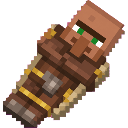
Bring a helpful villager companion who follows you and builds homes.
Mod Wiki
Village Builder Companion
Quickstart
- Craft or obtain the Village Builder Companion.
- Hold it in your hand and use it in an open area. A villager companion appears beside you and immediately builds a small oak-plank home nearby.
- Use the item again to teach your companion its next task.
- You can also use the item on specific work blocks to choose a task directly:
- Crafting table or stonecutter: Builder
- Bell or iron bars: Guard
- Chest or barrel: Gatherer
- Farmland or composter: Farmer
- Hit an entity with the item to teach the companion the Guard task.
Your companion stays close to you and catches up if it gets too far away. Keep an open area around you when spawning it so there is room for both the villager and its home.
Overview
Village Builder Companion adds a helpful villager companion that belongs to you. The companion follows you, builds a simple home, and can be taught different tasks through the companion item.
Only one companion is created for you at a time. Reusing the item teaches your existing companion instead of spawning another one.
What It Adds
- A craftable Village Builder Companion item
- A villager companion that stays near its owner
- An automatically built oak-plank home
- Builder, Guard, Gatherer, and Farmer tasks
- Block-based task teaching
- A cycling task system for use of the item
The item does not stack and has 36 durability.
How To Use
Spawn Your Companion
Use the item normally while holding it. The companion spawns beside you and begins with the Builder task.
The first Builder lesson creates a small oak house a few blocks away. The house uses oak planks, includes an entrance and glass-pane windows, and has a flat oak-plank roof. Choose a clear building site before spawning the companion because the house occupies a small area.
If the companion cannot spawn in the selected location, move to a more open area and try again.
Teach Tasks With Work Blocks
Use the item on one of the following blocks to give the companion that task:
| Block | Task |
|---|---|
| Crafting table or stonecutter | Builder |
| Bell or iron bars | Guard |
| Chest or barrel | Gatherer |
| Farmland or composter | Farmer |
Using the item on another block cycles to the next task instead.
Cycle Tasks Directly
When your companion already exists, use the item normally to move to the next lesson. Only one task is active at a time.
Using the item on an entity teaches the companion the Guard task while retaining the item's normal hit.
Crafting And Obtaining
The item can be crafted at a crafting table with emeralds, a bell, iron ingots, and a stick:
It is also available in the Creative inventory under the equipment category.
Abilities And Mechanics
Builder
The companion starts as a Builder. Teaching Builder for the first time creates its oak-plank home near you. The home is built only once for that companion.
Guard
Guard gives the companion temporary Resistance and Strength effects, making it tougher and more powerful in combat. These effects are refreshed while the companion remains on the Guard task.
Gatherer
Gatherer gives the companion a temporary Haste effect, which is refreshed while the task is active.
Farmer
Farmer gives the companion a temporary Speed effect, which is refreshed while the task is active.
Following
The companion is linked to the player who spawned it. It remains nearby and is brought back close to its owner if it travels too far away.
Progression And Strategy
- Spawn the companion in a clear location so its first home can be built without obstructions.
- Use a crafting table or stonecutter when you want to return to the Builder task.
- Teach Guard before exploring dangerous areas or fighting.
- Use a chest or barrel for Gatherer, and farmland or a composter for Farmer.
- If you do not have the correct work block nearby, use the item repeatedly to cycle through tasks.
- Avoid wasting durability on unnecessary hits; the companion item has 36 durability.
How to install
Download the mod and follow the step-by-step installation guide.
Players also liked










This mod is licensed under the CreativeMode Mods License.