

Description
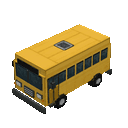
Это типа automobility Но Здесь есть АВТОБУСЫЫЫЫЫЫЫЫЫЫЫЫЫ!!!!!!!!!!!!!!
Mod Wiki
Russian bus
Quickstart
- Craft a Vector Next Bus item using the recipe below. Leave a large, clear area for the bus display.
- Place the item to build the bus display, then right-click any part of it to board. Boarding turns the display into a rideable vehicle.
- Drive with WASD and use Ctrl to get off. Look in the direction you want to steer.
- To pack up a vehicle and keep its item, craft a Bus Crowbar and right-click the vehicle with it.


Overview
Russian bus lets you place and ride buses and other vehicles, switch between simple and driver modes, and design routes with a Route Map. Most vehicles can be crafted as large displays or spawned from the Transport Cabinet Selector.
What It Adds
Rideable options include the Vector Next Bus, PAZ 320402, LiAZ 5256, Volgabus, Scania-Piter, PAZ Citymax, Electric Scooter, MAZ-206, MAZ-103 (White), NEFAZ Bus, City Taxi, City Tram, and Passenger Train.
The Transport Cabinet Selector lets you choose among these vehicles and spawn one. The PAZ 320402 is available there; the other vehicle recipes are listed below.
How To Use
Place and ride a vehicle
Place a vehicle item on clear ground to create its display. Right-click any part of the display to board; the display is removed as the rideable vehicle appears. Aim with your view to steer, use W to move forward, S to reverse or brake, and A/D for lateral movement. Press Ctrl to dismount; the vehicle stays in the world.
To retrieve its vehicle item, right-click the vehicle with a Bus Crowbar. The vehicle is removed and its item drops.
Spawn from the Transport Cabinet
Right-click the Transport Cabinet Selector to open the vehicle menu. Choose a model there. To spawn it, first enable driver mode with the Vehicle Mode Switcher, then use the cabinet’s Spawn button.
Right-click the Vehicle Mode Switcher to toggle modes. Turning on driver mode while not riding spawns your selected vehicle and seats you in it. If you are already riding, the switcher changes that vehicle’s mode.
Crafting And Obtaining
Control and route items
| Item | Recipe |
|---|---|
| Bus Crowbar | |
| Transport Cabinet Selector | |
| Vehicle Mode Switcher | |
| Super Bus Accelerator | |
| Route Map |
Other craftable vehicles
| Vehicle | Recipe |
|---|---|
| LiAZ 5256 | |
| Volgabus | |
| Scania-Piter | |
| PAZ Citymax | |
| Electric Scooter | |
| MAZ-206 | |
| MAZ-103 (White) | |
| NEFAZ Bus | |
| City Taxi | |
| City Tram | |
| Passenger Train |
PAZ 320402 can be selected in the Transport Cabinet.
Abilities And Mechanics
- The driving HUD shows speed, speed limit, heading, altitude, vehicle model, door state, and passenger count.
- Opening and closing doors is available from the cabinet while you are riding in driver mode. Opening them adds 10–25 passengers, up to 100.
- The Super Bus Accelerator gives non-scooter vehicles a temporary burst of faster acceleration. It lasts 12 seconds and has a 30-second cooldown.
- The Electric Scooter has a 60 km/h speed limit; City Tram and Passenger Train have a 100 km/h limit; other vehicles have a 150 km/h limit.
- Tram and train movement aligns to the rail direction when they are on rails.
Progression And Strategy
Carry a Route Map while driving to record your path. Use the map to add up to 12 stops at your current location, clear the saved route, choose a CITY, EXPRESS, or TOUR stencil, and set a route number from 1 to 99. The map’s route view also records your path and door events while you drive.
Right-click a vehicle with the configured Route Map to attach its route stencil. For an easy first trip, place a bus display in a roomy area, drive a loop with the map in your inventory, then open the map to review the trace.
How to install
This Java mod can be used on Windows and Mac PCs with the CreativeMode Launcher or any Minecraft launcher of your choice.

1. Download and install the new CreativeMode Launcher

2. Click to play on the top of the screen.

3. That's it — launches instantly. No complicated setup required.
Want to use on a different launcher? Download mod and manually install.
Players also liked

Keybind Scrambler Sword


The Keybind Scrambler Sword is a Netherite‐level weapon that, when you land a hit on another player, instantly shuffles their movement and action keys for three seconds—accompanied by a disorienting portal sound—before restoring everything to normal. Simply left-click to attack i…
Morph Sword

The Morph Sword is a netherite blade that deals 8 attack damage and permanently absorbs the unique power of the last mob you slay, complete with enchanting sounds and swirling particle effects to mark each transfer. While wielding the sword you automatically gain passive buffs—fi…
Evoker Boss

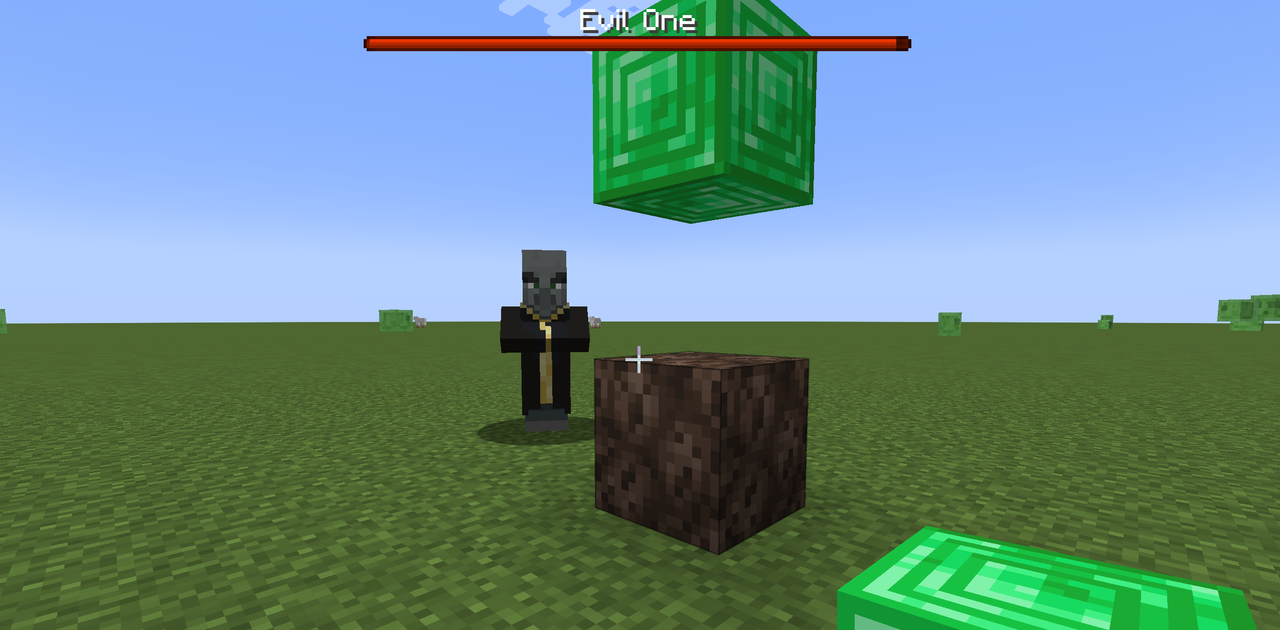
This mod adds the Evil One, a massive red-caped boss you summon by placing an emerald block on top of soul sand; it consumes the blocks and appears with a red boss bar and 200 hearts, relentlessly pursuing players with deadly melee and two magical attacks — a crimson fang barrage…
Monado Prism Edge


The Monado Prism Edge is a legendary sword that deals devastating damage (18 attack damage) and creates stunning visual effects during combat. When held in your hand, the blade emits a subtle glowing particle aura, and upon striking enemies, it unleashes spectacular red-blue ener…
Mob Marching Baton

The Mob Marching Baton lets you select loaded mobs of the same type and make them march in a chosen cardinal direction in discrete one‑block steps at a global speed you control. Shift+Right‑Click in the air cycles the direction (NORTH → EAST → SOUTH → WEST; shown on the action ba…
This mod is licensed under the CreativeMode Mods License.