

Description
Weapon trims. Trim axes, tridents, maces, spears, swords, and shields in the smithing table.
Mod Wiki
#Forged in Style
##Quickstart
Get a smithing table (craft with 2 iron ingots + 4 planks, or find one in a village). Get an armor trim material and a smithing template, exactly as you would for trimming armor. Instead of a piece of armor, place a weapon in the smithing table's item slot — swords, axes, tridents, maces, spears, and shields all work. Apply the template and trim material to give your weapon a colored trim pattern that matches your armor set. Mix and match trim materials to coordinate your whole gear loadout, from your helmet down to your sword and shield.
##Overview
Forged in Style extends the smithing table's armor trim system to weapons. Armor trims have always let players decorate helmets, chestplates, leggings, and boots with a template pattern colored by a material such as iron, gold, redstone, or amethyst. This mod brings that same customization to combat gear: swords, axes, tridents, maces, spears, and shields can now be trimmed too, so your whole kit — armor and weapons alike — can share a matching look.
##What It Adds
Trim support for swords, axes, tridents, maces, spears, and shields.
Compatibility with every vanilla trim material, including Quartz, Iron, Netherite, Redstone, Copper, Gold, Emerald, Diamond, Lapis, and Amethyst.
Trims apply visually on top of the weapon's normal appearance without changing its stats or behavior. Works across all tool tiers of a given weapon type (wood, stone, copper, iron, golden, diamond, netherite, etc.), so any material variant of a weapon can be trimmed. Shields feature a unique visual design for each of the 19 trim templates, matching the pattern variety seen on armor. Other weapon types currently share one overlay pattern per material, with unique per-template designs for swords, axes, tridents, maces, and spears in development.
##How To Use
Trimming a weapon works exactly like trimming armor:
Open a smithing table. Place the weapon you want to decorate in the base item slot. Place a smithing template (such as one found or crafted from vanilla armor trim templates) in the template slot. Place a trim material item (an ingot, gem, or block corresponding to a trim material) in the material slot. Confirm to apply the trim. The weapon now displays the chosen pattern and material color. You can re-trim a weapon at any time by repeating the process with a different template or material to change its look.
##Crafting And Obtaining
This mod does not add new items, blocks, or recipes — it only extends what the smithing table can decorate. All templates, materials, and weapons used come from your normal Minecraft inventory:
Smithing templates are obtained the same way as for armor trims (loot, exploration, or duplication with an existing template plus materials). Trim materials are common ingots, gems, and resources you already gather: iron, gold, diamond, netherite, copper, redstone, lapis, emerald, quartz, and amethyst. Weapons are crafted normally with regular vanilla recipes. No dedicated recipe shortcodes are provided for this mod, since it works purely through the existing smithing table interaction.
##Abilities And Mechanics
Trims are purely cosmetic — they do not change damage, durability, speed, or any other weapon stat. Each weapon type has its own dedicated trim artwork, proportioned correctly for its shape, rather than reusing armor trim graphics. Trims persist through normal item use, renaming, and enchanting.
##Progression And Strategy
Use trims to build a cohesive visual theme across your gear: pick one trim material and template style, then apply it to your full armor set plus your sword, axe, and shield for a unified look. Since trimming doesn't cost extra resources beyond the same templates and materials used for armor, it's a low-risk way to personalize your loadout as you progress through better tiers of weapons — simply re-apply your favorite trim each time you upgrade to a new weapon material.
How to install
This Java mod can be used on Windows and Mac PCs with the CreativeMode Launcher or any Minecraft launcher of your choice.

1. Download and install the new CreativeMode Launcher

2. Click to play on the top of the screen.

3. That's it — launches instantly. No complicated setup required.
Want to use on a different launcher? Download mod and manually install.
Players also liked




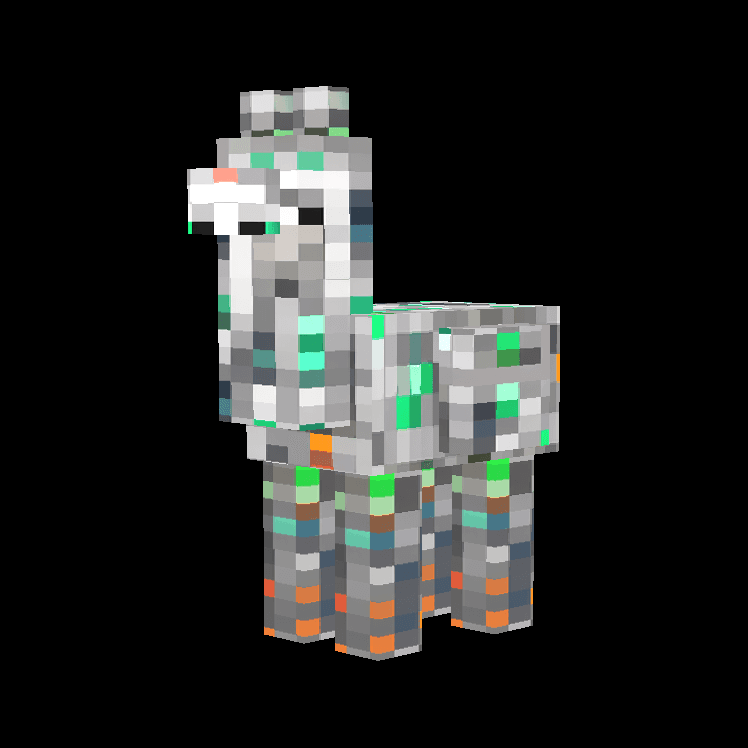
Crystalmaw Llama


The Crystalmaw Llama is a unique, crystal-covered llama that dwells in deep caves near lava pools, completely immune to fire and lava damage. This protective creature hunts down hostile mobs like zombies, skeletons, and creepers, devouring them to restore its health while keeping…


This mod is licensed under the CreativeMode Mods License.