

Description
This mod adds a Tractor Beam Door block and a bindable Tractor Beam Remote you can craft or find in loot; sneak + right-click a door with the remote to bind it, right-click the door to cycle modes, or open the remote GUI to choose Off, Upward Lift, or Downward Glide. The remote GUI has been redesigned into a centered, tidy panel with clearly separated mode and speed areas, aligned buttons and fields, clean labels and hint text, and distinct up/down speed fields (each clamped between 0.25x and 2.0x); both speeds are saved on the door and the remote remembers the last-entered values (old single-speed values are used as a fallback). Upward Lift smoothly pulls players and mobs upward while preserving horizontal motion, braking gently and resetting fall damage, and Downward Glide makes doors passable and lets entities glide down safely with short landing immunity and a gentler descent; the beam appears as a luminous 3D holographic cylinder with animated rings and cyan/white (Up) or blue/violet (Down) sparks, and the mod includes refined door textures plus full English and German localization.
Mod Wiki
Tractor Beam Door
Quickstart
- Craft a Tractor Beam Door and place it on the ceiling (it mounts upside-down, machinery face pointing downward).
- Craft a Tractor Beam Remote and hold it.
- Sneak + right-click the door to bind the remote to it.
- Right-click the door (or right-click in the air while holding the bound remote) to open the mode GUI.
- Pick Pull Up or Glide Down, set your speeds, and click the mode button — the holographic beam appears instantly.
- Walk into the beam column below the door to be lifted or lowered.
Overview
Tractor Beam Door is a sci-fi mobility mod that adds a ceiling-mounted machine block capable of projecting a vertical energy beam. The beam can pull players and mobs straight up through the block or let them glide safely downward. A handheld remote gives you full control over which mode is active and how fast the beam moves entities, all from a clean in-game GUI.
What It Adds
| Item / Block | Description |
|---|---|
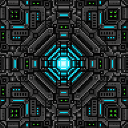
| Tractor Beam Door | Ceiling-mounted block that projects a tractor beam downward. Mined with a pickaxe. |
| Tractor Beam Remote | Handheld tool for binding to and controlling a Tractor Beam Door. Stacks to 1. |
Both items appear in the Redstone creative tab.
Crafting And Obtaining
Tractor Beam Door


Tractor Beam Remote



The Tractor Beam Remote can also be found in loot.
How To Use
Placing the Door
Place the Tractor Beam Door on the underside of a ceiling block. The machinery sits flush against the ceiling; the emitter face points downward and is where the beam originates.
Using the Remote
Hold the Tractor Beam Remote and interact with a door:
| Action | Result |
|---|---|
| Sneak + right-click a Tractor Beam Door | Binds the remote to that door. Coordinates are stored and shown in the item tooltip. |
| Right-click a Tractor Beam Door | Opens the mode GUI for that specific door (no binding required). |
| Right-click in the air (remote already bound) | Opens the mode GUI for the bound door. |
Once bound, the tooltip shows the door's coordinates and reminds you of the available controls.
Mode GUI
The GUI panel has two sections: Mode (left) and Speed (right).
| Button | Effect |
|---|---|
| Off | Deactivates the beam. The block becomes solid and passable rules revert to normal. |
| Pull Up | Activates upward lift mode (cyan/white beam). |
| Glide Down | Activates downward glide mode (blue/violet beam). |
The Speed section has two independent fields:
- Up speed — controls how fast entities are pulled upward (0.25× – 2.0×).
- Down speed — controls how fast entities descend (0.25× – 2.0×).
Type your desired multiplier (e.g. 1.00) and click a mode button to apply both the mode and the speeds simultaneously. The remote remembers the last values you entered.
Without the remote you can still right-click the door block directly (bare hand or any non-remote item) to cycle through Off → Pull Up → Glide Down → Off and see the current mode in the action bar.
Abilities And Mechanics
Pull Up (Upward Lift)
- The beam projects a glowing cyan and white holographic cylinder below the door.
- Any living entity (players and mobs) that enters the column is smoothly pulled upward.
- Horizontal momentum is preserved — you can strafe while rising.
- The beam brakes gently as you approach the door and passes you through the block.
- Fall damage is reset while you are being lifted, so landing after exiting sideways at height is safe.
Glide Down (Downward Glide)
- The beam projects a blue and violet holographic cylinder.
- The door block becomes passable — you can drop through it from above.
- Entities inside the column descend slowly and safely instead of falling freely.
- A short landing immunity window after touching the ground prevents fall damage from the descent.
Visual Beam
The beam is a luminous 3D holographic cylinder rendered in real geometry with animated rings that scroll in the direction of travel. Sparse spark particles float around the outside of the column. The entire effect disappears instantly when the mode is set to Off.
Progression And Strategy
- Early access: The recipe uses iron ingots, redstone, and an ender pearl (door) or a compass and redstone torch (remote) — all obtainable in the mid-early game after reaching the Nether for ender pearls.
- Vertical bases: Mount several Tractor Beam Doors at different floor heights to create fast vertical transit without ladders or elevators.
- Speed tuning: Keep Up speed high (e.g.
2.00) for a fast express lift and Down speed low (e.g.0.50) for a controlled, safe descent on the same door — the two speeds are stored independently on the block. - Mob transport: The beam affects all living entities, not just players, making it useful for moving animals or hostile mobs between levels.
- Remote flexibility: Bind one remote per door for permanent control, or use direct right-click (without binding) to quickly adjust any nearby door from a single remote.
How to install
This Java mod can be used on Windows and Mac PCs with the CreativeMode Launcher or any Minecraft launcher of your choice.

1. Download and install the new CreativeMode Launcher

2. Click to play on the top of the screen.
3. That's it — launches instantly. No complicated setup required.
Want to use on a different launcher? Download mod and manually install.
Players also liked
Block Gicker


The Block Gicker is a magical tool that allows you to pick up and relocate blocks with ease. Left-click on any block (except bedrock and barriers) to store it inside the item, which will glow to indicate it contains a block. Right-click to launch the stored block as a projectile…
Cave Glow Marker


The Cave Glow Marker is a handheld light source for exploring dark caves — drop it on the ground to instantly create a bright light that keeps darkness at bay while you mine or explore. Picking it up immediately removes the placed light so it won't linger, and you can stack up to…

Netherite Book and Regeneration Beacon mod


Adds a craftable Netherite Book item to the game, allowing you to obtain the new book in survival. The book is made by surrounding a vanilla book with netherite ingots in a crafting grid, and its recipe will be unlocked in your recipe book (via an advancement) once you obtain the…

Mapmark Waypoints
Adds simple waypoint creation and deletion that integrates directly with vanilla filled maps: use /waypoint <name> to create a named waypoint at your current location and it will be written as a map marker onto any filled maps you are carrying (including offhand), and use /dwaypo…

Super Duper Stuff Menu

Press Shift+M to open the Super Duper Stuff Menu — a sleek item browser that hides vanilla items and creates alphabetically sorted tabs for each installed mod while still offering smart categories like Building Blocks, Cool Weapons, Tasty Treats, Wacky Mobs, and Magical Stuff; cl…
This mod is licensed under the CreativeMode Mods License.