

Description
See your saturation at a glance as golden highlights fill the hunger your saturation covers.
Mod Wiki
Saturation Glow
Quickstart
- Enter Survival or Adventure mode with the HUD visible.
- Eat food that restores saturation, such as a cooked meal.
- Look at your hunger bar. The hunger points covered by your saturation glow with a golden highlight.
- Continue playing and watch the highlighted area shrink as saturation is consumed.
Saturation Glow has no items, blocks, recipes, or controls. It works automatically whenever your hunger bar is displayed.
Overview
Saturation Glow makes your hidden saturation level visible at a glance. Golden highlights overlay the hunger icons to show how many food points your current saturation protects.
The highlight follows the vanilla hunger bar and can cover whole or partial hunger icons.
How To Use
The overlay appears automatically when:
- You are playing with a visible HUD.
- You are not in Creative mode or Spectator mode.
- You are awake and not riding a living entity.
- You have both hunger and saturation to display.
No keybind or interaction is required. Eat food to increase saturation, then watch the golden coverage decrease as your saturation is used.
Abilities And Mechanics
- Golden coverage: Saturation is shown as a golden fill over the corresponding hunger points.
- Partial icons: When saturation covers only part of a hunger shank, the highlight shows partial coverage with a bright boundary.
- Hunger-bar order: Highlights appear across the hunger icons in the same right-to-left order used by the vanilla hunger bar.
- Food-level limit: The visible highlight never represents more food points than your current hunger level.
- Automatic updates: The display responds to your current saturation and hunger while you play.
Progression And Strategy
Use the glow to judge how long your current saturation will continue supporting your hunger:
- Eat when the golden coverage is low if you want to maintain a strong saturation reserve.
- Compare foods by how much golden coverage they provide after eating.
- Watch partial highlights to recognize when only a small amount of saturation remains.
- Remember that the glow represents saturation, not extra hunger points or healing.
How to install
This Java mod can be used on Windows and Mac PCs with the CreativeMode Launcher or any Minecraft launcher of your choice.

1. Download and install the new CreativeMode Launcher

2. Click to play on the top of the screen.
3. That's it — launches instantly. No complicated setup required.
Want to use on a different launcher? Download mod and manually install.
Players also liked





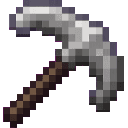
Boomeraxe


The Boomeraxe adds tiered throwable axes (wood, stone, iron, gold, diamond, and netherite) that also function as effective handheld pickaxes and multipurpose tools: hold right-click to charge and release to throw — a full-charge throw sends it far and it returns to you like a loy…
This mod is licensed under the CreativeMode Mods License.