

Description
Carry a pocket-sized phone packed with apps, games, maps, and reminders.
Mod Wiki
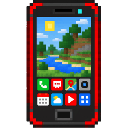
Redstone Pocket Phone
Quickstart
- Craft the Redstone Pocket Phone at a crafting table using diamonds, glass, and redstone. The phone starts powered with a full battery and its lock screen enabled.
- Hold the phone and use it to open the lock screen, then choose Unlock to see the home screen. Select an app to try it.
- To recharge, carry the phone and use a Phone Charger, or use a Power Outlet while holding the phone. Either restores the battery to 100% and powers the phone on.
Overview
The phone’s home and lock screens show its battery, the time, and a forecast for your current dimension. Your phone settings, installed apps, waypoint, and gallery are saved for your player.
The battery drains while the powered-on phone is in your inventory—one full Minecraft day uses a full charge. When the battery runs out, the phone powers off until you recharge it.
What It Adds
Along with the phone, the mod includes a portable Phone Charger and a placeable Power Outlet. The phone’s built-in apps cover player communication, maps, media, reference tools, settings, reminders, and more.
How To Use
Use the phone to open its lock screen or home screen. From Settings, you can change the wallpaper or turn the lock screen on or off. You can also power off from the home screen, lock screen, or Settings. If the phone still has charge, choose Power on when it is off.
| App | What you can do |
|---|---|
| Phone | Call an online player; they receive an incoming-call message. |
| Messaging | Send a message to an online player. |
| Maps | Check your dimension and coordinates, save a waypoint, or clear it. A saved waypoint shows its distance when you’re in the same dimension. |
| Camera and Gallery | Save location-and-time memory entries, browse them, and delete them. These are in-game media cards, not actual screenshots or video footage. |
| Weather | View a local simulated forecast for your dimension; it does not report the world’s actual weather. |
| Video Sharing and Social Media | Create a location clip or a text post, then browse the shared in-world feed. Clips appear as media cards rather than recorded footage. |
| Minecraft | Check your health, location, and the number of online players. |
| Calendar and Reminders | View the current date and time, or schedule a message for 1–60 minutes later. Reminders are for the current play session. |
| Web Search | Search a built-in Minecraft reference for topics such as redstone, the Nether, crafting, or coordinates. It does not connect to the public internet. |
| App Store | Spend diamonds to install Chrome Dino or Calculator. |
| Chrome Dino | Play five rounds by choosing Jump, Duck, or Run; score a point for each correct choice. |
| Calculator | Add, subtract, multiply, or divide two numbers. |
The Gallery holds up to 20 media entries. Social posts and clips appear in the shared feed for the current world session.
Crafting And Obtaining
Craft the phone, charger, and outlet at a crafting table:
Redstone Pocket Phone


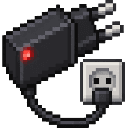
Phone Charger


Power Outlet
Use the Phone Charger while carrying the phone to recharge it. Place a Power Outlet like a block, then interact with it while carrying the phone. Neither requires redstone power.
Abilities And Mechanics
- Use the App Store to install Chrome Dino for 3 diamonds or Calculator for 2 diamonds. The diamonds are taken from your inventory.
- The Maps waypoint is saved with its dimension and coordinates. The phone shows the distance only when you are in that same dimension.
- The Weather app provides a local forecast simulation; its report is separate from actual world weather.
Progression And Strategy
Keep a charger with you for a quick recharge, or place an outlet where you often return. Save a waypoint before a long trip, and use Reminders for short play-session tasks.
How to install
Download the mod and follow the step-by-step installation guide.
Players also liked
The Overpass 2


The Overpass 2 is a stone-carved hammer that instantly builds a level fortified stone bridge up to 64 blocks in the clicked direction, and the tool stops automatically when it reaches solid ground. It adds alternating stone-brick merlons (walls and slabs) along the edges, constru…

Adminbed


Admin Panel is a handheld admin tool that opens a two-tab UI: Moderation (kick a selected player; ban a username; unban by typing a Minecraft username) and Fun (fling a player, kill a player, toggle fly for a selected player). Hold the Admin Panel and use the in-game action to op…
Wemmbu orbital strike cannon

Call down orbital strikes, unleash 1,000 wither skulls, and fire a brutal arrow volley


This mod is licensed under the CreativeMode Mods License.