

Description
Carry your bank, shop, and three teleporting homes in one handy phone.
Mod Wiki
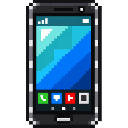
Pocket Portal Phone
Quickstart
The Pocket Portal Phone is automatically given to each player and stays with you through death. Select it in your hotbar and use it to open its menu.
Try setting a home first: choose Teleport → Home locations, then choose an empty slot to save your current location. Select that slot again to teleport there later or replace it with your current location.
You can also craft the phone:


Overview
The phone brings a bank account, a purchasable-item shop, jobs, item selling, a finder, and three cross-dimension home slots into one menu. Earn cash by playing, sell items, or complete jobs; deposit cash in the bank to spend it at the shop.
What It Adds
- Pocket Portal Phone: Opens the main menu with Bank account, Material shop, Jobs, Teleport, Item seller, and Mob finder.
- Three home slots: Save locations and teleport to them, including across dimensions.
- Shop Moderator Terminal: A placeable block for managing the shop catalog.
- Moderator Reset Button: A placeable block for clearing the registered shop terminal.
How To Use
Bank and shop
Open Bank account to deposit cash or withdraw bank funds. Enter a positive whole-number amount for each transfer.
The Material shop displays its prices in bank credits. Select a listing to purchase it; the cost comes from your bank balance, and you need enough inventory space to receive the items.
The default catalog contains:
| Listing | Price |
|---|---|
| 16 stone | 5 bank credits |
| 16 oak planks | 5 bank credits |
| 16 torches | 8 bank credits |
| 4 iron ingots | 20 bank credits |
Homes
In Teleport → Home locations, choose an empty slot to save your current position. Choose a saved slot to teleport there, replace it with your current position, or go back. Each slot remembers its dimension as well as its coordinates.
Selling items
Choose Item seller, select an item in your inventory, then enter how many to sell. Each item sold earns 1 cash credit.
Mob finder
Choose Mob finder, then select Creatures or Crops, plants, trees & flowers and pick a target. When guidance has a target to point to, the action bar shows its distance and cardinal direction, or says it is nearby. Choose Turn finder off to stop guidance.
Crafting And Obtaining
The phone is delivered automatically, so crafting is optional. Its crafting recipe is shown in Quickstart.
To create a community shop, craft and place a Shop Moderator Terminal:
The first player to place it becomes its manager. Interact with it to add listings, change prices, or remove listings. You can choose an item, set the amount per purchase and its bank-credit price, and manage up to 40 listings. Only the manager can use or break the terminal.
The Moderator Reset Button can clear the registered terminal and let its original manager place a replacement. Only the first player to place the button can use it.

Abilities And Mechanics
- Cash and bank balance are separate. Killing a creature earns 1 cash credit. Jobs and item sales also pay cash; the Material shop spends bank credits.
- Jobs pay on completion. Choose one job at a time from the phone. Progress is saved with your player, and you can abandon an active job from the Jobs menu.
| Job | Goal | Reward |
|---|---|---|
| Miner | Mine 12 qualifying stone or ore blocks | 50 cash credits |
| Lumberjack | Chop 8 log or stem blocks | 40 cash credits |
| Hunter | Defeat 3 hostile mobs | 45 cash credits |
Progression And Strategy
Use the Miner, Lumberjack, or Hunter job that fits what you are already doing, then deposit its cash reward when you want to shop. Sell surplus inventory items for extra cash. Set a home somewhere useful—such as your base or a mining area—and use the other two slots for places you visit often.
How to install
Download the mod and follow the step-by-step installation guide.
Players also liked
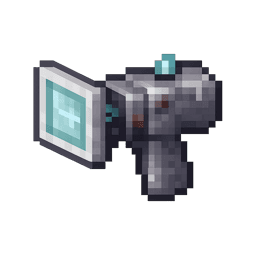
X Ray Device


X-Ray Glassifier: A handheld device that, when activated while held, converts stone, deepslate, tuff, netherrack, diorite, and andesite blocks within a 100-block radius into glass blocks.


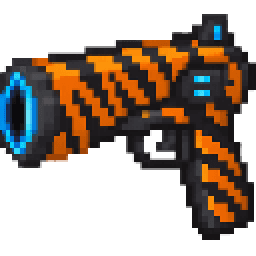
Tiger Rift Blaster

Wield a tiger-striped blaster that opens portals and fires nine-millimeter rounds.
Thunder God Kunai


Throwable kunai let you teleport around the world or into combat: use the on-screen numbered selector to target placed kunai (short sneak+use taps cycle the selection, and holding sneak+use teleports you to the chosen kunai; the normal use button also works as a backup). Throws u…
This mod is licensed under the CreativeMode Mods License.