

Ancient Egyptian Hieroglphyic quartz and sandstone.
Description
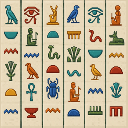
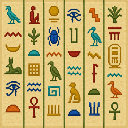
Transform quartz and smooth sandstone into colorful ancient Egyptian hieroglyphs.
Mod Wiki
Pharaoh Quartz Glyphs
Quickstart
- Collect a Quartz Block and use it in a stonecutter to make Pharaoh Quartz Glyphs.


- Alternatively, place Smooth Sandstone in a stonecutter to make Smooth Sandstone Pharaoh Glyphs.

- Select either glyphstone block and place it like any other full block. Use the glyphs to decorate temples, tombs, palaces, and other Egyptian-themed builds.
In Creative mode, both blocks are available in the Construction category. With commands, use:
/give @s com_pharaoh_quartz_glyphs_zcmmbpsk:my_block 1/give @s com_pharaoh_quartz_glyphs_zcmmbpsk:smooth_sandstone_glyphs 1
Overview
Pharaoh Quartz Glyphs transforms quartz and smooth sandstone into colorful decorative blocks covered in ancient Egyptian-inspired glyph designs. The blocks are full cubes with solid collision, making them suitable for walls, floors, pillars, and large monuments.
What It Adds
| Block | Made from | Use |
|---|---|---|
| Pharaoh Quartz Glyphs | Quartz Block | Decorative glyphstone with a quartz-based appearance |
| Smooth Sandstone Pharaoh Glyphs | Smooth Sandstone | Decorative glyphstone with a sandstone-based appearance |
How To Use
- Craft both blocks in a stonecutter.
- Place them as ordinary building blocks.
- Combine them with quartz, sandstone, stairs, slabs, and other temple-themed blocks for detailed structures.
- Break a placed glyph block as a player to receive one item of the same type.
- The blocks have solid collision, so they can be used as floors and structural walls.
- Each block takes about 0.8 seconds to mine under its normal mining conditions.
Crafting And Obtaining
Pharaoh Quartz Glyphs
Use one Quartz Block in a stonecutter to produce one Pharaoh Quartz Glyphs block.
Smooth Sandstone Pharaoh Glyphs
Use one Smooth Sandstone block in a stonecutter to produce one Smooth Sandstone Pharaoh Glyphs block.
Both recipes are available after the corresponding ingredient is available to the player.
Abilities And Mechanics
Pharaoh Quartz Glyphs are decorative blocks rather than interactive machines or functional devices. They do not require activation and have no special inventory, interface, or redstone behavior.
Both glyphstone variants:
- Occupy a complete block space.
- Have solid collision.
- Can support ordinary building and decoration.
- Drop one matching glyphstone item when broken directly by a player.
- Resist explosions with an explosion resistance of 6.
Progression And Strategy
Start with quartz if you want a bright, polished glyphstone for grand halls and palace interiors. Use the smooth sandstone variant for desert temples, tombs, courtyards, and warm-colored walls.
For large builds, craft glyphstone in batches through a stonecutter, then combine the blocks with ordinary quartz and sandstone to create borders, pillars, murals, and repeating glyph patterns.
How to install
Download the mod and follow the step-by-step installation guide.
Players also liked

Tempest Arcana


The Tempest Arcana is a legendary magical staff imbued with storm essence, capable of commanding lightning, wind, and thunder. Summon precise lightning bolts that chain between nearby enemies, or unleash a thunderous shockwave that pushes back foes. Force thunderstorms to enhance…

Soulrender


Soulrender is a powerful melee blade (Attack Damage: 10) that applies a stacking Weak debuff to foes with each hit; left-click performs normal swings and the attack combo changes when dual-wielded. Right-click consumes all Weak stacks on nearby enemies to unleash an area burst of…
Coal Crafting Table


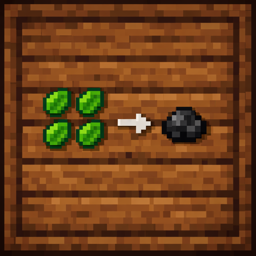
Placeable Leaf Coal Table. Right-click to open a GUI that converts 4 leaves into 1 coal.
Peter Potatoseed

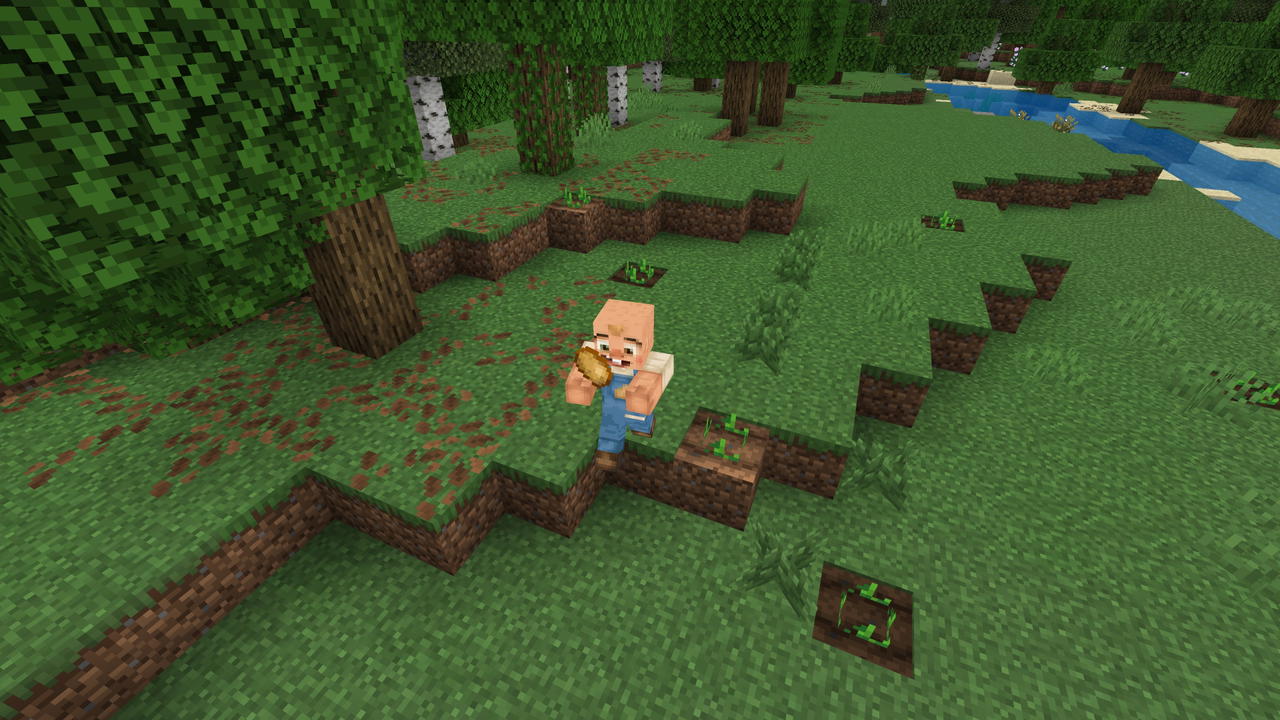
We all know the story of Johnny Appleseed, but few know the story of the lesser known Peter Potatoseed. A goofy human-faced farmer who turns the world into endless potato fields... you know, Po tay toes! Boil em, mash em, stick em in a stew!
Dead Parrot
The only reason this parrot was standing for the cover image was that it had been nailed to it's perch... but in all reality it is an ex-parrot. Bereft of life, it's gone to meet it's maker... place this decoration wherever you like and hear a certain angry customer go on about t…
This mod is licensed under the CreativeMode Mods License.