

Description
Connect your compass to a nine-camera network and cycle through mysterious feeds.
Mod Wiki
Nine Lens Network
Quickstart
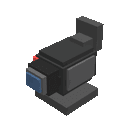
- Craft the Nine Lens Network block with eight glass panes and one observer.
- Place it like a normal block. The network is ready to use immediately.
- Hold a compass in either your main hand or off-hand.
- Right-click the placed network block. You will receive a message such as “Camera feed 1/9 connected.”
- Right-click again over time to check the network’s currently available feed. The network cycles through nine mysterious feeds.
Without a compass, right-clicking the block tells you to hold one as your phone.
Overview
The Nine Lens Network is a camera-network device that uses a compass as a handheld phone. Activate the placed block to connect to one of nine camera feeds. Each successful connection gives an on-screen feed number and produces a chime with a brief particle effect.
What It Adds
- Nine Lens Network block
- Nine rotating camera feeds
- Compass-based activation
- Feed connection messages showing the current feed as
X/9 - Sound and particle feedback when a connection succeeds
How To Use
- Place the Nine Lens Network block.
- Put a vanilla compass in either hand.
- Aim at the block and right-click.
- Watch the action-bar message to see which camera feed is connected.
The feed number is selected from 1 through 9 based on the passing in-game time, so the available feed changes as the world runs. You do not need to insert or consume the compass.
Crafting And Obtaining
Craft the network from eight glass panes surrounding an observer:


The block is also available in the Functional Blocks section of the Creative inventory.
Abilities And Mechanics
- A compass is required for a successful connection.
- The compass may be held in the main hand or off-hand.
- Successful activation displays Camera feed X/9, where
Xis the current feed. - The device plays a chime and emits end-rod particles when a feed connects.
- Activating the block without a compass produces a warning sound and the message “Hold a compass as your phone to connect to the Nine Lens Network.”
- The network does not store a permanent feed selection; check back as in-game time advances to follow its nine-feed cycle.
Progression And Strategy
The Nine Lens Network has no separate upgrade path. Start by placing it somewhere convenient, then return with a compass and check the feed periodically as the world clock advances. Use the connection message to track which of the nine feeds is currently active.
How to install
This Java mod can be used on Windows and Mac PCs with the CreativeMode Launcher or any Minecraft launcher of your choice.

1. Download and install the new CreativeMode Launcher
2. Click to play on the top of the screen.
3. That's it — launches instantly. No complicated setup required.
Want to use on a different launcher? Download mod and manually install.
Players also liked
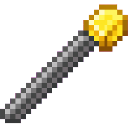
Command Gold Wand


The Command Gold Wand lets you pick a target block with the chat command "!set block_name" and then right-click any block to instantly transform it into that material, complete with particles and sound. While holding the wand, press the R key (configurable in Controls) to call do…
Age Gate


Note: This is a server-side only mod. Meaning no one needs it on a client. It can how-ever been tested on a client. Age Gate is a simple server-side mod that requires every player to verify their age by typing /age <age here> after joining; the command accepts ages from 0 to 150…
Pink Skyhopper

Assemble the Pink Skyhopper, soar through the skies, and leave a trail of hearts behind.
Speed Coil


The Speed Coil is a red coil-shaped tool inspired by the classic Roblox Speed Coil that provides powerful speed enhancements to players. While holding the Speed Coil in your main hand, you passively gain Speed I, allowing you to move faster than normal. Right-click the Speed Coil…

Cursed Bucket


The Cursed Bucket is a drinkable item that inflicts ten of the worst status effects in Minecraft upon consumption. Right-click to drink the mysterious yellow liquid, and after a brief drinking animation, you'll be struck with Wither II, Poison II, Slowness IV, Mining Fatigue III,…
This mod is licensed under the CreativeMode Mods License.