

Description
Take control of your surroundings with MobFilter! Place the protective field generator, select an area from 30×30 up to 120×120 blocks, and decide exactly which mobs are allowed inside. Choose from villagers, animals, hostile mobs, specific mob types, or no mobs at all. Activate the field and keep only the mobs you want in your territory!
Mod Wiki
Mobfilter
Quickstart
- Craft a Mobfilter at a crafting table using iron ingots, redstone, and a diamond.
- Place it near the center of the area you want to manage, then interact with the generator.
- Choose Configure, set the area size and allowed mobs, and turn Activate on. The filter removes mobs that don’t match your selection; players are not affected.


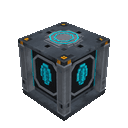
Overview
Mobfilter is a placeable field generator for managing mobs around your base. Its filter covers a square area around the generator and checks it about once per second. Mobs that aren’t allowed by the selected preset are removed, rather than blocked by a physical barrier.
What It Adds
- A craftable, placeable Mobfilter generator.
- A menu for choosing the field size, allowed mobs, and whether the filter is active.
- Presets for filtering common mob groups and specific hostile mobs.
How To Use
Interact with the placed generator to open its menu. The main screen shows the current area, allowed-mob preset, and status.
- Choose Configure to change the settings. You can also activate or deactivate the filter in this screen.
- Use Activate or Deactivate on the main screen to toggle the current settings without reconfiguring.
- The selected area is a square centered on the generator, measured horizontally; it extends through the full height of the dimension.
- Breaking the generator clears its saved settings.
Crafting And Obtaining
Craft the Mobfilter at a crafting table. Its recipe unlocks with an iron ingot. The available area settings are 30×30, 60×60, 90×90, and 120×120 blocks.
Abilities And Mechanics
The filter checks living entities with health inside its area. It never removes players. Any mob that does not match the chosen preset is removed while the filter is active.
Choose All Mobs to allow every mob; this preset does not remove anything. Other presets allow only their named groups, so unlisted mobs are removed.
Progression And Strategy
Pick a preset to suit the job: Villagers & Iron Golems can protect a trading area, while Animals Only or Villagers & Animals can keep a settlement clear of hostile mobs. For a more targeted filter, choose Creepers Only, Zombies Only, or Skeleton Archers Only to remove other mobs while keeping the selected group.
How to install
Download the mod and follow the step-by-step installation guide.
Players also liked
Wemmbu orbital strike cannon


Call down orbital strikes, unleash 1,000 wither skulls, and fire a brutal arrow volley
Spellstorm Grimoire

Spellstorm Grimoire is a mystical book that gives you a huge arsenal of castable spells — lightning, fireball (and huge fireball), water surge, a visible black hole vortex, earth pillar, deflect, light, heavy, time stop, gravity, a floating sword attack, high velocity, heal, shie…
Fire arms Arsenal

Gear up with guns, camo armor, precision sniping, visible rockets, C4 bombs, and nukes for explosive battlefield chaos.

X-Ray Device

The X-Ray Device scans a 15‑block horizontal radius (Y -64 to Y 16) for diamond_ore and deepslate_diamond_ore and then opens a simple UI listing exact x y z coordinates for every ore found (no blocks are changed), finishing with a subtle glass sound. Equip the X‑Ray Device and us…
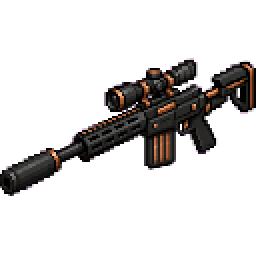
Copperstrike Longshot


Copperstrike Longshot — a black, scoped sniper rifle with suppressor, extended stock and a 6-round detachable magazine that fires high-velocity Copperstrike Bullets (craftable from iron + copper); headshots or critical hits instantly kill while body shots deal about half damage.…
This mod is licensed under the CreativeMode Mods License.