

Description
Left-click to cycle block values with the debug stick, even on chests and doors.
Mod Wiki
Java Debug Stick
Quickstart
- Craft the Debug Stick using the recipe below.
- Hold it and interact with any block that has adjustable properties (like a chest, door, log, or slab).
- Right-click (use) on a block to cycle its currently selected property to the next value.
- Sneak + right-click on a block to switch which property is currently selected.
- Left-click (attack) on a block also cycles its selected value, letting you edit blocks without needing to place or break them normally.
Watch the chat for messages confirming the selected property and its new value.
Overview
The Java Debug Stick is a special tool for inspecting and modifying the hidden state of blocks in the world. Many blocks in Minecraft have properties that aren't normally editable by hand — for example, which way a chair is facing, whether a door is open, or how a slab is oriented. This stick lets you cycle through those values directly, without needing to break and replace the block.
What It Adds
- A single new item: the Java Debug Stick, a glinting, sword-like tool.
- The ability to select and cycle block state values (also called "block properties" or "block states") on nearly any block that has them.
- Chat feedback describing exactly what property was selected and what value it was changed to.
Crafting And Obtaining
Craft the Debug Stick at a crafting table:



The stick stacks only one at a time, is equippable in hand, and cannot be used to destroy blocks in Creative mode — it's meant purely for editing, not breaking.
How To Use
- Select a property: Sneak and interact with a block to cycle through the list of editable properties it has. The chat will tell you which property is now selected and its current value.
- Change the value: Interact with the block normally (without sneaking) to cycle the selected property to its next value. This works with both right-click and left-click.
- No editable properties: If a block has no adjustable states, the stick will tell you in chat that there's nothing to edit.
- Works on interactive blocks too: Blocks like chests and doors that normally respond to clicks (opening/closing, etc.) can still have their properties cycled with the Debug Stick — left-clicking will edit the block state instead of breaking it.
Abilities And Mechanics
- Each block type has its own set of properties (for example, orientation, open/closed state, or age/growth stage). The stick automatically discovers whichever properties exist on the block you're targeting.
- Values cycle in order: boolean properties (like open/closed) simply flip, while properties with a list of possible values (such as directions) move to the next one in sequence, wrapping back to the start.
- Your currently selected property is remembered per-player as you move between blocks, so you can keep cycling the same kind of property on multiple blocks in a row without reselecting it, as long as the new block shares that property.
- If a candidate value can't be applied to a block (for instance, an invalid combination), the stick will attempt other nearby values automatically before giving up and reporting failure in chat.
Progression And Strategy
This is a utility and creative-building tool rather than a combat or survival item. Use it to:
- Quickly test or preview different orientations and visual states of blocks without needing multiple copies.
- Fine-tune redstone contraptions, furniture builds, or decorative setups where exact block states matter.
- Explore what hidden properties a block has, which is especially useful for builders experimenting with less common blocks.
How to install
Download the mod and follow the step-by-step installation guide.
Players also liked

Linked Teleport Block


Adds craftable Glowing Teleport Blocks and a Linker tool so you can build paired teleporters: craft a Teleport Block and a Linker using the included recipes and place your pads in the world with the provided textures, names, and teleport sound. Use the Linker on one Teleport Bloc…
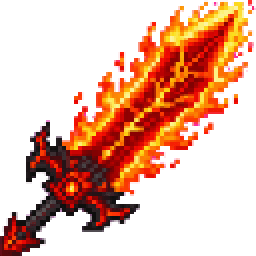
Netherfire Titan Blade


Wield a colossal infernal blade that incinerates nearly anything in one devastating strike.

Blood Moon City Siege

Explore a towering moss-covered city, salvage its ruins, and survive nightly zombie hordes and blood moons every ten nights.
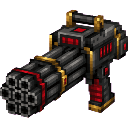
Triple Barrel Minigun

A handheld Triple Barrel Minigun appears in your hotbar with nine spinning barrels that visibly spin up and, when you right-click and hold, fire tagged vanilla arrows every tick with no cooldown—each arrow deals 4 damage and flies like a normal arrow. Release right-click (or swit…

Fortune Block


create a minecraft item that has the following description: Lucky Block that drops random items when broken Edit v2: Make the crafting recipe 8 gold ingots and 1 chest Edit v3: Block can drop up to 20 items
This mod is licensed under the CreativeMode Mods License.