



Description
Wield the Howling Gale Keyblade to unleash devastating tornadoes and shield yourself with a storm of wind.
Mod Wiki
Howling Gale Keyblade
Quickstart
- Obtain the keyblade by crafting it, selecting it from the Combat creative inventory, or using:
/give @s howling-gale-keyblade-2zya7ugl:howling_gale_keyblade_2zya7ugl - Equip it in your main hand or offhand.
- Aim at nearby living entities and use the keyblade to fire a forward-moving tornado.
- Sneak and use the keyblade to activate its wind barrier.
- Try ordinary melee attacks as well—targets struck by the blade briefly levitate.
The crafting recipe is automatically unlocked for players.
Overview
The Howling Gale Keyblade is a glinting sword with three ways to control the battlefield:
- Melee attacks launch struck targets into the air.
- A forward gale pulls in and throws other living entities.
- A wind barrier pushes away nearby entities and reflects projectiles.
Using either special ability consumes durability and triggers a short cooldown.
What It Adds
- Howling Gale Keyblade
- Netherite-material sword
- 2,031 durability
- Permanently displays an enchanted glint
- Available in the Combat creative inventory
- Counts as a sword for sword-related interactions
How To Use
| Action | Result | Cooldown |
|---|---|---|
| Use while not sneaking | Fires a tornado in the direction you are looking | 24 ticks |
| Sneak + use | Activates the wind barrier around you | 30 ticks |
| Melee attack | Deals sword damage and gives the target Levitation | — |
Cooldowns prevent the keyblade from being used again until they expire. The ability can be activated from either hand, but the barrier only functions while the keyblade remains actively held in your main hand or offhand.
Crafting And Obtaining
Craft the keyblade in a crafting table using a feather, two ghast tears, a diamond, and a stick:
The recipe is granted automatically when you join the world and is also available in the recipe book.
Abilities And Mechanics
Howling Gale
Use the keyblade while looking in a direction to send out a cloud-and-crit-particle tornado. The gale follows your aim, including upward or downward angles, and reaches roughly 20 blocks forward.
Other living entities caught along its expanding path become tornado victims. For about 12 ticks, the moving storm pulls them toward its center. At the end, each surviving victim:
- Takes 7 points of magic damage.
- Is thrown forward and upward.
The gale can affect multiple living entities at once, but it does not target the player who fired it.
Wind Barrier
Sneak while using the keyblade to surround yourself with a storm of wind for 100 ticks—about 5 seconds. Clouds appear around the player while the barrier is active.
The barrier affects targets within 6 blocks:
- Living entities take 2 points of magic damage and are pushed away and slightly upward.
- Projectiles are redirected toward their owner when possible. Ownerless projectiles are sent away from you.
The barrier follows the keyblade only while it is actively held. Switching the keyblade out of your main-hand selection and leaving it out of your offhand stops the barrier’s protective effects until you hold it again or the duration ends.
Melee Levitation
A successful melee hit against a living target applies Levitation for 60 ticks—3 seconds. Use melee attacks to lift individual targets, then follow up with a gale or barrier.
Progression And Strategy
- Use the gale at the start of a fight to gather several targets and launch them away.
- Aim along corridors, bridges, or open terrain so the tornado’s full path passes through enemies.
- Use the barrier when surrounded or when fighting projectile users.
- Keep the keyblade actively held after activating the barrier; placing it in another inventory slot suspends its protection.
- Combine melee hits with the gale: levitate a dangerous target first, then send it flying with the tornado.
- Watch the keyblade’s durability, since both special abilities damage the item when activated.
How to install
This Java mod can be used on Windows and Mac PCs with the CreativeMode Launcher or any Minecraft launcher of your choice.

1. Download and install the new CreativeMode Launcher

2. Click to play on the top of the screen.
3. That's it — launches instantly. No complicated setup required.
Want to use on a different launcher? Download mod and manually install.
Players also liked



Frostfire Portal Realm


Master the Frostfire Portal Realm with endless frostfire gear. Freeze enemies with the Glacial Spear, then shatter through armor and wings in a chilling battle for supremacy.
Acacia Mane Ravager


The Acacia Mane Ravager is a fierce, lion-like quadruped with a distinctive mane that's slightly smaller and more agile than a standard ravager; when attacked it retaliates by leaping in a powerful pounce to close the distance and strike its target. It now appears more commonly a…

Crimson Ascendant


Bind elemental crystals for HUD-powered combat, Scourge Tick Freeze, and working cooldowns across all powers
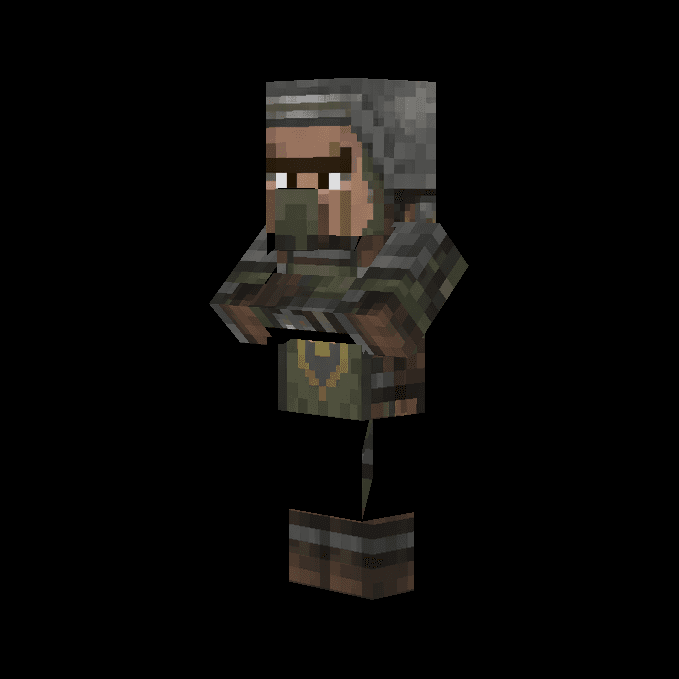
Command Soldier


This mod adds the Command Soldier, a friendly villager-like mob that spawns naturally in the Overworld and follows your typed commands in chat. You can order nearby Command Soldiers to follow you, stay in place, or attack specific mobs by typing commands like "FOLLOW", "STAY", or…
This mod is licensed under the CreativeMode Mods License.