

Description
This mod shows the exact damage you deal on every successful hit by calculating post-armor and resistance health loss and displaying it as an action-bar message like "Damage dealt: X", letting you tune weapons and builds in real time. A configurable keybind in Controls under the Hit Damage Display category (left unbound by default so you can pick your preferred key) toggles the damage display on or off, provides action-bar feedback when changed, and saves and syncs your preference so it persists across restarts and is respected by the server. No extra setup or commands are required—install on a Fabric 1.20.1 client or server and start attacking mobs or players to see (or hide) live damage numbers.
Mod Wiki
Hit Damage Display
Quickstart
- Install the mod on your Fabric 1.20.1 client (a server installation is optional but supported).
- Launch the game and join a world or server — no setup or commands needed.
- Hit any mob or player. Your action bar will immediately show "Damage dealt: X" reflecting the true damage after armor and resistance are applied.
- To bind the toggle key, open Options → Controls and look for the Hit Damage Display category. Find Toggle Damage Counter and assign any key you like. Press it in-game to turn the display on or off.
Overview
Hit Damage Display shows you the exact amount of health each of your attacks removes, displayed as a brief action-bar message every time you land a successful hit. The number reflects real health loss — after the target's armor, damage resistance, and other reductions — so what you see is always the true impact of your strike.
This makes it easy to compare weapons, enchantments, potions, and gear in live play without relying on estimates or external calculators.
What It Adds
- Live damage readout — every successful hit you land shows
Damage dealt: Xon your action bar. Values are rounded to one decimal place when needed (e.g.,Damage dealt: 7.5). - Toggle keybind — a configurable key under Options → Controls → Hit Damage Display turns the display on or off at any time.
- Persistent preference — your on/off setting is saved locally and automatically synced to the server each time you join, so it survives restarts and session changes.
How To Use
Viewing Damage
Simply attack any living entity. As long as the display is enabled, the action bar shows the damage dealt after every successful hit. If an attack deals no damage (fully blocked or immune), no message appears.
Toggling the Display
Open Options → Controls and scroll to the Hit Damage Display section. Bind Toggle Damage Counter to a key of your choice. Press that key in-game to switch the readout on or off — the action bar will confirm with "Damage counter enabled" or "Damage counter disabled". The keybind has no default assignment so it never conflicts with your existing controls.
On Servers
The mod works on servers that have it installed. When you connect, your saved preference is automatically sent to the server. If the server does not have the mod, the client-side keybind still works silently without causing errors.
Abilities And Mechanics
- Post-mitigation calculation — damage is measured as the difference between the target's health immediately before and after the hit, so armor, Protection enchantments, Resistance effects, and any other reduction are already factored in. You always see what actually happened, not the raw weapon damage.
- Player-attacker only — the readout appears only for damage you deal directly. Damage from other players, mobs, environmental sources, or your own non-attack actions does not trigger a message for you.
- Action-bar display — messages appear in the action bar (above the hotbar) so they fade naturally and never clutter chat.
Progression And Strategy
- Weapon tuning — hit the same mob type with different swords, axes, or bows back-to-back to see exactly how much each one deals after the target's armor, making gear comparisons fast and accurate.
- Enchantment testing — equip an unenchanted weapon, note the damage, then add Sharpness or other enchantments and compare live numbers on the same enemy.
- Potion and buff evaluation — drink Strength potions or apply other buffs, then attack to see the precise numerical gain reflected in the readout.
- Build optimisation — use the display while adjusting your armor setup to understand how changes to the target's defenses (in PvP) or your own offense interact, helping you dial in the most effective loadout for any situation.
How to install
This Java mod can be used on Windows and Mac PCs with the CreativeMode Launcher or any Minecraft launcher of your choice.

1. Download and install the new CreativeMode Launcher
2. Click to play on the top of the screen.
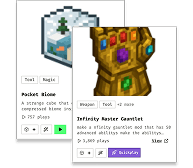
3. That's it — launches instantly. No complicated setup required.
Want to use on a different launcher? Download mod and manually install.
Players also liked
Gods Crown


The Gods Crown is a divine helmet that transforms you into a godlike being when worn. Simply right-click to auto-equip it on your head, and you'll immediately gain creative flight (hold space to fly, shift to descend), permanent Regeneration I for constant healing, Strength IV fo…

Totally Accurate Minecraft Simulator


Opens a GUI on key press to select two groups of mobs for battle and, on use, spawns opposing armies 15 blocks apart to fight.
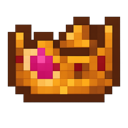
Gods Crown
The Gods Crown is a divine helmet that transforms you into a godlike being when worn. Simply right-click to auto-equip it on your head, and you'll immediately gain creative flight (hold space to fly, shift to descend), permanent Regeneration I for constant healing, Strength IV fo…
Geode Burrow Sprite


Summon a glowing sprite to slowly dig massive 4x4x4 tunnels and collect loot.
Infinite Spread Button


The Infinite Spread Button is a special block that, when right-clicked while holding any block, causes that block to spread outward infinitely like sculk—replacing air, water, and lava as it goes and producing sculk-like sounds and particles. Right-click the button with a differe…
This mod is licensed under the CreativeMode Mods License.