Description
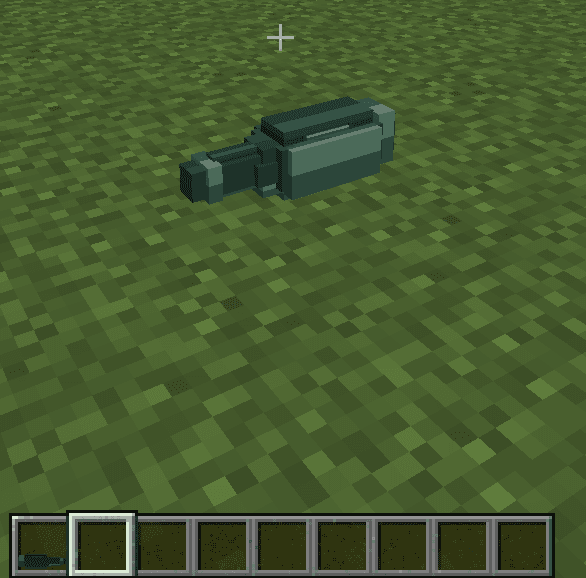
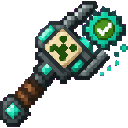
The Geode Burrow Sprite is a summonable helper that carves out large tunnels for you. Once summoned, it flies forward on its own, chewing through blocks in thick 4x4-ish sections and leaving behind their drops for you to pick up. It's a passive mining companion rather than a combat pet — it won't fight, just dig.
Craft the Geode Burrow Sprite item at a crafting table:


Use the Geode Burrow Sprite to quickly open up straight tunnels through stone, caves, or geode-rich terrain without swinging a pickaxe yourself. Aim the sprite carefully before summoning it, since it commits to the direction you were facing at that moment. Follow closely behind to gather all the loot before it decays or wanders too far, and re-summon a fresh sprite whenever you need to keep tunneling.
This Java mod can be used on Windows and Mac PCs with the CreativeMode Launcher or any Minecraft launcher of your choice.

1. Download and install the new CreativeMode Launcher

2. Click to play on the top of the screen.
3. That's it — launches instantly. No complicated setup required.
Want to use on a different launcher? Download mod and manually install.
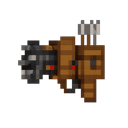


The Quiver Fed Arrow Gatling is a high-speed automatic arrow launcher that draws ammo directly from your inventory, discharging up to ~20 arrows per second. Right-click to activate (and again to deactivate), then hold right-click while active to unleash a continuous barrage; snea…
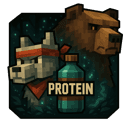


Encounter the Bandana Wolf—a massive wolf wearing a glowing, rune-etched bandana—prowling the forests with chilling howls and devastating melee strikes, then summon the Grizzly Boss, a colossal bear whose thunderous charges and earth-shaking roars grow deadlier as its health fade…


The Ember Fortune Pickaxe is a netherite-tier mining tool that combines netherite-level speed and durability with automatic Fortune III and auto-smelt—so ores like iron drop ingots with increased yields and ancient debris auto-smelts into 1–4 netherite scrap. Auto-smelted drops n…
This mod is licensed under the CreativeMode Mods License.