

Description
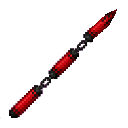
When you activate this technique everything in your sight is frozen in place and unable to act against you until you look away.
Mod Wiki
Gaze Of Stillness
Quickstart
- Gather 1 obsidian, 2 diamonds, 1 ender eye, and 1 stick.
- Craft the item at a crafting table:



- Equip Gaze Of Stillness and aim along your view direction at one or more living entities within 64 blocks.
- Press the item’s use/interact button. The entities in your sight become anchors, and nearby living entities within 15 blocks of each anchor are affected as well.
- Keep looking at at least one of the original anchors to maintain the effect. Look away to release the gaze.
For a command-based test, give yourself the item with /give @s com_gaze_of_stillness_fp6l73vs:my_sword.
Overview
Gaze Of Stillness is a single-use-activation item that controls living entities in your line of sight. While active, it:
- Freezes affected entities in place.
- Clears their carried inventory while preserving equipped armor.
- Removes projectiles in the gaze’s dimension.
- Displays a visible aura around affected entities.
The item does not affect the player holding it, dropped items, projectiles as targets, or other non-living entities.
What It Adds
Gaze Of Stillness
- Non-stackable.
- Effectively unbreakable.
- Targets living entities along your view direction up to 64 blocks away.
- Can affect players and mobs.
- Expands its effect to a 15-block radius around every original target.
- Has a two-minute cooldown after a successful activation.
How To Use
Hold Gaze Of Stillness and use the item while looking at living entities. Every valid living entity in the direction you are looking becomes part of the initial gaze.
The gaze remains active only while you continue looking at at least one of those original targets. Looking at a nearby entity affected by the radius does not replace the original target, so looking away from all original targets releases the effect.
If no valid living entity is in your view, using the item has no effect and does not start the cooldown.
Abilities And Mechanics
Stillness
Affected entities receive an extremely strong Slowness effect that is continually refreshed. In practice, they cannot move while they remain within the active effect.
The effect also covers every living entity within 15 blocks of each original target. Entities entering or leaving these areas are affected or released as the gaze updates.
Inventory Stripping
When an entity first becomes affected:
- Its carried inventory is emptied.
- Its equipped armor remains in place.
- The original carried items are restored when the entity is no longer affected by any active gaze.
Projectile Suppression
While at least one entity is affected, projectiles in the gaze user’s dimension are removed. This protection is not limited to projectiles launched by frozen entities.
It suppresses ordinary and special projectiles such as arrows, tridents, snowballs, eggs, fireballs, fireworks, shulker bullets, wind charges, sonic booms, and wither skulls.
Gaze Aura
Affected entities periodically display a visible aura, making frozen targets easy to identify.
Cooldown
A successful activation starts a cooldown lasting 2 minutes. Trying to use the item during this time shows the remaining cooldown on the action bar.
Crafting And Obtaining
Craft Gaze Of Stillness at a crafting table using:
- 1 obsidian
- 2 diamonds
- 1 ender eye
- 1 stick
The crafted item has a maximum stack size of one.
Progression And Strategy
- Aim down a line containing several mobs to capture multiple original targets at once.
- Use the 15-block radius around an anchor to control groups without aiming at every entity individually.
- Keep at least one original target in sight while positioning yourself or gathering nearby enemies into the affected area.
- Use the ability against projectile-heavy groups to clear arrows and other incoming attacks from the entire dimension.
- Remember that the two-minute cooldown begins on a successful activation, so wait for a clear target before using the item.
How to install
Download the mod and follow the step-by-step installation guide.
Players also liked





This mod is licensed under the CreativeMode Mods License.