Description
fast_inv) and apply them to your world.Fast Inventory Buttons adds a sneak-activated overlay menu to all vanilla storage containers. When you crouch and right-click (or tap) a supported container, a compact action panel replaces the usual chest screen and lets you sort, deposit, withdraw, or trash items in a single button press. Standing interactions are completely unaffected — the normal chest UI still opens when you are not sneaking.
| Container | Notes |
|---|---|
| Chest (single) | ✔ |
| Chest (large/double) | ✔ |
| Trapped Chest | ✔ |
| Barrel | ✔ |
| Shulker Box | ✔ |
Crouch and interact with any supported container. A stylised menu appears showing which block you are managing. Four buttons are displayed:
| Button | What It Does |
|---|---|
| [✔] Smart Sort & Restock | Tops off matching stacks already in the container using items from your non-hotbar inventory, then sorts everything by category and compresses stacks to 64. |
| [▲] Deposit All | Moves all eligible items from your main inventory (excluding hotbar and equipped armour) into the container. |
| [▼] Take All | Pulls every item from the container into your inventory, merging with existing stacks where possible. |
| [✖] Void Trash Items | Permanently deletes Cobblestone, Netherrack, Dirt, Gravel, Rotten Flesh, and Diorite from your main inventory. |
After any button is pressed the menu closes and a soft click sound confirms the action.
All four actions protect the following slots no matter what:
A background listener watches your active hotbar slot at all times. If the item you are holding breaks or is fully consumed, the mod automatically pulls an identical item from elsewhere in your inventory and places it in the same hotbar slot — no menu interaction needed. This works continuously without any setup.
Download the mod and follow the step-by-step installation guide.


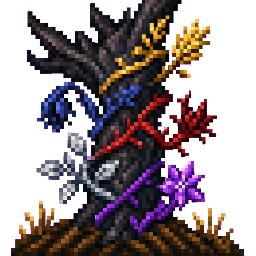


The Worldstalk turns Minecraft into an atmospheric mood‑farming experience by adding a vibrant MOODIOME as an Overworld replacement and a craftable THE FARM OF JOY soil (made from Soil of Moods, Joyful Wheat Seeds and Golden Seeds) where you can cultivate emotion‑tinted crops and…
This mod is licensed under the CreativeMode Mods License.