

Description
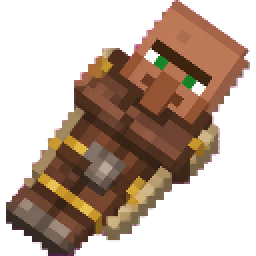
Handheld My Faction ledger displays each quest's exact requirements and current faction progress
Mod Wiki
Faction Ledger
Quickstart
- Craft the Faction Ledger using the recipe below.
- Hold the ledger and use it (right-click / tap use) to open the Faction Ledger menu.
- Choose Create a Faction to start your own faction, or Join a Faction to join an existing one.
- Once in a faction, select My Faction to check your quests, progress, and faction info.
- Go play normally — breaking blocks and other actions will automatically progress your faction's active quests.
Overview
Faction Ledger adds a single magical item, the Faction Ledger, which acts as your gateway into a faction system. With it, you can found or join a faction, track shared goals through quests, manage members, and keep tabs on rival factions ("Server Legions"). The ledger doubles as both your ID card and your quest tracker — everything you need to manage faction life is accessed by simply using the item.
What It Adds
- Faction Ledger — a handheld rare-quality item used to open the faction menu.
- A faction creation and membership system.
- A quest system tied to faction activity (such as breaking blocks) that tracks exact requirements and current progress.
- Faction leadership roles (Leader and Co-Leader) with management permissions.
- A shared faction bank/money pool contributed to by members.
- A directory of all existing factions ("Server Legions") to browse.
How To Use
Hold the Faction Ledger and use it to bring up the main menu, which offers:
- Create a Faction — Start a brand-new faction by giving it a name (up to 32 characters) and a short bio/description. You automatically become the leader.
- Join a Faction — Browse and request to join an existing faction.
- View Factions — Look through faction listings to see names, bios, and other details.
- My Faction — View your faction's roster, quests, progress, and shared resources. Leaders and Co-Leaders can manage members and settings from here.
- Server Legions — See an overview of all factions active on the server/world.
The ledger only allows one faction membership at a time — you must leave your current faction before creating or joining another.
Crafting And Obtaining
The Faction Ledger is crafted at a crafting table:


Abilities And Mechanics
- Quest Tracking: Each faction automatically receives quests. The ledger shows the exact requirements for each quest and how much progress your faction has made. Certain in-game actions, such as breaking blocks, count toward active quest progress for your faction.
- Leadership Roles: Faction leaders and co-leaders have expanded management options, such as overseeing members and faction settings, that regular members do not have.
- Faction Treasury: Members' stored money contributes to a shared faction total, giving a sense of collective wealth and progress.
- One Faction At A Time: Players can only belong to a single faction. Leaving your current faction is required before joining or founding another.
Progression And Strategy
- Recruit members and coordinate with them to complete faction quests faster, since quest progress is shared across the whole faction.
- Use the ledger regularly to check outstanding quest requirements so your faction knows exactly what's left to accomplish.
- Delegate responsibilities by promoting trusted members to Co-Leader so faction management doesn't rest on one person.
- Compare your faction's standing against others using the Server Legions listing to gauge your progress and rivalries in the wider world.
How to install
Download the mod and follow the step-by-step installation guide.
Players also liked

Molted Feathers


Chickens molt feathers and you can swap them both ways at the crafting table. No more killing chickens for feathers! Molted feathers are also compostable. Chickens can molt up to 3 feathers per molt.

Shop And Auction House


Scoreboard UI adds admin-only and player-facing tools to manage on-screen info, a full shop & auction interface, and a player bounty system. Admins (operator or with an admin tag) use the admin Scoreboard tool by right-clicking to open the admin menu, Manage Scoreboard to edit up…
Amythest Pickaxe
Amethyst Pickaxe — a diamond-style pickaxe that mines a 4x4 area at once to speed up resource gathering and tunneling, and now deals 10 attack damage for strong melee capability. Use it like a normal pickaxe: break any block to clear a 4x4 section aligned with the face you’re hit…

This mod is licensed under the CreativeMode Mods License.