

Description
Chop, dig, and mine with the Crimson Paxel.
Mod Wiki
Crimson Explosive Paxel
Quickstart
- In Creative mode, open the Equipment tab or search for Paxel and choose a material tier.
- In Survival mode, craft one at a crafting table using the matching pickaxe, axe, shovel, TNT, and material item.
- Hold the paxel in your hand and mine a block:
- Normal use: mines the target and nearby blocks in a spherical area.
- Sneaking: mines a 3×3 pattern centered on the target. The pattern faces the direction you are looking.
- Try the paxel on stone, ores, logs, dirt, and other blocks normally mined with a pickaxe, axe, or shovel.
Overview
The Crimson Explosive Paxel combines pickaxe, axe, and shovel functions in one hand-held tool. Each paxel also mines surrounding blocks when you break a block.
The area effect does not create a conventional TNT explosion. TNT is part of each crafting recipe, while the paxel directly removes blocks around the one you mine.
What It Adds
| Paxel | Normal mining area | Digging speed | Attack damage |
|---|---|---|---|
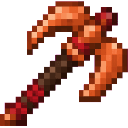
| Copper Paxel | 1.5-block spherical radius | 6 | 6 |
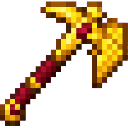
| Gold Paxel | 1.75-block spherical radius | 4 | 7 |
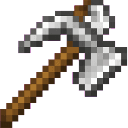
| Iron Paxel | 2.25-block spherical radius | 7 | 8 |
| Diamond Paxel | 2.5-block spherical radius | 10 | 9 |
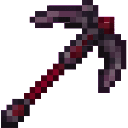
| Netherite Paxel | 3-block spherical radius | 11 | 10 |
All five paxels:
- Mine blocks handled by pickaxes, axes, and shovels.
- Are held like standard tools.
- Are unstackable.
- Can use pickaxe-slot enchantments.
- Have their own material-specific mining speed and area radius.
How To Use
Normal Mining
Hold a Crimson Paxel and break a block without sneaking. The target block and valid blocks inside the paxel's spherical radius are mined together.
The radius extends in every direction, including above, below, and behind the target. Higher-tier paxels generally clear a larger area.
3×3 Mining
Sneak while mining to switch to the 3×3 mode. The paxel mines the target block and the surrounding blocks in a 3×3 plane.
The plane is selected automatically from your view direction:
- Look at a wall to mine a vertical 3×3 section.
- Look downward or upward to mine a horizontal 3×3 section.
- Look along the side of a tunnel to mine the corresponding vertical plane.
Use this mode when you want a predictable flat section instead of the larger spherical area.
Block Handling
The paxel works on blocks tagged as pickaxe-, axe-, or shovel-mineable. Blocks that are not valid targets are not affected.
Area mining skips:
- Air
- Bedrock
- Barriers
- End portal frames
Because several blocks can be removed with one swing, check nearby structures, ores, chests, and builds before mining.
Crafting And Obtaining
All recipes are shaped recipes made at a crafting table. Each recipe uses the matching pickaxe, axe, and shovel across the top row, TNT in the center, and the matching material item below it. Each recipe produces one paxel.
Copper Paxel
Use a copper pickaxe, copper axe, copper shovel, TNT, and a copper ingot.


Gold Paxel
Use a golden pickaxe, golden axe, golden shovel, TNT, and a gold ingot.



Diamond Paxel
Use a diamond pickaxe, diamond axe, diamond shovel, TNT, and a diamond.


Iron Paxel
Use an iron pickaxe, iron axe, iron shovel, TNT, and an iron ingot.


Netherite Paxel
Use a netherite pickaxe, netherite axe, netherite shovel, TNT, and a netherite ingot.


Abilities And Mechanics
- Three tools in one: The paxel can chop, dig, and mine with the same item.
- Spherical area mining: Normal mining clears a radius determined by the paxel tier.
- Directional 3×3 mining: Sneaking creates a 3×3 mining plane based on your viewing direction.
- Material tiers: Copper, gold, iron, diamond, and netherite paxels have different speeds, attack damage, and area sizes.
- Pickaxe enchantment compatibility: Paxels use the pickaxe enchantment category.
- No block breaking through protected blocks: Bedrock, barriers, end portal frames, and air are ignored by the area effect.
Progression And Strategy
- Start with a Copper Paxel when you want a compact area effect and a moderate mining speed.
- Use a Gold Paxel for its higher attack damage, but note that it has the lowest listed digging speed.
- Upgrade to Iron for a stronger general-purpose option with a larger radius.
- Choose Diamond for fast clearing and a wide area.
- Use a Netherite Paxel when you want the largest normal mining radius and highest listed digging speed.
- Use normal mode for rapid excavation and 3×3 mode for walls, floors, ceilings, and carefully shaped tunnels.
- Sneak before mining near valuable blocks or structures to avoid clearing more area than intended.
How to install
Download the mod and follow the step-by-step installation guide.
Players also liked

Pea Shooter


Meet the peaceful Pea Shooter, a wandering plant that follows food and drops beetroot seeds.
Animalfinder V8


I always have trouble finding specific animals that I need when in survival and got tired of not being able to make a bed because I can't find sheep.. So! IF you have the same problem, I developed this one to solve that problem! It shows you what animal is in what direction and…
Crimson Apple Switch

Place an apple on the Crimson Apple Switch to trigger a redstone signal.
Espada Llama De Infernus


# Infernal Flame Blade\n\nA demonic obsidian sword with flowing lava veins and glowing crimson runes. Emits smoke and fire particles when swung.\n\n## Active Abilities:\n1. **Infernal Blast** - Charge for 2s to release a fire wave dealing damage in a 3-block radius and igniting e…
Bastet


Bastet: a placeable decorative block with an Egyptian-themed texture for use in themed builds.
This mod is licensed under the CreativeMode Mods License.