
Description
Chestbound Conveyors adds two simple conveyor belt blocks that carry dropped items across the ground: the Left-to-Right Conveyor moves items east, while the Right-to-Left Conveyor moves items west — place a conveyor, drop items onto it, and they'll slide along the belt into any chest or compatible inventory at the output edge (including partial insertion when space is limited). Both conveyors have crafting recipes, appear in the Creative inventory with models and textures, and are usable in Survival for straightforward item transport and basic automation. The conveyors and their inventory items now display clear English names (Left-to-Right Conveyor and Right-to-Left Conveyor) for easier identification in hand and in menus.
Mod Wiki
Chestbound Conveyors
Quickstart
- Craft a Left-to-Right Conveyor (moves items east) or a Right-to-Left Conveyor (moves items west) — both are found in the Redstone tab of the Creative inventory.
- Place a conveyor on the ground.
- Put a chest (or other inventory block) directly against the output edge of the conveyor — to the east for Left-to-Right, to the west for Right-to-Left.
- Drop items onto the conveyor with Q. Watch them slide across the belt and transfer into the chest automatically.
Overview
Chestbound Conveyors adds two ground-level conveyor belt blocks that physically push dropped items along the floor and deposit them into adjacent inventories. They require no power, no configuration, and no redstone signal to operate — just place, aim at a chest, and drop items on top.
What It Adds
| Block | Direction | Creative Tab |
|---|---|---|
| Left-to-Right Conveyor | East (→) | Redstone |
| Right-to-Left Conveyor | West (←) | Redstone |
Both blocks share the same core behavior: any item entity that lands on them is accelerated in the conveyor's fixed direction. When the item reaches the output edge, it is inserted into whatever inventory sits directly next to that edge.
How To Use
Placing a conveyor Place the block flat on the ground like any standard block. The direction is fixed at craft time — Left-to-Right always moves east, Right-to-Left always moves west.
Feeding items Drop items (default Q) anywhere on top of the conveyor surface. Items are nudged continuously in the belt's direction as long as they remain on the block.
Output inventory Place a chest, barrel, hopper, or any other compatible inventory block directly adjacent to the output edge. When a moving item reaches the far edge of the conveyor, it is inserted into that inventory slot-by-slot. If the inventory is partially full, as many items as will fit are inserted and the remainder stays on the belt as a dropped item stack.
Pickaxe mining Conveyors are mined fastest with a pickaxe and drop themselves when broken.
Crafting And Obtaining
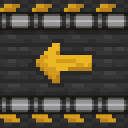
Both recipes are shaped and use common materials. The Left-to-Right Conveyor uses gold ingots, while the Right-to-Left Conveyor uses iron ingots — a quick way to remember which is which.
Left-to-Right Conveyor



Right-to-Left Conveyor

Abilities And Mechanics
- Continuous push — The belt applies velocity to item entities every tick they are in contact with it, keeping them moving steadily toward the output edge.
- Automatic insertion — Once an item reaches the output edge threshold, the mod attempts to insert it into the adjacent inventory. It first fills existing stacks of the same item, then fills empty slots.
- Partial insertion — If the destination inventory is nearly full, only the items that fit are transferred. The remaining items continue to exist as a dropped stack at the belt's edge.
- No redstone required — Conveyors are always active; they cannot be toggled on or off by a redstone signal.
- Fixed cardinal direction — Each conveyor type moves items in one absolute direction regardless of how you place it. Use Left-to-Right for east-bound runs and Right-to-Left for west-bound runs.
Progression And Strategy
- Early automation — Both conveyors craft from materials available before mid-game (andesite, redstone, iron or gold), making them accessible for basic item-sorting and chest-loading setups early in a Survival world.
- Parallel lanes — Run a Left-to-Right and a Right-to-Left conveyor side by side to feed two separate chests from a central drop point.
- Funnel into hoppers — Placing a hopper at the output edge lets items continue deeper into an existing storage system, bridging conveyor transport with vanilla automation.
- Bulk sorting — Combine multiple conveyors with dedicated chests per item type to build a simple manual sorting station — drop items on the correct belt and let them travel to their chest automatically.
How to install
This Java mod can be used on Windows and Mac PCs with the CreativeMode Launcher or any Minecraft launcher of your choice.

1. Download and install the new CreativeMode Launcher

2. Click to play on the top of the screen.
3. That's it — launches instantly. No complicated setup required.
Want to use on a different launcher? Download mod and manually install.
Players also liked

About You Panel


About You Panel is a lightweight client-side HUD that opens a stylish right-side info panel when you type !aboutme in chat (the message is intercepted so it won’t appear to others) and closes with !aboutme c. The panel shows your username, current gamemode, live FPS, XYZ coordina…
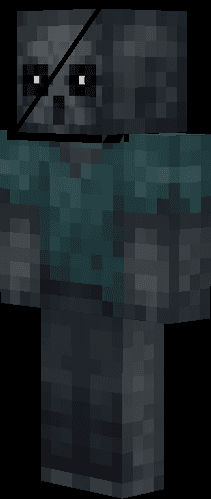
Vanishing Stalker Zombie


This mod adds the Vanishing Stalker Zombie, a silent and unsettling variant of the zombie that follows players from a distance with an eerie gaze. Unlike regular zombies, this stalker moves slowly, makes no ambient sounds, and won't burn in daylight, allowing it to pursue you at…

Soul of the World

Soul of the World is a mystical trinket that automatically adapts to your surroundings, granting powerful passive abilities and combat effects based on the biome you're currently in. Right-click the item to activate or deactivate it - when active, it will provide different benefi…

Broken Pixel Watcher

The Broken Pixel Watcher is a tall, distorted humanoid with a hollow black eye, ghostly afterimages, cold breath, wet footprints, and a flickering, glitching presence that lingers at the edge of your sight and vanishes when stared at. It spawns naturally in Survival, stalks and w…
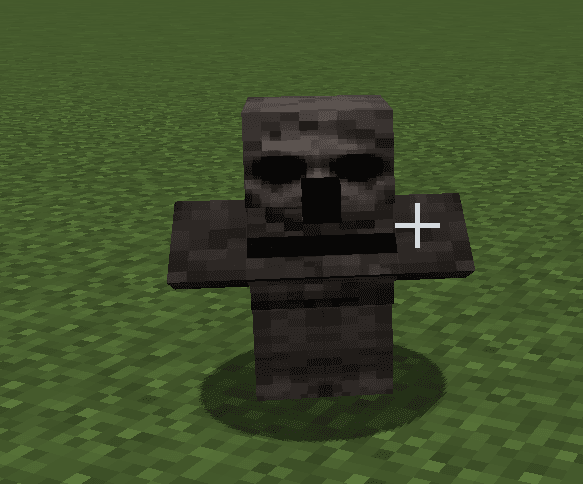
Hollow Eyed Stalker


The Hollow Eyed Stalker is a terrifying creature that resembles a corrupted villager with haunting, demonic blacked-out eyes. This unsettling mob crawls low to the ground, emerges from beneath the earth when it spawns, and silently follows players from the shadows—but it freezes…
This mod is licensed under the CreativeMode Mods License.