

Description
Build a scrap-metal nest, command evolving robotic mite squads, and forge powerful steel gear.
Mod Wiki
Matter Assimators++
Quickstart
- Open the Creative inventory and take an Assimilator Nest Wand.
- Find a clear, reasonably flat area with room for a 9×9 scrap-metal structure.
- Use the wand and choose Build / repair nest. The wand constructs the nest and deploys one Collector, one Killer, and one Breaker Assimilator Mite.
- Use the wand again to open the Assimilator Command Console. Try deploying a squad:
- Collector squad — gathers dropped items.
- Killer squad — attacks nearby mobs.
- Breaker squad — assimilates terrain and ores.
- Use Overclock nearby mites once you reach mastery level 4. It boosts nearby squad mites for 15 seconds.
- At mastery level 3, try Deploy infection wave. Infect Mites convert nearby eligible mobs into infected robots.
- Use a Mite Signal Flare to highlight mite-network entities within 32 blocks for 6 seconds.
The Nest Wand opens its menu when used. Keep your wand available whenever you want to command squads, check your progress, or purge infected robots.
Overview
Matter Assimilators++ centers on building scrap-metal nests and directing evolving mite squads. Your mites operate in three roles:
- Collectors gather dropped items.
- Killers provide melee and ranged combat support.
- Breakers interact with terrain, ores, and other supported blocks.
Mites begin at Stage 1 and can evolve into Stage 2 and Stage 3 forms. Your personal Assimilator mastery controls which stages you can deploy through the command console.
The mod also includes Infect Mites, which spread an infection through nearby mobs and replace them with hostile or controllable infected robots.
What It Adds
Mite-network items
| Item | Use |
|---|---|
| Assimilator Nest Wand | Opens the command console and builds nests. |
| Mite Signal Flare | Highlights nearby mites and infected robots. |
| Scrap Metal Piece | Basic material for scrap gear and network equipment. |
| Scrap Metal Upgrade Template | Used with the steel equipment progression. |
| Steel Ingot | Material for advanced steel equipment. |
Blocks
- Scrap Metal — rugged construction material used in nests.
- Steel Block — durable metal construction block.
Equipment
The mod provides a complete scrap and steel equipment set:
- Swords
- Pickaxes
- Axes
- Shovels
- Hoes
- Helmets
- Chestplates
- Leggings
- Boots
Scrap equipment is an early network material. Steel equipment has substantially higher durability and stronger tool performance.
How To Use
The Assimilator Command Console
Use the Assimilator Nest Wand to open the console. Its operations are:
| Operation | Effect |
|---|---|
| Build / repair nest | Constructs a scrap-metal nest at your position and deploys a starter trio. |
| Deploy collector squad | Spawns three Collector Mites. |
| Deploy killer squad | Spawns three Killer Mites. |
| Deploy breaker squad | Spawns three Breaker Mites. |
| Recall nearby squad | Removes tagged squad mites within 32 blocks. |
| Overclock nearby mites | Gives nearby squad mites Speed and Strength for 15 seconds. |
| Deploy infection wave | Spawns three Infect Mites once the blueprint is unlocked. |
| Purge infected robots | Removes infected robots within 32 blocks and recovers scrap. |
| Show network status | Displays mastery, XP, kills, infections, nests, and nearby entity counts. |
The wand can build another nest after a short recharge of about 10 seconds. Choose an open location because the construction replaces air with Scrap Metal.
A local squad limit of 12 tagged mites applies within 32 blocks. Each regular deployment creates three mites. Infect Mites also count as tagged squad entities for nearby squad management.
Recall nearby squad affects every tagged squad mite in range, including Infect Mites from an infection wave. Mites spawned separately with spawn eggs are not part of the command-console squad unless they were deployed by the console.
Overclocking
Overclocking unlocks at mastery level 4.
It affects tagged mites within 20 blocks and grants:
- Speed II
- Strength I
- 15 seconds of boosted performance
Overclock has a 30-second cooldown. It affects mites currently near you, so gather your squad before activating it.
Signal flares
Use a Mite Signal Flare to mark all mite-network entities within 32 blocks. This includes:
- Collector, Killer, and Breaker Mites
- Infect Mites
- Infected robots
Marked entities glow for 6 seconds. The flare is consumed when used, making it useful for finding a wandering squad or locating infected mobs in caves and dense terrain.
Crafting And Obtaining
All custom items, blocks, equipment, and spawn eggs can be obtained from the Creative inventory.
In worlds where crafting recipes are enabled:
- Scrap Metal Pieces form the basis of the scrap tools, armor, Scrap Metal blocks, Nest Wand, Signal Flares, and upgrade template.
- Steel Ingots are used for steel tools, armor, Steel Blocks, and related steel equipment.
- The Scrap Metal Upgrade Template is used in the advanced equipment progression.
- Use a crafting table and the in-game recipe book to see the available crafting and smithing options.
Scrap equipment can be repaired with Scrap Metal Pieces. Steel equipment can be repaired with Steel Ingots.
Mite Squads
Collector Mites
Collectors seek out dropped items and store what they pick up in their internal inventory.
| Stage | Behavior |
|---|---|
| Stage 1 | Collects dropped items nearby. |
| Stage 2 | Collects items and periodically boosts nearby mite allies with Speed. |
| Stage 3 | Collects items and periodically gives nearby mite allies Regeneration. |
Collectors are useful around farms, battlefields, mining sites, and nest entrances where item drops accumulate.
Killer Mites
Killers are combat-focused mites that attack nearby mobs.
| Stage | Behavior |
|---|---|
| Stage 1 | Uses melee attacks against nearby mobs. |
| Stage 2 | Gains a periodic ranged dart attack. |
| Stage 3 | Fires ranged darts and applies Slowness to the struck player. |
Advanced Killer Mites seek the nearest player for their dart attack. Keep your position in mind when testing them, especially in crowded bases or multiplayer areas.
Breaker Mites
Breakers interact with a set of terrain, ore, and building blocks, including stone, cobblestone, dirt, sand, gravel, logs, common ores, deepslate, netherrack, sandstone, clay, terracotta, and several other terrain blocks.
| Stage | Behavior |
|---|---|
| Stage 1 | Detects supported blocks and displays assimilation effects when they are broken nearby. |
| Stage 2 | Periodically breaks a supported block beneath itself. |
| Stage 3 | Breaks supported blocks beneath itself and can provide Scrap Metal Pieces to players nearby. |
Do not place Breakers next to valuable structures unless you want them to work through their supported blocks.
Evolution And Mastery
Mite evolution
Mites spawned at Stage 1 naturally advance through their stages:
- Stage 1 evolves to Stage 2 after roughly 3–4.5 seconds.
- Stage 2 evolves to Stage 3 after roughly 4.5–6 seconds.
The old mite is replaced by its next-stage form at each evolution. Stage spawn eggs let you test advanced forms immediately without waiting.
Mastery levels
Your Assimilator mastery starts at level 1 and has a maximum of level 10. The current level and XP appear in the action bar, while the level is also displayed in the sidebar.
You gain mastery XP by personally killing mites and infected robots:
- Stage 1 mite: 1 XP
- Stage 2 mite: 2 XP
- Stage 3 mite: 3 XP
- Infected robot: 2 XP
Each fifth mite kill grants one Scrap Metal Piece. Killing an infected robot also grants one Scrap Metal Piece.
| Mastery level | Unlock |
|---|---|
| 1 | Stage 1 Collector, Killer, and Breaker squads |
| 3 | Stage 2 regular squads and the Infect Mite blueprint |
| 4 | Overclock |
| 6 | Stage 3 regular squads and Stage 2 Infect Mites |
| 10 | Stage 3 Infect Mites and maximum mastery |
Each next level requires 10 + (8 × current level) XP from the current level.
Infection System
Infect Mites
Infect Mites are hostile mites that target players and Endermen. Periodically, they release an infection pulse around themselves.
An infection pulse:
- Does not infect players.
- Does not infect armor stands, dropped items, projectiles, minecarts, or other excluded non-mob entities.
- Does not infect an entity already marked as infected.
- Replaces eligible vanilla mobs with infected versions.
Pulse strength improves by stage:
| Stage | Approximate pulse range | Pulse interval |
|---|---|---|
| Stage 1 | 2.8 blocks | 2 seconds |
| Stage 2 | 3.6 blocks | 1.5 seconds |
| Stage 3 | 4.5 blocks | 1 second |
Use Deploy infection wave from the Nest Wand to summon three Infect Mites. The wave unlocks at mastery level 3. Stage 2 becomes available at level 6, and Stage 3 becomes available at level 10.
Infection results
| Original mob | Result |
|---|---|
| Zombie, Husk, Drowned | Infected Zombie |
| Skeleton, Stray | Infected Skeleton |
| Creeper | Infected Creeper |
| Cow, Mooshroom | Infected Cow |
| Pig, Zombified Piglin | Infected Pig |
| Sheep | Infected Sheep |
| Spider, Cave Spider | Infected Spider |
| Villager, Wandering Trader | Infected Villager |
| Enderman | Infected Enderman |
| Wolf, Cat, Fox, Goat | Infected Beast |
| Horse, Donkey, Mule, Llama | Infected Beast |
| Polar Bear, Ravager, Iron Golem, Snow Golem | Infected Beast |
| Other eligible vanilla entities | Infected Beast |
Infection replaces the original entity at the same location. A named target keeps its name with an [INFECTED] marker.
Infected robot behavior
Infected robots are dangerous near players. They periodically attack the nearest player within close range and can apply Slowness.
The Infected Creeper retains its explosive behavior:
- It explodes when a target gets close.
- Flint and steel can force it to ignite.
- Lightning can charge it, increasing the explosion power.
- Its explosion does not intentionally create fire, but it can still damage terrain.
The Infected Beast can be tamed with bones. A tamed beast follows its owner, can teleport back when separated, and attacks skeletons. Infected Cows retain their milking and breeding interactions.
Purging infections
Use Purge infected robots in the Nest Wand menu to remove all infected robots within 32 blocks. The purge awards up to eight Scrap Metal Pieces based on the number of robots removed.
This is useful for clearing an infection outbreak before it reaches a village, animal pen, or base.
Progression And Strategy
- Start with a nest. Build it in an open location and let the starter mites evolve.
- Use Collectors around activity. They are especially useful where mining, combat, or mob farms create many item drops.
- Deploy Breakers carefully. They can interact with supported blocks beneath themselves, so keep them away from structures you want to preserve.
- Use Killers for combat support. Overclock them when a group of hostile mobs is nearby.
- Advance mastery deliberately. Personally defeating higher-stage mites and infected robots grants XP; every fifth mite kill also provides scrap.
- Separate infection tests from your base. Infect Mites can convert animals, villagers, hostile mobs, and powerful creatures into infected versions.
- Use Signal Flares when squads wander. The six-second glow makes mites and infected robots much easier to find.
- Recall before redeploying. Keep the local 12-mite limit available for the role you need.
- Upgrade to steel equipment. Scrap gear is useful while building your network, while steel tools, weapons, and armor provide a much stronger long-term loadout.
Optional Commands
These commands use the mod’s player-facing command identifiers:
- Open the command console:
/scriptevent com_assimilator_mite_nwoltlvc:menu - Show network status:
/scriptevent com_assimilator_mite_nwoltlvc:status - Reset mastery and counters:
/scriptevent com_assimilator_mite_nwoltlvc:reset
Resetting mastery returns your level, XP, kills, nest count, and infection count to their starting values. Built nests and crafted items remain in the world.
For direct Creative testing, you can also use commands such as:
/give @s com_assimilator_mite_nwoltlvc:nest_wand/give @s com_assimilator_mite_nwoltlvc:mite_signal_flare/give @s com_assimilator_mite_nwoltlvc:steel_ingot 64/summon com_assimilator_mite_nwoltlvc:infect_mite ~ ~ ~
Spawn eggs in the Creative inventory provide the named Stage 1, Stage 2, Stage 3, and infected variants without needing command identifiers.
How to install
Download the mod and follow the step-by-step installation guide.
Players also liked

Dread Colossus Zombie


The Dread Colossus Zombie is not your typical undead encounter. Standing 40 blocks tall, this gargantuan abomination lumbers across the landscape with a slow, ground-shaking stride that belies just how much ground it covers with every step. Its dark, decaying skin is stretched ov…

Killer Rabbit Of Caerbannog
That's no ordinary rabbit! Look, that rabbit's got a vicious streak a mile wide. It's a killer!
Raccoon Lootwolf


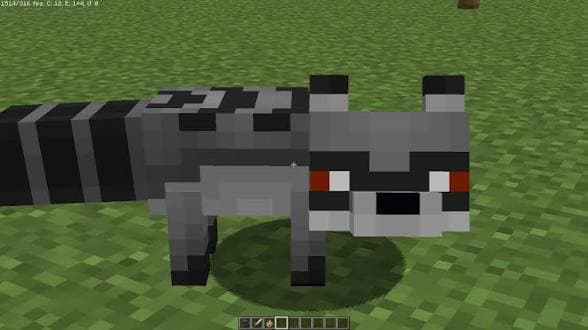
Guard your inventory—Raccoon Lootwolf is always hunting for your best loot.
Ashen Kings Wasteland


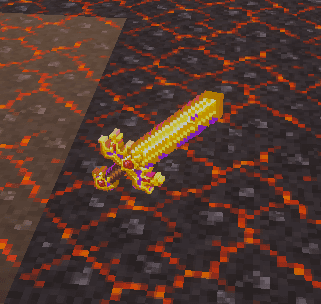
Ashen Kings Wasteland adds a full custom Bedrock biome called the Ashen Wasteland — a dark, scorched overworld region of lava spews, massive craters, charred walls and ruined terrain built from Ashen Soil, blackstone, deepslate and basalt; you can locate it with /locate biome com…

This mod is licensed under the CreativeMode Mods License.