

Description
Adds a black-and-purple Xbox-style controller item—right-click to open a radial menu with Set Waypoint, Remove Waypoint, Rename Waypoint, Edit Sharing/Access, Teleport, and Back/Exit; you can save up to 50 personal waypoints and the main menu shows your current count and warns when the cap is reached. Set Waypoint saves your current location and prompts for a name; use Edit Sharing/Access on any saved waypoint to mark it Private, Public, or Authorized-only and to enter authorized player names (comma- or newline-separated) so only listed players can view and teleport to authorized-only waypoints. The Teleport menu lists your own waypoints plus any public or authorized shared waypoints you can access (owner names are shown); clicking a waypoint teleports you instantly, including cross-dimension when possible, and the controller will display a clear message if a saved dimension cannot be resolved; all sharing settings persist across sessions.
Mod Wiki
Voidpad Waypoint Controller
Quickstart
- Craft the Voidpad Waypoint Controller at a Crafting Table:



- Hold the controller and use it (right-click / tap the Use button) to open the main menu.
- Select ✚ Set Waypoint to save your current location, give it a name, and choose who can see it.
- Select ⟳ Teleport to Waypoint to instantly jump to any waypoint you have access to.
Overview
The Voidpad Waypoint Controller is a black-and-purple Xbox-style controller item that acts as a personal fast-travel system. Hold it and interact to open a menu where you can save locations, teleport between them, rename or remove them, and share them with other players — all without any commands.
What It Adds
| Item | Description |
|---|---|
| Voidpad Waypoint Controller | Epic-rarity hand-held item. Opens a waypoint management menu on use. Does not take durability damage and will not despawn. |
How To Use
Using the controller opens the Waypoint Controller main menu. The menu displays how many waypoints you currently have saved out of the maximum of 50. A warning appears if you have hit the cap.
The menu offers six actions:
| Button | What It Does |
|---|---|
| ✚ Set Waypoint | Saves your current position as a new waypoint. |
| ✖ Remove Waypoint | Deletes a saved waypoint from your list. |
| ✎ Rename Waypoint | Changes the name of an existing waypoint. |
| ⚙ Edit Sharing / Access | Sets who can see and teleport to a waypoint. |
| ⟳ Teleport to Waypoint | Instantly teleports you to any accessible waypoint. |
| ← Exit | Closes the menu. |
Waypoint lists are paginated — 10 waypoints per page — so scrolling through large collections is easy.
Abilities And Mechanics
Setting a Waypoint
When you choose Set Waypoint, a form appears showing your exact current coordinates and dimension. Enter a name (or leave it blank for an auto-generated one) and set the initial access level. The waypoint is saved at your feet position.
You may hold up to 50 waypoints per player. Attempting to add more while at the cap shows an error message and cancels the save.
Sharing and Access Control
Each waypoint has one of three access levels, configurable at any time through Edit Sharing / Access:
| Access Level | Who Can See and Use It |
|---|---|
| Private | Only you. |
| Public | All players on the server. |
| Authorized-only | Only players you specifically name. |
For Authorized-only waypoints, enter the allowed player names separated by commas or new lines. Only those players will see the waypoint in their Teleport menu.
Teleporting
The Teleport menu shows:
- All of your own waypoints.
- Any Public waypoints set by other players.
- Any Authorized-only waypoints where you are on the access list.
Shared waypoints display the owner's name so you know who created them. Tapping a waypoint teleports you there instantly, including cross-dimension travel (Overworld ↔ Nether ↔ End). If a saved dimension can no longer be resolved, the controller displays a clear error message instead of silently failing.
Persistence
All waypoints and sharing settings are saved to your player data and persist across sessions, world reloads, and server restarts.
Crafting And Obtaining
The controller is crafted at a standard Crafting Table. It can also be unlocked in the recipe book once you have Amethyst Shards, Obsidian, or an Ender Pearl in your inventory.
The item is found in the Equipment tab of the creative inventory.
Progression And Strategy
- Set waypoints early at your base, important farms, and portal hubs before you venture out — teleporting is instant, so a well-named collection of waypoints replaces the need for mapped routes.
- Use Public sharing on community points of interest (markets, spawn) on multiplayer servers so all players can benefit.
- Use Authorized-only for private bases you want to share with friends but not everyone on the server.
- Keep an eye on the 50-waypoint cap. Periodically remove outdated waypoints with ✖ Remove Waypoint to make room for new ones.
- The controller never loses durability, so one crafted item lasts indefinitely — no need to carry backups.
How to install
Download the mod and follow the step-by-step installation guide.
Players also liked

Leaf Echo Capsule


The Leaf Echo Capsule is a magical pill that, when consumed next to water, grants you all positive status effects and spawns an invulnerable Echo Clone that follows you everywhere. Your clone not only blesses you with extra buffs and periodic gifts, but also carries out almost an…

Trap Block


A trap block that can be placed on the ground. When triggered by an unwary player or mob, it springs into action, unleashing various hazardous effects such as damage, knockback, or temporary status effects. Perfect for defending your base or creating challenging obstacle courses.
Explender

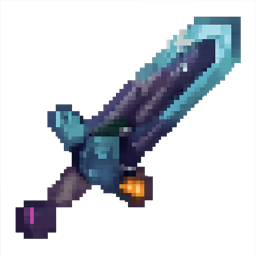
Explender v5 is a dual‑mode sword (base damage 5) toggled with Sneak + Use: Teleport Mode teleports you to the struck target, stuns it for 0.4 seconds (extreme slowness), applies one random debuff to the target (Slowness IV for 3s or Wither III for 5s), and grants you randomized…

Tempest Arcana

The Tempest Arcana is a legendary magical staff imbued with storm essence, capable of commanding lightning, wind, and thunder. Summon precise lightning bolts that chain between nearby enemies, or unleash a thunderous shockwave that pushes back foes. Force thunderstorms to enhance…
This mod is licensed under the CreativeMode Mods License.