

Description
Easy villager transportation. This addon lets you scoop up villagers for easy transport: left-click a villager while holding an empty bucket to capture them into a custom Villager Bucket item. Left-click again with the Villager Bucket (or use the regular use button as a fallback) to release the villager in front of you; the filled bucket then becomes an empty bucket again. The Villager Bucket is a single, unstackable item with its own icon, making it a simple, no-setup way to move villagers between builds and villages.
Mod Wiki
Villager Bucket
Quickstart
- Hold an empty bucket in your main hand.
- Left-click (attack) a villager to scoop them up — your bucket is replaced with a Villager Bucket.
- Left-click a block or mob (or press the Use button) while holding the Villager Bucket to release the villager in front of you. The Villager Bucket turns back into an empty bucket.
That's all there is to it — no crafting required for the Villager Bucket itself.
Overview
Villager Bucket is a simple transport addon. It lets you capture any villager into a special bucket item and release them wherever you like. This makes it easy to move villagers between builds, set up new villages, or rescue a wandering trader from danger — all without minecarts, boats, or leads.
What It Adds
| Item | Description |
|---|---|
| Villager Bucket | A single, unstackable bucket item containing one villager. Has its own icon and tooltip. Obtained by scooping up a villager with an empty bucket. |
The Villager Bucket displays the tooltip "Contains: Villager" and the reminder "Left-click a block or mob to release" when you inspect it in your inventory.
How To Use
Capturing a Villager
- Equip a vanilla empty bucket in your main hand.
- Walk up to any villager and left-click (attack) them.
- A splash sound plays, your action bar shows "Villager scooped into the bucket", and the empty bucket becomes a Villager Bucket.
- If you were holding a stack of buckets, only one bucket is consumed; the rest remain in your hand and the Villager Bucket is added to your inventory (or dropped at your feet if your inventory is full).
Releasing a Villager
- Hold the Villager Bucket in your main hand.
- Left-click any block or mob, or press the Use (right-click / interact) button.
- The villager spawns a short distance in front of you in the direction you are facing.
- A splash sound plays, your action bar shows "Villager released from the bucket", and the Villager Bucket reverts to an empty bucket.
Abilities And Mechanics
- Unstackable — the Villager Bucket always occupies a single inventory slot and cannot be stacked.
- No data persistence — the released villager is always a freshly spawned villager. Profession, trades, and name are not preserved across capture and release.
- Release direction — the villager appears roughly 1.5 blocks ahead of you based on your view direction, so face the spot where you want them to land before releasing.
- Capture guard — releasing and capturing cannot happen in the same game tick, preventing accidental re-capture immediately after release.
Progression And Strategy
- Village setup — capture villagers from an existing village and carry them to a new location to seed a fresh trading hall or outpost.
- Bed linking — release villagers inside or adjacent to a structure with beds so they claim beds and begin populating the new area immediately.
- Safety transport — if a villager is in a dangerous or hard-to-reach spot, scoop them up and relocate them without needing rails, boats, or a lengthy lead-and-push journey.
- Stack your empties — bring a stack of empty buckets if you plan to move many villagers at once; each capture only consumes one bucket from the stack.
How to install
Download the mod and follow the step-by-step installation guide.
Players also liked
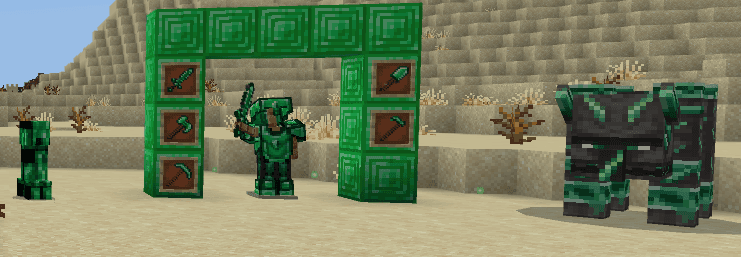
Emerald Titanforge


A addon That Adds Emerald Tools And Armor. It Adds 2 Mobs, Emerald Golem And Emerald Creeper.

Harvest And Hydration

Ever wanted more realism? This add on adds a new thirst bar element as well as a whole list of new foods and drinks all prepared by the player! Drinks will regenerate your thirst bar, and some will even regenerate both hunger and thirst! This add on also boasts a large variety of…

MILK THEM MOBS


You can now milk all of the mobs, and smelt their milk in a furnace to make mob specific cheese. Collect mob cheeses and flex on your friends you managed to milk a Warden, Creeper, ETC. Treat this as a collector mini-game! Eat the cheese... I dare you. Featuring 84 new milks, (mi…

Villages Alive Guard Tower

VILLAGES ALIVE - A mod series that brings you helpful villagers to make your build easier. Finally Bowman Bart, Bufford and Bob are here to protect your village! Place the craftable Guard Tower block while facing any direction to instantly build a full 17×17 guard-tower compound…
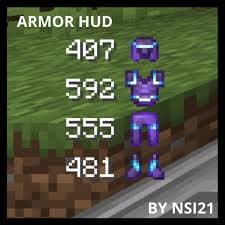
Gear Durability Hud


A durability mod that shows how much durability your armour and whatever is in your hands has
This mod is licensed under the CreativeMode Mods License.