

Description
Wield the one-of-a-kind Final Blade to poison foes, command dragon fire, and summon your own Ender Dragon.
Mod Wiki
The Final Blade
Quickstart
- Obtain the blade from the Combat creative inventory tab, or give it to yourself with:
/give @s the-final-blade-4kk3aozp:the_final_blade_4kk3aozp - You can also craft it using either of the recipes below:


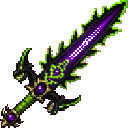


- Hold The Final Blade and right-click. It launches a Dragon Fireball, gives you a Dragon Crown, summons a personal Ender Dragon, and places you on its back.
- While riding, look in the direction you want the dragon to fly. Test the blade against nearby mobs to see its poison and dragon attacks.
The blade's ability has a 10-second cooldown.
Overview
The Final Blade is a one-handed combat weapon with three main powers:
- Its melee attacks inflict lingering poison.
- Its use ability fires a Dragon Fireball.
- Its use ability summons a rideable personal Ender Dragon.
The item does not stack and is also recognized as a sword.
What It Adds
The Final Blade
The blade has the following player-visible properties:
- Name: The Final Blade
- Stack size: 1
- Combat category: Sword
- Melee effect: Poison II for 5 seconds
- Use ability: Dragon Fireball, Dragon Crown, and personal dragon
- Ability cooldown: 10 seconds
Dragon Crown
Using the blade creates a golden helmet named Dragon Crown.
- If your head slot is empty, the crown is equipped immediately.
- If you are already wearing headgear, the crown is placed in your inventory instead.
Personal Ender Dragon
The summoned dragon uses the appearance and flight animations of an Ender Dragon, but it is a personal rideable mount rather than the normal End boss.
How To Use
Melee attacks
Attack a living target with The Final Blade to apply Poison II for 5 seconds. Repeated hits can refresh the effect while you continue fighting.
Dragon ability
Right-click while holding the blade to activate all of its powers at once:
- A Dragon Fireball launches in the direction you are looking.
- A Dragon Crown is created.
- A personal Ender Dragon appears ahead of and above you.
- You immediately begin riding the dragon.
The ability cannot be activated again until its 10-second cooldown ends. A purple message, “The Final Blade answers your call.”, appears when the ability is triggered.
Riding the dragon
- Look toward the direction you want to travel.
- The dragon flies along your look direction, including upward and downward movement.
- The dragon automatically attacks nearby living entities while you ride it.
- Its close-range attacks deal heavy damage to targets around the dragon, excluding you.
- Use the normal dismount control to leave the dragon.
- Right-click an unoccupied personal dragon to mount it again. Avoid sneak-right-clicking when you intend to mount.
Crafting And Obtaining
The Final Blade can be crafted through either of two shaped recipes.
The first recipe requires dragon eggs, a Nether Star, obsidian, a diamond sword, and Dragon's Breath:
The alternate recipe requires netherite ingots, obsidian, dragon eggs, and an Ender Eye:
It is also available directly in the Combat creative inventory tab.
Abilities And Mechanics
- Poisoned edge: Every successful melee hit applies Poison II for 5 seconds.
- Dragon Fireball: The blade fires in the direction of your crosshair when used.
- Dragon Crown: Each ability activation creates a golden helmet with the Dragon Crown name.
- Dragon summoning: Each activation summons a personal dragon and seats you on it.
- Mounted attacks: While you are riding, the dragon damages nearby living entities automatically.
- Cooldown: The fireball, crown, and dragon-summoning ability share a 10-second cooldown.
Progression And Strategy
- Use the blade's poison to weaken tough enemies before finishing them with continued melee attacks.
- Activate the dragon ability in an open area so the summoned dragon has room to appear and fly.
- Fire the Dragon Fireball toward distant targets, then ride after them for close-range attacks.
- Keep head-slot space available if you want the Dragon Crown to equip automatically.
- When fighting from the air, look slightly downward to descend toward enemies and slightly upward to gain altitude.
How to install
This Java mod can be used on Windows and Mac PCs with the CreativeMode Launcher or any Minecraft launcher of your choice.

1. Download and install the new CreativeMode Launcher

2. Click to play on the top of the screen.

3. That's it — launches instantly. No complicated setup required.
Want to use on a different launcher? Download mod and manually install.
Players also liked

Ocean Gem


The Ocean Gem is a mystical blue gem that grants powerful aquatic abilities to its bearer. Keep it anywhere in your inventory to passively receive Dolphin's Grace for much faster swimming, and strike a mob or player with the gem to grant yourself Water Breathing for one minute so…
Withers Blade


The Withers Blade is a fireproof, unbreakable sword that deals 5 hearts of damage per hit while cursing its wielder with the Wither effect whenever it’s held. Simply equip it in your main hand and left-click to attack—any enemy felled by its strike will leave behind a Wither Rose…




Endless Trial Portals


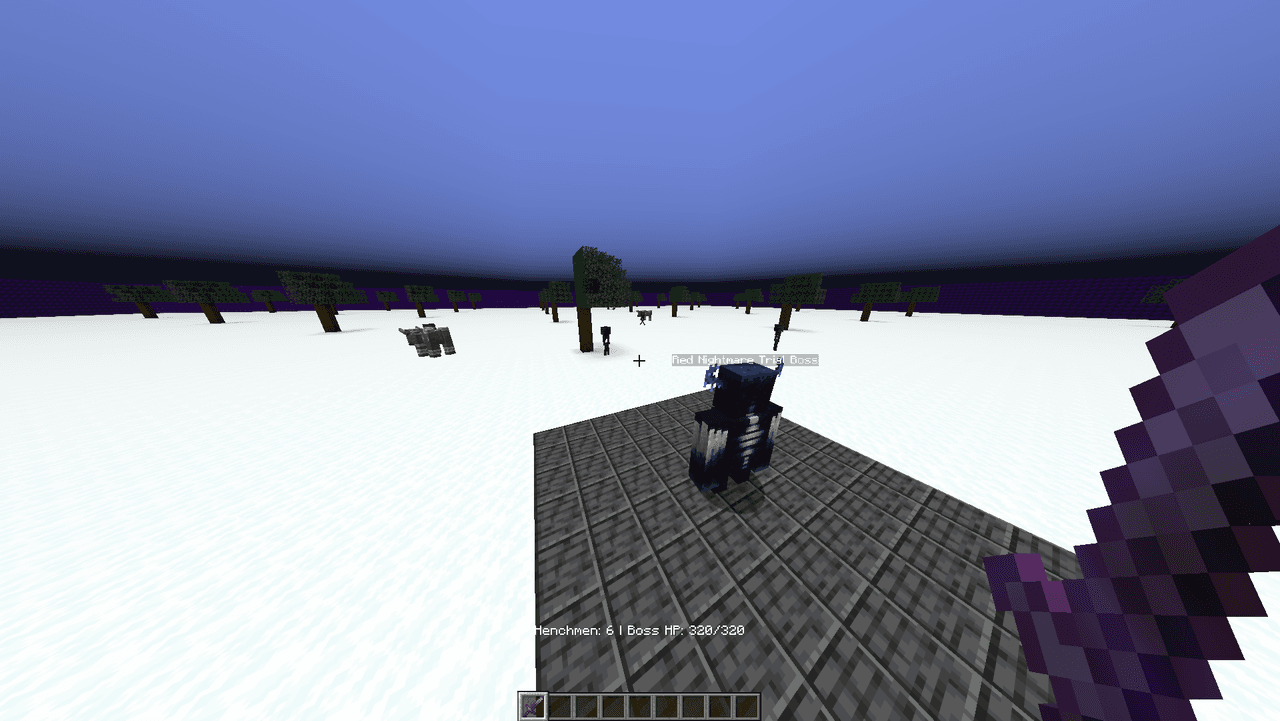
Endless Trials scatters decorative, color‑coded portals across the Overworld that whisk you into procedurally generated arena dungeons where waves of difficulty‑scaled henchmen spawn and a locked boss only awakens once the waves are defeated; arenas vary by color (green = small,…
This mod is licensed under the CreativeMode Mods License.