CreativeMode

Creative
Mode

ExploreModJamsCreateJoin our community
Sign in
Craft first mod
CreativeMode

Creative
Mode

Sign in
Create
Account
Community
Resources

Create without limits.

Privacy PolicyTerms of Use

© 2026 CreativeMode. Not an official Minecraft product. Not approved by or associated with Mojang or Microsoft.

CREATIVEMODE

    Create
    Account
    Community
    Resources

    Create without limits.

    Privacy PolicyTerms of Use

    © 2026 CreativeMode. Not an official Minecraft product. Not approved by or associated with Mojang or Microsoft.

    CREATIVEMODE

    v1
    MC Bedrock

    Sword Of Sargeras Monument

    by
    lazaruscode
    lazaruscode

    4 downloads

    cool
    Decoration
    +2 more
    v1
    MC Bedrock

    Sword Of Sargeras Monument

    by
    lazaruscode
    lazaruscode

    4 downloads

    cool
    Decoration
    WoW
    Structure

    Description:

    A single, decorative mega-landmark: the Sword of Sargeras Monument. The colossal sword from WoW now in Minecraft Bedrock towering from the ground to well above the clouds. It works best when placed 20 - 30 blocks below ground. That way you can cover the point with dirt and make it look like it is actually stuck in the ground.

    Mod Wiki

    Sword Of Sargeras Monument

    Quickstart

    1. Open your inventory and find the Sword Of Sargeras Monument Wand in the Equipment tab.
    2. Hold the Wand in your main hand.
    3. Aim at any surface in the world and use (right-click / tap the use button) to fire a projectile toward where you want the monument to appear.
    4. When the projectile lands, the colossal Sword of Sargeras Monument is instantly generated at that impact point — stand back and look up to take it all in.

    Tip: Choose a wide open area or a dramatic hilltop for the best view. The sword is enormous and its tip extends far above normal view distance.


    Overview

    Sword Of Sargeras Monument adds a single, awe-inspiring mega-landmark to your Bedrock world: a demonic greatsword of colossal proportions, driven point-first into the earth. Only the upper half of the blade is visible above ground — the rest is buried deep beneath the surface, as if the weapon was hurled from the heavens and lodged itself there for eternity. The monument serves as a purely decorative world feature, functioning as a dramatic landmark, base centerpiece, or lore prop.


    What It Adds

    ItemDescription
    Sword Of Sargeras Monument WandHand-held tool used to place the monument structure in the world. Found in the Equipment tab of the inventory.

    The monument itself is a fixed mega-structure built from custom blocks rendered in blackened, scorched tones. It features:

    • A long, tapering blade of darkened metal with organic ridges, armor-like plates, and flowing seams — the blade tip soars far above normal player view distance.
    • A broad, wing-shaped crossguard with jagged, horn-like spikes curving upward on each side.
    • A large emissive orange eye set at the center of the guard, glowing like molten fire.
    • A ribbed, rough handle ending in a simple pommel, with the base of the visible sword meeting exactly at ground level.

    How To Use

    Placing the Monument

    1. Equip the Sword Of Sargeras Monument Wand in your main hand.
    2. Aim at the ground or any surface where you want the base of the visible sword to emerge.
    3. Press Use Item to shoot the wand's projectile toward the target point.
    4. On impact, a particle effect fires and the structure assembles itself block-by-block at that location.
    5. The wand has a 2-second cooldown between uses.

    Terrain Interaction

    The monument does not clear or replace any surrounding terrain. The blade will pierce straight through trees, hillsides, mountains, and any existing blocks — exactly as though a massive sword was thrust through the world without disturbing it. This is intentional: the sword's footprint only places its own blocks, leaving everything else untouched.

    Removing or Modifying Blocks

    The custom blocks that make up the monument can be mined by hand (approximately 1.5 seconds per block) and are destroyed instantly by explosions. You can dismantle the monument piece by piece if needed, though the scale makes full removal a significant undertaking.


    Abilities And Mechanics

    • Wand Projectile: The wand launches a fast-moving projectile with slight gravity arc. Aim slightly above your target for distant placements. The projectile deals no damage but does apply a small knockback on contact with entities.
    • Block-by-Block Assembly: The monument loads in segments, so on lower-end devices you may see it appear in stages over a brief moment rather than all at once.
    • Emissive Glow: The orange eye on the guard emits light visually, giving the monument an eerie, otherworldly presence day and night.
    • Single Instance: The wand is designed to place one monument per use. You can fire it again to place additional copies anywhere else in your world.

    Progression And Strategy

    • Landmark Navigation: Place the monument near your base as a towering waypoint visible from enormous distances — the blade tip extends above the cloud layer, making it visible even across very large worlds.
    • Dramatic Builds: The sword pairs well with lava moats, dark stone fortresses, or nether-themed builds. Its scorched, demonic aesthetic fits naturally alongside Nether bricks, blackstone, and obsidian.
    • Optimal Placement: For the most striking silhouette, place the monument on flat terrain or a slight rise so the full guard and handle are visible at ground level. Placing it inside a mountain or deep valley will bury the guard, reducing the visual impact.
    • Screenshot Staging: The emissive eye and the sheer scale make this monument a compelling focal point for screenshots — try viewing it at dusk or from a distance of 100+ blocks for the full skyline effect.

    How to install

    Download the mod and follow the step-by-step installation guide.

    Players also liked
    Wemmbu orbital strike cannon – image 1
    12kMC Bedrockv23

    Wemmbu orbital strike cannon

    Profile picture for jedirule8jedirule81,000 Downloads

    This mod adds a suite of explosive and utility items: one‑use Nuke and Stab Shot rods (right‑click to cast), a reusable dual‑mode Orbital Remote, a one‑use Teleport Rod, a one‑use Wolf Command Rod, a one‑use Wolf Cleanup Rod, and the Orbital Railgun. The Stab Shot carves a full 12‑block‑wide shaft down to bedrock and is lethal to anything inside (an offhand Totem will be consumed instead of death); the Teleport Rod launches you up to 300 blocks and then breaks; the Wolf Command spawns 100 combat‑buffed tamed wolves and the Cleanup rod removes them. The Orbital Remote is handheld — right‑click to call strikes, sneak + right‑click to cycle modes (you must use it again to actually fire after switching), and hitting a target in Stab mode locks them for the next strike; all special activations share a short 0.5‑second cooldown. The Orbital Railgun is used like a bow (hold and release) to fire its tightly stacked high‑speed volley, but now requires a full stack of 64 arrows to activate (it will not fire without one) and causes a fatal backlash to the user unless you have two Totems in your offhand, in which case both are consumed and you survive.

    OP · Tech · Item · +10
    Mythic Armor Sets – image 1
    3.1kMC Bedrockv28

    Mythic Armor Sets

    Profile picture for capzac16capzac16CreativeMode Pro

    🔥 Uncover the ultimate armor progression overhaul for Minecraft Bedrock Edition! Mythic Armor Sets completely dismantles vanilla protection boundaries, introducing a balanced, hyper-powered 10-tier survival progression ladder that rewards deep exploration, custom mining, and legendary titan boss hunting. Equipping a full, matching set of custom armor unlocks specialized stat multipliers, customized durabilities, and unique full-set protection attributes! 👑 THE OFFICIAL 10-TIER ARMOR PROGRESSION GUIDE & RECIPES: • TIER 1: Steel Plate Armor ⚙️ - What it is/does: High-durability starter alloy armor. Provides a notable protection boost over standard vanilla Iron armor, making it perfect for early cave exploration. - How to craft: Smelt surface Coal and Iron together into Steel Alloys, then arrange them in a standard armor pattern inside a 3x3 crafting table. • TIER 2: Bananaite Armor 🍌 - What it is/does: Lightweight exploration utility armor. Grants minor Speed and Jump Boost modifiers to assist players with surface traversal and early harvesting loops. - How to craft: Harvest and combine custom bananaite resources in a standard armor layout pattern. • TIER 3: Mythril Guardian Armor ✨ - What it is/does: High-tier tanking gear. Provides a major defense upgrade and high structural durability to withstand deep cave encounters. - How to craft: Forge together pure Mythril Alloys extracted from rare Mythril Ore veins found exclusively at deep-slate cavern bedrock layers. • TIER 4: Chaos Armor 🟢 - What it is/does: Infuses the wearer with cosmic agility. Grants permanent Speed I and a minor Attack Damage modifier to handle early raid threats. - How to craft: Defeat the Tier 1 Chaos Harbinger boss to harvest its unique Chaos Shards, then wrap standard Mythril Guardian armor pieces in the shards. • TIER 5: Void Armor 🔮 - What it is/does: Ultimate dimensional protection. Grants permanent, full immunity to the dangerous Wither decay status effect, making it essential for exploring high-threat realms. - How to craft: Defeat the Tier 4 Void Abyss-Walker boss to harvest Volatile Void Crystals, then forge them onto your Chaos Armor gear. • TIER 6: Astral Armor 🌌 - What it is/does: High-tier celestial protection. Boosts the player's maximum armor rating and adds a passive projectile protection shield buff to deflect incoming hazards. - How to craft: Defeat the Tier 5 Astral Star-Stalker boss to collect Astral Shards, then reforge your Void Armor using the shards. • TIER 7: Celestial Armor ⭐ - What it is/does: Advanced cosmic defense. Surrounds the player with a celestial energy matrix that dampens incoming kinetic damage spikes from high-tier enemies. - How to craft: Collect rare Celestial Core Shards and combine them in a crafting table to upgrade your active Astral Armor pieces. • TIER 8: Titan Armor 🧱 - What it is/does: Unstoppable defensive juggernaut. Grabs massive baseline defense statistics and grants permanent, absolute Knockback Immunity to block late-game land bosses. - How to craft: Defeat the Tier 7 Iron Colossus boss to gather heavy Titan Plating, then arrange it around your Celestial Armor in a 3x3 grid. • TIER 9: Deity God Armor 🏆 - What it is/does: Legendary master-tier armor. Grants permanent environmental Resistance and continuous Strength buffs to conquer peak-tier raids. - How to craft: Defeat the Tier 8 Leviathan Typhoon master event to collect Primordial Materials, then reforge your Titan Armor at the anvil. • TIER 10: Omega God Armor 👑 [THE APEX SUPREME] - What it is/does: The absolute crown jewel of equipment! Equipping the full set unlocks the fabled 'Omega God Ascendance' matrix. Grants permanent Massive Resistance & Strength III, Ultimate Regeneration, paired with Mythic Speed II, Haste II, and an un-cancelable, smooth Permanent Night Vision overlay ticker loop that completely eliminates vanilla screen flashing during deep dives! - How to craft: Defeat our late-game custom raid titans to harvest rare Omega Stones ("boss:omega_stone"), then wrap your Tier 9 Deity God Armor pieces completely in Omega Stones inside a 3x3 crafting grid. ======================================================= ⚠️ WEB PLATFORM CATALOG NOTE ======================================================= Please note that the website's preview interface occasionally fails to render our custom 3D blocks and namespaced recipe icons on this catalog page. Rest assured, this is strictly a web-preview rendering bug—the addon files are 100% complete, and everything renders, spawns, crafts, and functions flawlessly inside your actual Minecraft game client! 🏁 DEVELOPMENT STATUS: This module is fully compiled, secure, and 100% stable in survival mode. The complete 10-tier progression map, ore generation data pools, 14-second status effect buffer loops, and item tooltip displays are permanently locked into the master release files. =========================================================== 🛑 CRITICAL DISCLOSURE: CORE DEPENDENCY REQUIRED 🛑 =========================================================== This addon is part of a tightly interconnected survival matrix and is designed to run standalone. But if you want more, there other mods of mine that are a part of a modpack, stated below: 1. 🛡️ Mythic Armor Sets (Handles custom world ore generation and bedrock layer alloys) 2. ⚔️ Mythic Weapons & Tools (Unlocks your combat arsenal and harvesting implements) [Still not published, currently working on project]. 3. 🔮 Mythic Boss Materials (Drops the vital crafting catalysts needed for awakening upgrades) [Needs the armor sets mod for 100% stabilization]. Why are they locked together? • The weapons and boss spawner recipes rely completely on the custom blocks and ores generated by the Armor mod. • Upgrading your weapons, tools, and armor into their ultimate 'Awakened' or 'Omega God' states relies completely on the rare drops harvested from the Boss mod. Running these addons separately will break the internal texture atlas and leave item slots completely transparent. For the flawless, definitive survival experience, install all three packs simultaneously!

    Creative · Powerful · Boss · +8
    World Shaper – image 1
    1.1kMC Bedrockv2

    World Shaper

    Profile picture for itsandyitsandy1,000 Downloads

    World Shaper is a full in-game world-edit tool: use the item to open its menu and click blocks to set Position 1/2, paste selections, and perform operations like fill, replace, hollow boxes, spheres, and other shape-based edits. Only players with the Admin tag can open the menu or interact with blocks using the tool; non-admins are blocked and see the message "[WorldEdit] You must have the Admin tag to use this tool." Grant access with /tag playerName add Admin (for example /tag @s add Admin) and revoke with /tag playerName remove Admin — the tag name is case-sensitive.

    Creative · addon · Tool · +1
    Jackpot Slot Machine – image 1
    783MC Bedrockv3

    Jackpot Slot Machine

    Profile picture for exsoexsoCreativeMode Pro

    Placeable slot machine block; right-click to open a polished custom UI with three-item reel animations and choose a bet (1,000; 10,000; or 100,000) using the server money scoreboard—the bet amount is deducted when you spin and outcomes pay 1.5× for two matching items, 3× for three matches, and nothing for no match. The machine now advances spins and reel-locks automatically through timed HUD/action-bar animation frames (no Next/Stop buttons) and features machine hum, reel acceleration, light flash, and coin-shower sounds plus particle flashes and camera shake for richer, outcome-specific celebrations. Wins send you a message and three-match jackpots broadcast a server announcement; payouts, spin-again flow, and scoreboard money handling remain intact for smooth gameplay.

    Block · Fun · Functional · +6
    Porta Portal – image 1
    777MC Bedrockv6

    Porta Portal

    Profile picture for lazaruscodelazaruscode500 Downloads

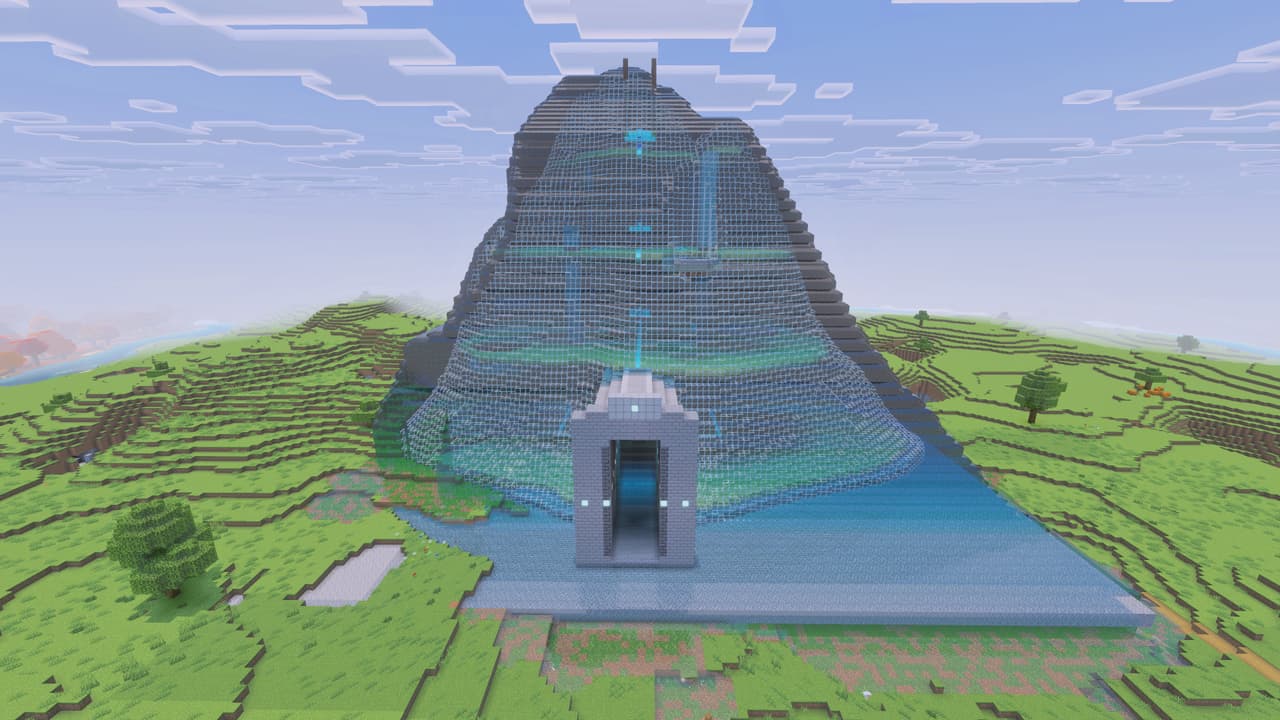
    Porta Portal is an ornate wand that generates a perfectly centered 20x20 landscaped portal site. When you are done with that portal use the wand on it to remove everything and go somewhere else and create another.

    Tool · Functional · Portal · +1

    This mod is licensed under the CreativeMode Mods License.

    CreativeMode

    Creative
    Mode

    ExploreModJams
    Create
    Items or Blocks icon

    Items or Blocks

    Join our community
    Craft first mod
    CreativeMode

    Creative
    Mode

    Craft first mod