


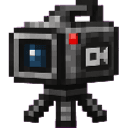
Description
Capture cinematic Minecraft gameplay from one fixed camera.
Mod Wiki
Single Camera Replay
Quickstart
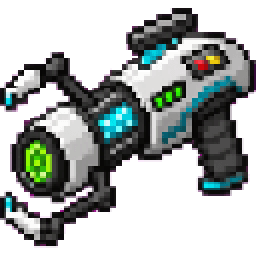
- Obtain Single Camera Replay from the Creative inventory, or craft it with a crafting table:
- Hold the item and use it. Tapping or using it on a block opens the Single Camera Replay menu; using it on a block does not change the block.
- Stand at the location and face the direction you want to film.
- Choose Reset Camera to capture your current position and view direction.
- Choose Lock Camera to keep the view fixed while you move and play.
- Choose Start Recording, then use your platform's normal screen recorder to capture the scene.
The item can be held in either hand and does not stack.
Overview
Single Camera Replay provides one fixed, free camera for cinematic Minecraft footage. Set the camera at a viewpoint, lock it in place, and perform gameplay or staged action in front of it.
The mod does not create or save video files itself. Start Recording, Pause Recording, Resume Recording, and Stop Recording control the in-game recording status and display a recording indicator for use with an external screen recorder.
How To Use
Use the item to open the control menu. The menu shows the current camera, recording, lock, and smooth-movement states.
| Menu option | Function |
|---|---|
| Replay Camera ON/OFF | Enables the replay camera or clears it and returns to the normal camera. |
| Start Recording | Enables the replay camera if necessary and shows the ● REC indicator. |
| Pause Recording | Pauses the in-game recording status and shows Ⅱ PAUSED. |
| Resume Recording | Resumes a paused recording status and shows ● REC. |
| Stop Recording | Stops the recording status and removes the recording indicator. |
| Lock Camera | Holds the current camera pose in place. |
| Unlock Camera | Stops enforcing the fixed camera pose. |
| Save Camera | Stores the current camera position and direction. |
| Load Camera | Restores the saved camera pose. |
| Reset Camera | Captures your current position and facing as the new camera pose. |
| Smooth Movement ON/OFF | Toggles smooth transitions when enabling, loading, or resetting the camera. |
You can reopen the menu at any time by using the item. The same menu appears whether you use the item normally or use it on a block.
Abilities And Mechanics
Fixed camera
When the replay camera is enabled, it uses a camera pose sampled from your position and view direction. Locking the camera keeps the view at that pose while you stage the scene.
To create a new viewpoint, move to the desired location and choose Reset Camera. You can also save a useful viewpoint before experimenting and restore it later with Load Camera.
Recording status
The recording controls are designed to work alongside an external screen recorder:
- REC indicates that recording mode is active.
- PAUSED indicates that recording mode is paused.
- STOPPED indicates that no recording session is active.
These controls do not produce a video file in the world.
Smooth movement
With Smooth Movement ON, camera changes use gentle transitions when the camera is enabled, reset, or loaded. Turn it off for immediate camera changes.
Dimensions
A camera pose belongs to the dimension where it was captured. If you travel to another dimension, the saved view is not applied there. Return to the original dimension to use that pose again, or choose Reset Camera to create a viewpoint in the new dimension.
Crafting And Obtaining
The item is crafted at a crafting table using glass panes, compasses, redstone, and an iron ingot.
It is also available directly in the Creative inventory under the equipment category. The item has a maximum stack size of one.
Progression And Strategy
Single Camera Replay has no upgrade path or unlockable tiers. Its main workflow is setting up and reusing camera poses:
- Find a clear filming location.
- Face the scene and use Reset Camera.
- Use Save Camera if you want to preserve the viewpoint.
- Lock the camera.
- Start the in-game recording status and begin your external screen recording.
- Unlock, reset, or load another pose when you want a different shot.
For repeatable scenes, save several viewpoints in separate filming sessions and reset the camera between takes.
How to install
Download the mod and follow the step-by-step installation guide.
Players also liked








This mod is licensed under the CreativeMode Mods License.