
Description
Shop And Auction House adds a player-driven economy you access with /shop (a visual shop) and /ah (Auction House); the shop’s six tabs — Building Blocks, Food & Farming, Mob Droppings, Special & Rare, Resources & Redstone, and Tools & Armor — show buy and sell prices (most prices bumped slightly), with Dried Kelp Blocks and Bone Blocks costing more, and the Echo Shard restored to the Special & Rare tab as a buy-only item for 200,000 coins (the shard is shown as not sellable). The Auction House lets you tap inventory slots to list items with icon, name and stack count, set a sale price up to 500,000 coins, choose stack amount with a slider, enforces a 10-active-listing limit and 24-hour duration, and includes a My Auction Items tab to reclaim expired listings; balances and stats persist across the world. Operators or players tagged as admins can craft and right-click a Scoreboard UI tool to manage up to ten persistent scoreboard lines and show a live right-hand sidebar, and the new /eshop command opens a client-side, paginated enchantment shop offering ready-made max-level enchanted books for 15,000 coins each (server-validated) that go into your inventory or drop at your feet if full.
Mod Wiki
Shop, Auction, Enchant Shop
Quickstart
- Type
/shopin chat to open the visual shop and browse or buy items immediately — no setup required. - Sell items back through the same shop interface to earn coins.
- Type
/ahto open the Auction House, where you can list items from your inventory for other players to buy. - Type
/eshopto browse max-level enchanted books available for 15,000 coins each. - If you are an operator or admin, craft the Scoreboard UI Tool and right-click it to manage a live scoreboard sidebar.
Overview
Shop And Auction House brings a full player-driven economy to your Bedrock world. Every player starts with a coin balance that persists across sessions. You can spend coins at the /shop to obtain building materials, food, mob drops, and rare items, or earn coins by selling items back. The /ah Auction House lets players trade freely with each other. The /eshop enchantment shop sells ready-made max-level enchanted books. Operators and admins also get a craftable tool for managing a live scoreboard display.
What It Adds
| Feature | Command / Item | Purpose |
|---|---|---|
| Visual Shop | /shop | Buy and sell items across six category tabs |
| Auction House | /ah | List items for sale; browse and buy from other players |
| Enchantment Shop | /eshop | Buy max-level enchanted books for 15,000 coins each |
| Scoreboard UI Tool | Crafted item | Operators/admins manage up to 10 persistent scoreboard lines |
How To Use
The Shop (/shop)
The shop opens a visual interface organised into six tabs:
- Building Blocks — Stone, deepslate, dirt, and other construction materials. Dried Kelp Blocks and Bone Blocks are priced higher than most blocks.
- Food & Farming — Crops, food items, and farming supplies.
- Mob Droppings — Items dropped by mobs, including Breeze Rods (220 coins) and Wind Charges (45 coins each).
- Special & Rare — High-value items such as Shulker Shells (15,000 buy / 7,500 sell), Elytra (30,000 coins, buy only), mob heads (50,000 buy / 25,000 sell), and the Echo Shard (200,000 coins, buy only — cannot be sold back).
- Resources & Redstone — Ores, ingots, and redstone components.
- Tools & Armor — Equipment and gear.
Each item shows its buy price and sell price. Simply select an item to purchase it or sell items from your inventory back to the shop.
The Auction House (/ah)
The Auction House lets players list items directly from their inventories for other players to purchase.
- Tap an inventory slot to select the item you want to list.
- Set a sale price (up to 500,000 coins).
- Use the slider to choose how many items from the stack to list.
- Each listing lasts 24 hours and you may have up to 10 active listings at once.
- Open the My Auction Items tab to reclaim any expired listings that did not sell.
Player balances and auction statistics persist for the lifetime of the world.
The Enchantment Shop (/eshop)
/eshop opens a paginated enchantment shop. Every enchanted book available is already at max level and costs 15,000 coins each. The purchase is validated server-side; the book goes directly into your inventory, or drops at your feet if your inventory is full.
Scoreboard UI Tool
Operators or players tagged as admins can craft and use the Scoreboard UI Tool to control a persistent scoreboard sidebar visible on the right side of the screen. Right-clicking the tool opens a management interface where you can add, edit, or remove up to ten scoreboard lines. The sidebar updates live for all players in the world.
Crafting And Obtaining
Scoreboard UI Tool


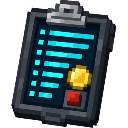
Craft at a Crafting Table. The recipe unlocks automatically once you have Redstone, Paper, or a Diamond in your inventory.
Abilities And Mechanics
- Coin balance is per-player and persists across sessions and world reloads.
- Echo Shard is available in the Special & Rare shop tab for 200,000 coins but cannot be sold back to the shop.
- Elytra is available to buy for 30,000 coins but has no sell value.
- Auction listings automatically expire after 24 hours; expired items wait in your My Auction Items tab until you reclaim them.
- Enchanted books from
/eshopare delivered directly to your inventory; if your inventory is full they drop at your feet.
Progression And Strategy
- Early game: Use
/shopto purchase affordable building blocks and food rather than grinding for them, selling any excess mob drops you collect to build up coins. - Mid game: Farm mob drops (especially rare ones like Shulker Shells) and flip them through
/ahat player-set prices, potentially earning more than the base shop sell rate. - Late game: Save up for the Elytra (30,000 coins), rare mob heads, and the Echo Shard (200,000 coins). Use
/eshopto skip the grind for max-level enchantments at 15,000 coins per book. - Auction House tips: Keep an eye on the 10-listing cap — avoid tying up slots with low-value items. Set competitive prices to ensure listings sell within the 24-hour window.
- Admin features: If you run a server or multiplayer world, use the Scoreboard UI Tool to display economy stats, player scores, or announcements on the live sidebar for all players.
How to install
Download the mod and follow the step-by-step installation guide.
Players also liked
Shop And Auction House


Scoreboard UI adds admin-only and player-facing tools to manage on-screen info, a full shop & auction interface, and a player bounty system. Admins (operator or with an admin tag) use the admin Scoreboard tool by right-clicking to open the admin menu, Manage Scoreboard to edit up…
Royal Flush Table


Placeable custom-model poker table block that functions as an in-game poker machine; interact to open the poker UI where you pick a bid increment, then play rounds where you can Fold (forfeit bet and end), Stand (draw an extra card), or Call (place the selected additional bet) un…




Voidpad Waypoint Controller

Adds a black-and-purple Xbox-style controller item—right-click to open a radial menu with Set Waypoint, Remove Waypoint, Rename Waypoint, Edit Sharing/Access, Teleport, and Back/Exit; you can save up to 50 personal waypoints and the main menu shows your current count and warns wh…
This mod is licensed under the CreativeMode Mods License.