CreativeMode

Creative
Mode

ExploreModJamsCreateJoin our community
Sign in
Craft first mod
CreativeMode

Creative
Mode

Sign in
Create
Account
Community
Resources

Create without limits.

Privacy PolicyTerms of Use

© 2026 CreativeMode. Not an official Minecraft product. Not approved by or associated with Mojang or Microsoft.

CREATIVEMODE
    Create
    Account
    Community
    Resources

    Create without limits.

    Privacy PolicyTerms of Use

    © 2026 CreativeMode. Not an official Minecraft product. Not approved by or associated with Mojang or Microsoft.

    CREATIVEMODE
    v4
    MC Bedrock

    Totem Duelmaster

    by
    soularcher6758
    soularcher6758

    293 downloads

    v4
    MC Bedrock

    Totem Duelmaster

    by
    soularcher6758
    soularcher6758

    293 downloads

    Description:

    Adds summonable PvP Training Bots in three difficulty levels — Easy (iron armor), Medium (diamond armor), and Hard (netherite armor) — each available by spawn egg or summon command so you can pick the right challenge. Bots wear their tiered armor, swap between a bow and the matching sword, have Strength and Resistance, and now move noticeably faster: higher base movement, quicker melee/ranged pursuit, and faster idle strolling; Easy bots get Speed II while Medium and Hard get Speed III when spawned or switching weapons. Each bot shows remaining totem charges on its nameplate, gains a charge every 30 seconds, and will consume one at low health to restore health and grant regeneration, absorption, and fire resistance with matching particles and sounds — perfect for practicing combos, totem timing, positioning, and weapon transitions across escalating difficulty.

    Mod Wiki

    Totem Duelmaster

    Quickstart

    1. Open your inventory or use a command to get a spawn egg. The easiest way is Creative mode inventory search for "PvP Training Bot Spawn Egg" — there are three variants (Easy, Medium, Hard).
    2. Place the spawn egg on the ground to summon a bot, or use a summon command:
      • /summon com_totem_duelmaster_m4kfp2gh:pvp_training_bot_easy
      • /summon com_totem_duelmaster_m4kfp2gh:pvp_training_bot_medium
      • /summon com_totem_duelmaster_m4kfp2gh:pvp_training_bot
    3. The bot immediately targets you. Watch its nameplate for totem charge counts, then fight — when its health drops low, it will pop a totem and recover. Practice timing your burst to exhaust its charges.

    Overview

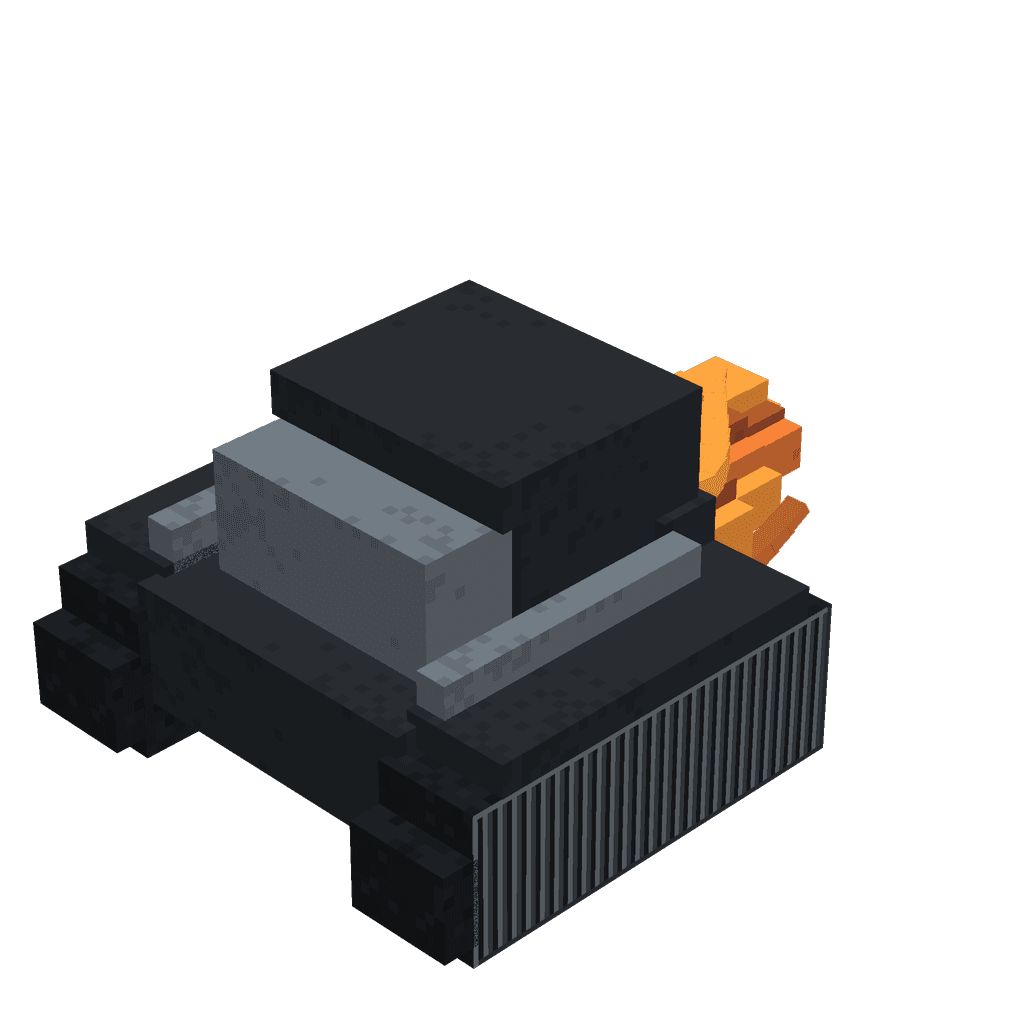
    Totem Duelmaster adds three tiers of intelligent PvP Training Bots designed to help you sharpen your combat skills in a controlled environment. Each bot wears tiered armor, swaps between a bow and a sword depending on range, holds totem charges that it spends to survive near-death moments, and moves fast enough to keep you on your toes. Whether you're learning basic combos, practicing totem timing, or drilling weapon transitions, there's a bot difficulty to match your current skill level.


    What It Adds

    Three new entities, each available via spawn egg and summon command:

    BotSpawn Egg NameArmorSwordHealthMelee DamageSpeed Buff
    Easy PvP Training BotEasy PvP Training Bot Spawn EggFull IronIron Sword20 hearts (40 HP)Low (6)Speed II
    Medium PvP Training BotMedium PvP Training Bot Spawn EggFull DiamondDiamond Sword30 hearts (60 HP)Moderate (10)Speed III
    Hard PvP Training BotHard PvP Training Bot Spawn EggFull NetheriteNetherite Sword40 hearts (80 HP)High (14)Speed III

    Medium and Hard bots also have Strength and Resistance buffs, making them noticeably tougher and harder-hitting than they appear on paper.


    How To Use

    Spawning a bot: Use the appropriate spawn egg from your inventory or run one of the /summon commands listed in the Quickstart. Bots spawn in ranged mode by default and immediately seek out nearby players within 32 blocks.

    Combat behavior: Each bot dynamically switches between ranged (bow) and melee (sword) combat. When you're farther away it shoots arrows; when you close to within roughly 5–6 blocks it draws its sword and chases you down. Both pursuit modes are faster than vanilla mob movement.

    Inspecting a bot: Look at a bot and use the interact button (shown as "Inspect" in the action prompt) to see its current state on the nameplate.

    Totem charges: The bot's nameplate always shows how many totem charges it currently holds. Charges accumulate over time — one new charge every 30 seconds, up to a maximum of 5. When the bot's health drops to its critical threshold, it automatically consumes one charge, recovering a large portion of its health and gaining Regeneration, Absorption, and Fire Resistance, accompanied by totem particles and sound. Exhaust all its charges before finishing it off.

    Loot on death: Every bot drops 1–2 Totems of Undying and 8–24 arrows, giving you resources to continue training.


    Abilities And Mechanics

    Totem Charge System

    • Bots start with zero charges and earn one every 30 seconds (up to 5 maximum).
    • A totem is consumed automatically when the bot reaches critically low health — this can happen mid-combo, so be ready.
    • On activation: health is restored to a set amount (Easy: 14 hearts, Medium: 21 hearts, Hard: 29 hearts), and the bot gains Regeneration IV (8 sec), Absorption II (8 sec), and Fire Resistance (40 sec).
    • Totem particles and the totem sound cue play on use, giving you an audio-visual warning.

    Weapon Switching

    • Bots start in ranged mode with a bow.
    • They switch to melee when a player is within ~5.5 blocks, drawing their tier-appropriate sword.
    • They revert to ranged if no target is in range.
    • Speed buffs (Speed II for Easy, Speed III for Medium/Hard) apply on spawn and when switching weapons, keeping bots aggressive.

    Combat Stats

    BotKnockback ResistanceStrengthResistance
    EasyLow (15%)——
    MediumModerate (55%)Strength IResistance I
    HardModerate (55%)Strength IIResistance II

    Bots can climb, path over water, and detect players up to 32 blocks away. They also retaliate if attacked from outside that range.


    Progression And Strategy

    Start with Easy to get comfortable with the totem consumption mechanic. The bot hits softly and has fewer charges to burn through, making it ideal for learning burst-combo timing without the pressure of high damage.

    Move to Medium once you can reliably track the nameplate and time your finisher around a totem pop. Diamond armor and Speed III make positioning much more demanding, and Resistance I means raw damage output matters more.

    Hard is the real test. Netherite armor, Strength II, Resistance II, and 40 HP create a scenario very close to a well-geared PvP opponent. Practice reading the totem particle/sound cue and immediately backing off to reset instead of burning your own resources into an absorption shield.

    General tips:

    • Watch the nameplate charge counter at all times — if it reads 0, you can safely go for the kill without a surprise totem proc.
    • Use the 30-second charge interval to your advantage: engage early after a charge ticks up, then finish the bot before the next one arrives.
    • Bots drop totems on death, so farming Easy bots is a low-cost way to stockpile totems before practicing against harder tiers.
    • Spawn multiple bots of different difficulties to practice handling simultaneous threats and target-swapping.

    How to install

    Download the mod and follow the step-by-step installation guide.

    Players also liked
    Gamemode Switcher – image 1
    347MC Bedrockv4

    Gamemode Switcher

    Profile picture for nullfeednullfeedHas a Job

    The Gamemode Switcher is a handheld tool crafted from a single dirt block that lets you change between Survival, Creative, Adventure, and Spectator; right-click (or tap) to open a dropdown menu that defaults to your current mode, then select a gamemode and confirm to switch immediately. If you find yourself in Spectator or cannot access the item, type /cm (or just cm or !cm in chat) to open the same gamemode menu—there is also a compatibility fallback command registered so it should work on most runtimes. Both the item and the chat command open the identical menu, so you can switch out of Spectator or between any gamemodes without leaving the game.

    Tool · Creative · OP · +1
    Marketshop. – image 1
    353MC Bedrockv12

    Marketshop.

    Profile picture for nobackingdownnobackingdown1,000 Downloads

    Type /shop to open a client-side, paginated multi-tab shop GUI with picture-backed listings, item detail pages, and buy/sell menus across Building Blocks, Food & Farming, Mob Droppings, Special & Rare, Resources & Redstone, and Tools & Armor. The shop uses a persistent per-player currency (no scoreboard objective) so balances save between sessions; prices have been adjusted (Building Blocks, Food & Farming, Mob Droppings, Special & Rare, and Tools & Armor generally higher, Resources & Redstone unchanged), Food & Farming and Mob Droppings listings add +3 to buy/sell values, every mob head buys at 50,000 and Elytra are buy-only at 15,000. Selling works correctly for any amount — Sell 1, Sell 16, and Sell All calculate totals from the items actually sold, credit your balance before removing items to avoid loss, and display the credited amount and updated balance in chat plus an immediate action-bar confirmation. A craftable admin tool opens a special admin menu for players with the admin tag where up to 10 persistent bottom action-bar lines can be edited using placeholders like player, money, and coins, and the in-shop help has been updated to reflect the new per-player balance system.

    Echo Shard Emerald Gear – image 1
    166MC Bedrockv1

    Echo Shard Emerald Gear

    Profile picture for nobackingdownnobackingdown1,000 Downloads

    This addon adds a full emerald gear progression: craftable emerald helmet, chestplate, leggings, boots, sword, pickaxe, axe, hoe, and shovel with proper durability, damage/mining behavior, repair support, icons and textures visible in the creative menu. To upgrade your gear you first craft an Emerald Cluster Block from 9 emerald blocks and make Emerald Locks from 4 emeralds plus 1 iron; 8 Emerald Locks surrounding an Emerald Cluster Block yield an Echo Shard Upgrade, and combining that upgrade with the matching emerald item and a vanilla echo shard creates the echo shard upgraded version. Echo shard gear features unique textures and worn attachables, has 8000 durability per upgraded item, and grants continuous fire resistance, speed, resistance, and strength while any echo shard armor piece is worn or any echo shard tool is held in the main hand, while remaining repairable and fully functional as tools and armor.

    Bone God Shrine – image 1
    161MC Bedrockv1

    Bone God Shrine

    Profile picture for maccy0804maccy0804CreativeMode Pro

    A medium-sized Bone God Shrine: an eerie temple and ossuary built from bone-themed blocks, cracked stone bricks and dark stone, centered on an elevated altar topped by a giant skeletal deity/statue and a legendary Bone Sword embedded in the ribs. Layout includes a bone-pillared courtyard, skull-adorned columns, side crypts and tomb chambers with chests containing the Bone Sword (legendary item), enchanted armor and bows, rare loot and abundant bones. The shrine is actively defended by skeleton guardians (regular and armored skeleton variants, with hidden spawners or patrol points), plus environmental hazards and ritual lighting (soul torches, slow or arrow traps) to create a sinister, haunted atmosphere.

    Neon White Soul Cards – image 1
    85MC Bedrockv14

    Neon White Soul Cards

    Profile picture for awesomearmordudeawesomearmordude1,000 Downloads

    Neon White Soul Cards adds nine craftable, equippable soul cards that reshape movement and combat: place a card in your hotbar, aim and press use to trigger a visible projectile or movement ability and chain cards for fast, stylish runs across maps. Cards include Katana (deflects projectiles and grants a short speed boost, 30 durability), Purify (throws a wind-charge projectile that deals 8 damage), Elevate (launch plus slow falling), Health (restores 3 hearts and is a single-slot item), Godspeed (a larger, longer-lasting forward dash that damages enemies), Stomp (ground-pound that negates fall damage and creates a damaging shockwave), Fireball (directional damaging dash), Dominion (a grappling hook that pulls you to the aimed target), and Book of Life (infinite use; teleport to a mob in view or the nearest mob and deal damage); Purify, Elevate, Godspeed, Stomp, Fireball, and Dominion stack up to 3 while Katana, Health, and Book of Life remain single-slot. All recipes and icons are integrated so you can craft and begin chaining abilities immediately, Ammo is a one-use card that scans your inventory to grant +1 charge for each matching stackable card per matching card consumed, and the Book of Life inventory icon has been refreshed with a new v13 texture for a cleaner, updated look. Not bad for a dead guy huh?

    Functional · Magic · Fun · +1

    This mod is licensed under the CreativeMode Mods License.

    CreativeMode

    Creative
    Mode

    ExploreModJams
    Create
    Items or Blocks icon

    Items or Blocks

    Join our community
    Craft first mod
    CreativeMode

    Creative
    Mode

    Craft first mod