

Description
Harvest enemies up close or transform the scythe into a deadly sniper rifle.
Mod Wiki
Shadow Reaper Rifle
Quickstart
- Obtain the weapon from the Creative inventory under Equipment, craft it at a crafting table, or use:
/give @s com_shadow_reaper_rifle_tfxmowu5:my_sword - Equip the Shadow Reaper Rifle in your main hand.
- In its default Scythe Mode, attack nearby enemies with the normal attack control.
- To switch modes, sneak and use the weapon at the same time.
- In Sniper Mode, aim at a target and use the weapon to fire a fast arrow projectile.
- Sneak-use it again to return to Scythe Mode.
Overview
The Shadow Reaper Rifle is a two-mode weapon that combines a close-range scythe with a long-range sniper weapon. It deals melee damage in Scythe Mode and launches arrow projectiles in Sniper Mode.
The current mode appears in the action bar when you switch modes or use the weapon.
What It Adds
- Shadow Reaper Rifle weapon
- Scythe Mode for close-range combat
- Sniper Mode for firing fast arrow projectiles
- 8 melee attack damage
- 750 durability
- Sword-compatible enchantment slot
How To Use
Scythe Mode
The weapon starts in Scythe Mode.
- Use the normal attack control to strike nearby enemies.
- Normal use displays the current mode but does not fire a projectile.
- Use this mode when enemies are within melee range.
Sniper Mode
- Sneak and use the weapon to switch to Sniper Mode.
- Aim at an enemy or another target.
- Use the weapon to launch an arrow in the direction you are looking.
The projectile is launched from in front of the player, making it suitable for attacking targets at a distance. Sniper shots are generated by the weapon, so no separate arrow ammunition is required.
Switching Modes
Sneak-use is the mode control:
- Sneak + use in Scythe Mode: switches to Sniper Mode
- Sneak + use in Sniper Mode: switches to Scythe Mode
The action bar displays either SHADOW REAPER RIFLE: SCYTHE MODE or SHADOW REAPER RIFLE: SNIPER MODE after the mode changes.
Crafting And Obtaining
Craft the weapon at a crafting table using 2 obsidian, 2 iron ingots, 1 netherite ingot, and 2 sticks.


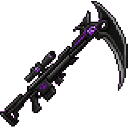
You can also obtain it from the Creative inventory under the Equipment category.
Abilities And Mechanics
| Property | Effect |
|---|---|
| Weapon type | Sword-like melee weapon with a ranged firing mode |
| Melee damage | 8 |
| Durability | 750 |
| Ranged attack | Launches an arrow projectile in Sniper Mode |
| Mode control | Sneak-use |
| Enchanting | Uses the sword enchantment category |
| Hand use | Designed to be held in the main hand |
The weapon uses a bow-style use animation and slows movement while being used. Its durability can be reduced during combat, so keep an eye on its condition during extended fights.
Progression And Strategy
- Start in Scythe Mode when exploring caves, defending yourself, or fighting enemies at close range.
- Switch to Sniper Mode before engaging enemies across open terrain.
- Use distance to weaken or eliminate targets before they reach you, then switch back to Scythe Mode for close combat.
- The weapon is made with a netherite ingot, so it is best suited to players who already have access to advanced Nether resources.
- Sword-compatible enchantments can improve its melee-focused use.
How to install
Download the mod and follow the step-by-step installation guide.
Players also liked
Stat Box


Stat Box adds a craftable, handheld tech reader to Minecraft Bedrock that tracks and displays your detailed world and player stats in a clean, categorized interface. There are many stats you can view and many of them do not show on screen until you actually have information to ad…


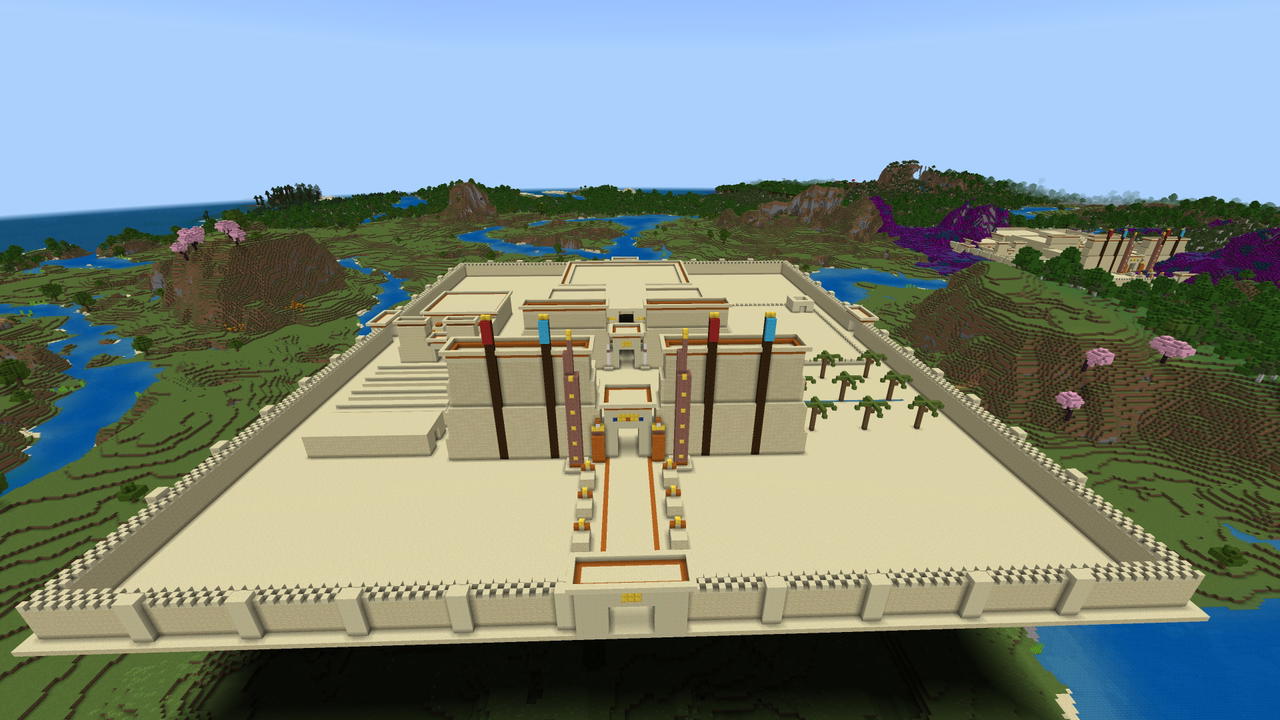
Sandstone Sun Temple
A vast Egyptian Temple complex perfect for a little bit of extra decorating and then dress your villagers to meet the Pharaoh... or dress one of your villagers up as the Pharaoh!
Obsidian Goblet

A goblet made of obsidian. My 5/10 Furniture model I am sharing here on creativemode from my portfolio! :)
Borders Without Borders
Want a fence that actually keeps stuff in or out? Tired of rescuing the iron golem or other mob from one of your livestock enclosures? Say no more—this mod gives you precise border control and looks nice doing it. Turn Pale Oak fences into custom borders with your choice of invis…
This mod is licensed under the CreativeMode Mods License.