

Description
The Personal Realm Key creates and grants access to a small private starter realm: right-click the key to teleport into your personal realm (it will generate a starter island on first use) and right-click it again from inside the realm to return to the exact position, dimension, and facing you left — this return point is saved on the key so logging out or restarting inside the realm still returns you to the same spot. Sneak-right-clicking your Personal Realm Key now creates an unbound Guest Realm Key; hold that guest key and run the /bind command to bind it to your Personal Realm, then give the bound guest key to others so they can right-click it to visit your realm (guest keys record each visitor’s return location and will return them to that exact spot when used again from inside the personal realm, and the guest key tooltip shows the bound realm owner). To revoke access, run /remove playername to find and destroy any guest keys bound to your realm in the specified online player’s inventory.
Mod Wiki
Personal Realm Key
Quickstart
- Craft the Personal Realm Key and hold it in your hand.
- Right-click to teleport into your own private realm — a small grass island generates automatically on your first visit.
- Explore the island: there's one random tree to chop and a fully-grown crop field to harvest.
- Right-click the key again while inside to return to exactly where you came from.
- To share your realm: Sneak + right-click the Personal Realm Key to receive an unbound Guest Realm Key, then hold it and type
/bindto link it to your realm. Give the bound key to a friend.


Overview
Personal Realm Key gives every player their own private pocket dimension that behaves like the Overworld. Your return location is saved directly on the key, so logging out or restarting inside the realm is safe — you'll always come back to the right spot. No one else can enter your realm unless you hand them a bound Guest Realm Key.
What It Adds
| Item | Description |
|---|---|
| Personal Realm Key | Teleports you to and from your personal realm; generates Guest Keys on sneak-right-click. |
| Guest Realm Key | A key bound to a specific player's realm. Lets visitors enter and exit that realm. |
How To Use
Personal Realm Key
- Enter your realm: Hold the key and right-click. Your current position, dimension, and facing are saved onto the key, then you are teleported in.
- Leave your realm: While inside, right-click the key to return to the exact position you came from.
- Create a Guest Key: While outside your realm, Sneak + right-click to generate an unbound Guest Realm Key into your inventory (or dropped nearby if full).
- There is a short cooldown (~2 seconds) between uses.
Binding a Guest Key
- Hold the unbound Guest Realm Key in your main hand.
- Type
/bind. - The key is now bound to your Personal Realm. Its tooltip will update to show your name.
- Give the bound key to whoever you want to invite.
Guest Realm Key
- Visit: Any player holding a bound Guest Realm Key can right-click it to teleport into the realm owner's island.
- Leave: Right-click the Guest Key again while inside to return to wherever you were before entering.
- Each visitor's return location is saved on the key independently.
- The key's tooltip shows which player's realm it leads to. An unbound key shows an error and does nothing.
Revoking a Guest Key
Type /remove <playername> (you must be the realm owner) while that player is online. Any Guest Realm Keys bound to your realm that are in their inventory are immediately destroyed. Only online players can be targeted.
Abilities And Mechanics
Your Personal Realm
On your first visit a unique 48 × 48 block island (3 × 3 chunks = 9 chunks total) is generated:
- A flat grass surface over layers of dirt — open sky above, no ceiling.
- One randomly placed tree — oak, birch, spruce, jungle, acacia, or dark oak.
- One small crop field (7 × 7 farmland) — fully-grown wheat, carrots, potatoes, or beetroots, with a water source block at the centre to keep farmland irrigated.
The island generates only once. All changes you make persist across visits.
Overworld-Like Behaviour
The realm has a full day/night cycle and dynamic weather, just like the Overworld. Mobs can spawn normally.
Return Data Saved on the Key
Your return coordinates (dimension, X, Y, Z, and facing direction) are written directly onto the item the moment you activate it. This means:
- Logging out or a server restart while inside your realm is safe — the key still knows exactly where to send you back.
- Guest keys also save each visitor's individual return location the same way.
- If you use a different key to try to leave the realm (not the one you entered with), it will have no return data and you will receive an error message. Always keep the key you entered with.
Island Isolation
Each player's island is placed at a unique coordinate offset inside the shared realm dimension, derived from their player ID. In normal play it is effectively impossible to stumble onto another player's island without a guest key.
Crafting And Obtaining
Personal Realm Key:
Guest Realm Key — can also be crafted directly, or generated by Sneak + right-clicking a Personal Realm Key. Either way, the crafted version starts unbound and must be bound with /bind:
Progression And Strategy
- Early game: Your realm's crop field is fully grown on arrival — harvest it immediately for a quick food boost. The tree provides early wood in complete safety.
- Safe base: Build a private shelter or storage room that no other player can access without a guest key you explicitly give them.
- Safe logout: Teleport into your realm before logging off on a dangerous server. The return point is stored on the key item itself, so logging out or a server restart won't lose your return location.
- Sharing your realm: Sneak + right-click your Personal Realm Key to produce an unbound Guest Key, hold it, and type
/bindto link it to your realm. Hand it to trusted friends. - Revoking access: Use
/remove <playername>to instantly destroy any of your guest keys that an online player is carrying. - Keep your key safe: The return data lives on the specific key you used to enter. Losing that key while inside the realm means you cannot return to your original location through that key.
How to install
This Java mod can be used on Windows and Mac PCs with the CreativeMode Launcher or any Minecraft launcher of your choice.

1. Download and install the new CreativeMode Launcher
2. Click to play on the top of the screen.
3. That's it — launches instantly. No complicated setup required.
Want to use on a different launcher? Download mod and manually install.
Players also liked

Orbital Hyper Cataclysm

The Orbital Hyper Cataclysm is a devastating orbital weapon—right-click to activate and begin a 10-second countdown during which an ominous targeting reticle of layered effects scans and intensifies on the ground while loud siren alarms play repeatedly during the countdown and ag…
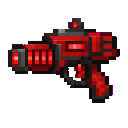

Door To Door


Door To Door creates magical bidirectional teleportation portals between two placed door blocks: place two doors, right-click the first then right-click the second to link them (same-dimension only), and step onto either door to be instantly teleported with existing cooldowns and…
Quantum Storage Drive

Quantum Storage adds a handheld Quantum Storage Drive and a matching Quantum Storage Terminal block that provide persistent virtual storage tied to each drive’s unique ID — right‑click the drive to open its terminal‑style UI, use Select Item and Upload to store stacks and Withdra…
Not Enough Challenge


NotEnoughChallenge/ ├── 🎯 Goal │ └── Competitive challenge framework with server-side lobbies and synced settings. │ ├── ⚡ Classic Speedrun │ ├── 🐉 Race to defeat the Ender Dragon. │ ├── 👤 Solo or 👥 team. │ └── 🌪️ Optional Chaos Mode with random maluses. │ ├── 🎲 Spe…
This mod is licensed under the CreativeMode Mods License.