

Description
OP Buffs is a mod that simply allows all buffs and debuffs to stack infinitely. That's it. A new counter displays how many stacks exist for any given effect. Yes, buffs and debuffs stack for mobs as well. Go nuts.
Mod Wiki
Op Buffs
Quickstart
- No crafting or items needed — this mod works automatically in the background.
- Drink or apply any potion effect (from potions, beacons, totems, splash potions, etc.) as you normally would.
- Open your Inventory or Creative Inventory screen while you have active effects.
- Look at the effect icons in the top corner of the inventory screen — each stacked effect shows a small badge with its true stack count.
- Try drinking the same potion effect multiple times, or stacking it from different sources (like beacons plus a potion), to see the counter increase accurately.
Overview
Op Buffs improves how potion and status effects are tracked and displayed. Normally, when you get hit with the same effect multiple times, the game just keeps the strongest version and quietly hides how many times it's actually stacked on top of each other. Op Buffs changes this — it keeps a running count of every time an effect gets reapplied, combines their power, and shows you the real number of stacks directly in your inventory screen, no matter how high the effect's level gets.
What It Adds
- Effect Stacking — Reapplying an active effect on yourself no longer simply resets or ignores the previous instance. Instead, its strength (amplifier) and count combine, and its duration extends to whichever application lasts longer.
- Stack Counter Display — A small on-screen badge appears next to each active effect icon in your inventory and creative inventory screens, showing the true number of times that effect has stacked, even beyond what the normal effect level display would suggest.
How To Use
- Gain any potion effect from a potion, splash potion, arrow, beacon, totem, or any other in-game source.
- Gain the same effect again from another source (or another use of the same source) while the first is still active.
- Instead of the effect simply refreshing, its amplifier increases, its duration is extended, and an internal stack counter increases.
- Open your Inventory (or Creative inventory) screen to see the active effect icons.
- Check the small numeric badge attached to each effect icon — it displays the true stack count for that effect, capped visually at 99 for readability even if the real count is higher.
Abilities And Mechanics
- Stacking Behavior: When an effect is reapplied while still active, Op Buffs merges the two instances — amplifiers add together (increasing the effective effect level), and the duration becomes the longer of the two durations rather than being overwritten.
- Accurate Counters: Every stack contributes to a running total that is preserved even as amplifiers grow very large, so you always know exactly how many times an effect has been applied, not just its displayed level.
- Visible Badges: The stack count appears as a small text overlay on the effect icon within inventory-style screens, giving you an at-a-glance readout of true effect stacking without needing to check level roman numerals or guess.
Progression And Strategy
Because effects now truly stack in strength and duration rather than resetting, you can deliberately layer effects from multiple sources — for example, drinking potions repeatedly, standing in overlapping beacon auras, or triggering multiple item effects — to build up significantly stronger and longer-lasting buffs than you could achieve with a single application. Keep an eye on the stack badges in your inventory to track exactly how strong your current buffs have become, letting you plan risky fights or long expeditions around exactly how much benefit you're carrying.
How to install
This Java mod can be used on Windows and Mac PCs with the CreativeMode Launcher or any Minecraft launcher of your choice.

1. Download and install the new CreativeMode Launcher

2. Click to play on the top of the screen.
3. That's it — launches instantly. No complicated setup required.
Want to use on a different launcher? Download mod and manually install.
Players also liked
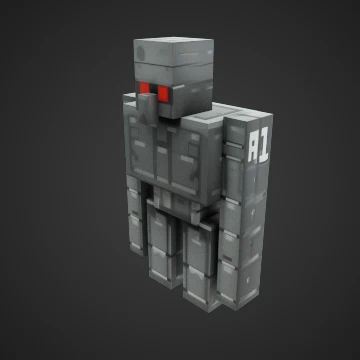
R1 Wither Detonator Golem


This mod adds the R1 Wither Detonator Golem: a massive, iron-golem–style boss with 300 health that relentlessly hunts players and many mobs, hits for roughly seven hearts with heavy knockback and applies the Wither effect, plants primed TNT during attacks, is immune to explosions…

Surprise Wand


The Surprise Wand is a magical item that creates random surprise effects when you right-click with it. Each use triggers one of eight different surprises including beneficial status effects, free items appearing in your inventory, spectacular particle displays, temporary flight a…

flare shotgun


Item Description: Create an incendiary shot gun that shoots 10 projectiles in a wide spread. The projectile should do 8 hearts of damage each and light the target on fire. The shotgun should use one gunpowder for each shot.

Build Blueprint


The Build Blueprint is a magical construction tool that allows you to instantly build structures using blocks from your inventory. Right-click while looking at a surface to build your selected structure type, and Shift + Right-click to cycle between four different building modes:…
Portable Nether Passage
Golden Nether Locket is a magical jewelry piece that instantly transports you between the Overworld and the Nether with a simple right-click, automatically scaling your X/Z coordinates (÷8 into the Nether, ×8 back to the Overworld) while clamping your Y-position to safe limits. B…
This mod is licensed under the CreativeMode Mods License.