

Description
The Mob Bucket lets you capture and relocate any living mob — including villagers — by right-clicking directly on the creature; the bucket will rename itself and show the captured mob's name and entity type in its title and tooltip. Right-click any block surface to release the mob where it will retain all its data (health, equipment, custom names, and villager trades intact). The bucket is now craftable as a shapeless recipe using two vanilla buckets.
Mod Wiki
Mob Bucket
Quickstart
- Craft the Mob Bucket using two vanilla Buckets (shapeless recipe):



- Hold the Mob Bucket and right-click any living mob to capture it. The bucket renames itself to show the mob's name (e.g. Mob Bucket (Villager)).
- Right-click any block surface to release the mob at that location. It spawns exactly as it was captured — full health, equipment, and all.
Overview
The Mob Bucket is a single reusable item that lets you pick up and relocate any living creature in the world. Whether you want to move a villager to a new trade hall, reposition a pet wolf, or transport a rare mob you found in the wild, the Mob Bucket handles it cleanly and safely — no leads, minecarts, or boats required.
What It Adds
| Item | Stack Size | Creative Tab |
|---|---|---|
| Mob Bucket | 1 | Tools & Utilities |
How To Use
Capturing a Mob
- Hold the empty Mob Bucket in your hand.
- Right-click directly on any living mob (hostile, passive, or neutral — including villagers). Players cannot be captured.
- The mob disappears from the world and is stored inside the bucket.
- The bucket's name updates to Mob Bucket (MobName) and its tooltip shows the entity type, so you always know what's inside.
Releasing a Mob
- Hold the filled Mob Bucket.
- Right-click a block surface where you want the mob to appear.
- The mob spawns on the face of the block you clicked, fully restored with all its original data intact.
- The bucket returns to its empty state, ready to be used again.
What Data Is Preserved
All mob data is retained through capture and release:
- Current health
- Worn equipment and inventory
- Custom names
- Villager profession, experience level, and trade offers
- Any other entity-specific state
Abilities And Mechanics
- One mob at a time — the bucket holds a single mob. It will not capture a second mob while one is already stored.
- No mob is off-limits — any living entity except other players can be captured, including hostile mobs, bosses, and villagers.
- Instant and lossless — the mob is removed from the world the moment you capture it and restored perfectly when released. Nothing is reset.
- Bucket sounds — a filling sound plays on capture and an emptying sound plays on release, giving clear audio feedback.
- The Mob Bucket is tagged as a bucket item, so it integrates naturally with bucket-related mechanics.
Progression And Strategy
- Early game: Craft the Mob Bucket as soon as you have two iron buckets. It costs nothing beyond what you'd spend on a pair of water buckets.
- Villager trading halls: Capture villagers from a village and bring them safely to your base without complex transportation setups.
- Mob farms: Relocate spawned mobs to ideal positions or move a named, equipped mob without risking its death.
- Exploration: Found a rare or unusual mob variant far from home? Capture it and bring it back intact.
How to install
This Java mod can be used on Windows and Mac PCs with the CreativeMode Launcher or any Minecraft launcher of your choice.

1. Download and install the new CreativeMode Launcher

2. Click to play on the top of the screen.
3. That's it — launches instantly. No complicated setup required.
Want to use on a different launcher? Download mod and manually install.
Players also liked
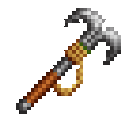
Pendulum Hook


Adds a Pendulum Hook grappling tool that attaches to blocks so you can swing like a pendulum, with stronger steering, a slightly more pronounced arc, and a much more powerful detach boost; right-click to fire and hold while attached to swing, use WASD to steer responsively, and r…
Elemental Sword Ascension

Elemental Arms gives you one of four powerful elemental swords at spawn that becomes permanently bound to your character — it cannot be dropped, placed in containers, lost on death, and will even be automatically restored if it ever disappears — each with refreshed visuals (Cloud…
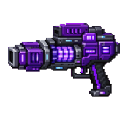
Voidstorm Plasma Cannon

The Voidstorm Plasma Cannon is a handheld energy weapon you hold in first or third person and fire with a right-click; it consumes one Amethyst Shard per shot in Survival/Adventure (Creative exempt) and has a 5-second cooldown. Firing launches a large, smooth circular purple-whit…




Mob Carrier


The Mob Carrier lets you capture and relocate multiple mobs, storing them in grouped stacks by type (for example, Goat x4) so you can carry many of the same mob at once; sneak (hold Left Shift) and right-click a mob to capture it—non-sneak interactions are passed through, but sne…
This mod is licensed under the CreativeMode Mods License.