
Description
MASTER CONTROL (or Sark as I like to call it) Need to easily set up a detector that is so much more than an observer block? This is your mod! Master Control is a placeable configuration block you left-click to open a button-based UI that configures detection mode (Redstone Power, Detection Only, Detection with Alert, Day Only, Night Only, Inverted), detection target (Hostile Mob, Player, Animal, Villager, Item on Ground, Any Entity), detection radius (2, 5, 10, 20), trigger behavior (One-Shot or Continuous), cooldown, output actions (Redstone Pulse, Play Sound, Spawn Particle Effect, Send Chat Message), alert sound selection, and an optional player-health trigger; settings persist when the UI is closed and the block shows a faint particle glow while active. To use it, place the block (it stores the facing direction), left-click to set your options, then enable the desired mode—One-Shot fires once with a selectable cooldown, Continuous stays active while conditions hold, and outputs can be combined. The Redstone Power output has been fixed so it places a redstone block exactly one block directly in front of the Master Control based on its stored facing (the face toward you when placed) and will only place or remove that block when the output state actually changes, preventing rapid blinking; the redstone output is also cleaned up when the Master Control is deactivated or broken. Extra points to those who get the movie reference from the name.
Mod Wiki
Master Control
Quickstart
- Craft a Master Control block at a crafting table:


- Face the direction you want it to "look", then place the block. It remembers the direction you were facing when placed.
- Left-click the block to open its configuration UI.
- Pick a Detection Target (e.g. Hostile Mob), a Detection Radius, and at least one Output Action (e.g. Play Sound).
- Set the trigger to Continuous and press Activate. The block will emit a faint particle glow and begin scanning.
Overview
Master Control is a smart detection block that watches the area around it for entities or conditions you specify. When its trigger conditions are met it fires one or more configurable output actions — playing a sound, spawning particles, sending a chat message, or placing a redstone block in front of it. Everything is configured through a button-based in-game UI; no commands required.
What It Adds
| Item | Description |
|---|---|
| Master Control (block) | A full-cube, placeable detector/automation block with a built-in UI |
The block has a faint light level (2) and emits ambient particles while active, so you can tell at a glance whether it is running.
How To Use
Placing the Block
Place the block while facing the direction you want it to treat as "forward." That facing is stored and used for the Redstone output (see below).
Opening the UI
Left-click the placed block at any time to open the configuration menu. Changes take effect immediately when you close the UI.
Activating and Deactivating
The UI contains an Activate / Deactivate toggle. While active the block ticks constantly, scanning for its configured target. Breaking the block or deactivating it cleans up any redstone output it placed.
Abilities And Mechanics
Detection Modes
| Mode | Behaviour |
|---|---|
| Redstone Power | Triggers only while the block is receiving a redstone signal |
| Detection Only | Triggers on entity detection, no alert sound |
| Detection with Alert | Triggers on entity detection and plays the selected alert sound |
| Day Only | Triggers only during daytime |
| Night Only | Triggers only during nighttime |
| Inverted | Triggers when the target is absent from the radius |
Detection Targets
Choose what the block scans for: Hostile Mob, Player, Animal, Villager, Item on Ground, or Any Entity.
Detection Radius
Select a scanning radius of 2, 5, 10, or 20 blocks.
Trigger Behaviour
| Mode | How it fires |
|---|---|
| One-Shot | Fires once when conditions are first met, then waits for the cooldown (1 / 5 / 10 / 30 seconds) before it can fire again |
| Continuous | Fires repeatedly every tick while conditions remain true |
Output Actions
One or more outputs can be enabled at the same time:
| Output | Effect |
|---|---|
| Redstone Pulse | Places a redstone block one block directly in front of the Master Control (based on stored facing); removes it when conditions no longer hold or the block is deactivated/broken |
| Play Sound | Plays the selected alert sound at the block's position |
| Spawn Particle Effect | Emits a particle burst at the block's position |
| Send Chat Message | Broadcasts a detection message to all players |
Alert Sound Selection
When Play Sound is enabled you can choose from ten sounds: Master Control Alert, Bell, Pling, Harp, Orb, Level Up, Wither Death, Explosion, Blaze Hit, or Anvil Use.
Player Health Trigger (Optional)
An optional health gate can be set so outputs only fire when the nearest detected player is below a health threshold: Below 25%, Below 50%, Below 75%, or No Health Trigger (always fires).
Progression And Strategy
- Early alarm system: Place a Master Control facing a doorway, set target to Hostile Mob, radius 10, mode Detection with Alert, trigger Continuous, and output Play Sound. You will hear an alarm any time a mob enters the area.
- Redstone integration: Point the block toward your redstone circuit before placing. The Redstone Pulse output places and removes a redstone block in the exact block space in front of it, giving you a clean on/off signal without flickering — ideal for powering doors, traps, or lighting.
- One-Shot traps: Use One-Shot with a short cooldown and the Redstone Pulse output to briefly activate a mechanism (e.g. a dispenser) each time a player enters the detection zone, then reset automatically.
- Inverted mode sentinels: Use Inverted mode to trigger an alarm when a target you expect to be present (like a villager or a farm animal) is suddenly missing from the monitored area.
- Combine outputs: Stack Play Sound + Send Chat Message + Spawn Particle Effect together for highly visible, audible, and logged alerts — useful for multiplayer security setups.
How to install
Download the mod and follow the step-by-step installation guide.
Players also liked
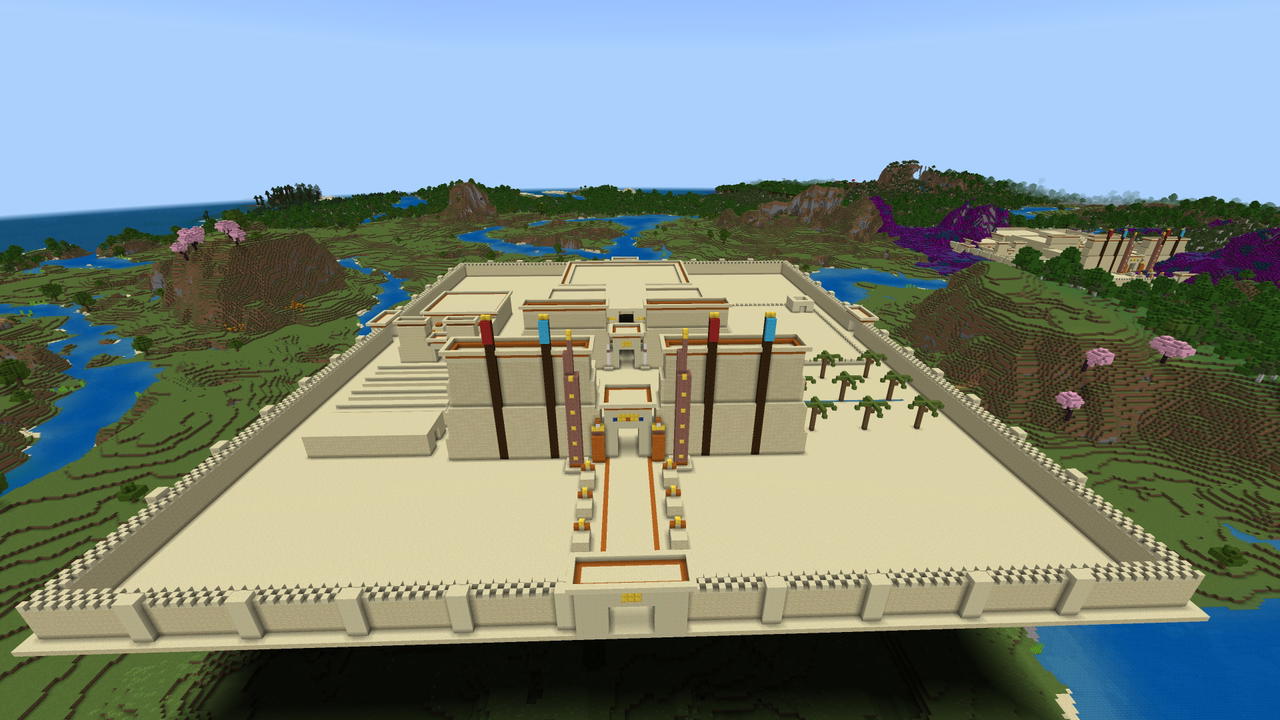
Sandstone Sun Temple


A vast Egyptian Temple complex perfect for a little bit of extra decorating and then dress your villagers to meet the Pharaoh... or dress one of your villagers up as the Pharaoh!

Mdm6
Magic Door Maker 6-block version is a wand with the ability to turn any block into a sensor node. Want to build your home inside of a mountain wall? Want to hide your doors from others? Use the wand on blocks to make them disappear if you are within 6 blocks, and turn back into s…
Event Horizon
Arm the doom block and watch it roll fire across the land leaving an area of 150 blocks around itself poisoned with radiation for an entire day. I made this with idea it would be good to use on a public server if you had to deal with any griefers. Level their houses and leave the…

Ornate Reliquary Of Fortune
Place this block and once a day you will receive 10 rare to ultrarare items. If placed by a chest the items will go directly into the chest, if not the box will spit them out 1 per second till it has given you the 10 for the day. List of items: diamond, diamond block, emerald, em…

Pandoras Cube
Pandora's Cube: a reusable handheld teleportation tool. Want to travel vast distances? Want to find a new place to start all over? Use this tool and be transported anywhere on the map 1500 to 20000 blocks from your current position. Spawns you at Y200 with slow fall so you can lo…
This mod is licensed under the CreativeMode Mods License.