



Description
Unleash a freezing mist that slows foes before collapsing in a devastating icy implosion.
Mod Wiki
Ice Staff
Quickstart
- Obtain the staff by crafting it at a crafting table:
- Equip the Ice Staff in either hand.
- Aim in the direction you want to freeze and use the staff, usually by right-clicking.
- A long snowflake-filled mist appears in front of you. Keep enemies within its path.
- After about 1 second, the mist collapses inward, dealing damage and applying powerful slowing effects.
- Wait about 3 seconds between uses while the staff recharges.
In Creative mode, the Ice Staff is available in the Combat item group. You can also obtain it with:
/give @s ice-staff-qeeyzh23:ice_staff_qeeyzh23
Overview
The Ice Staff is a single-use-stack melee weapon with a freezing area ability. When activated, it creates a temporary mist field extending forward from the player. The field lasts briefly before collapsing in an icy implosion.
The mist does not destroy blocks or create a conventional explosion. Its effects are focused on living entities caught in the field.
What It Adds
- Ice Staff melee weapon
- A forward-facing freezing mist ability
- Snowflake, end rod, and cloud particle effects
- A delayed icy implosion
- Damage, Slowness, and Mining Fatigue effects for entities caught in the field
- A recipe using blue ice, an iron ingot, and an amethyst shard
How To Use
Melee attacks
The Ice Staff functions as an iron-tier sword for close combat. Use normal attacks while holding it to strike nearby targets.
It cannot be stacked; each inventory slot holds one staff.
Freezing mist
Use the staff to cast the mist:
- The field extends roughly 30 blocks forward.
- It is approximately 3 blocks wide.
- It begins close to the caster and follows the direction the player is facing.
- Snowflake particles show the field’s position.
- The field remains active for about 1 second.
- The staff enters a cooldown of about 3 seconds when used.
The ability is directional, so face across the area you want to cover before activating it. The mist is centered around the caster’s position and does not automatically follow the player after it is created.
Abilities And Mechanics
Icy implosion
When the mist expires, it collapses toward its center and affects living entities inside the field, excluding the player who cast it.
Each affected entity receives:
- 6 points of damage — 3 hearts
- Slowness II for 6 seconds
- Mining Fatigue III for 6 seconds
The ability can affect any living entity in its path, not only hostile mobs. Position targets inside the visible mist before the collapse for the best results.
Crafting And Obtaining
The Ice Staff recipe becomes available after entering a world. Craft it in a crafting table using the displayed shaped recipe:
The staff is also available in the Creative inventory under the Combat item group.
Progression And Strategy
- Use the staff against groups approaching in a straight line, where several targets can occupy the mist at once.
- Cast from a safe distance so enemies remain inside the field until the implosion.
- Aim along corridors, bridges, and other narrow spaces to make it harder for targets to escape sideways.
- The ability is delayed, so cast before enemies reach you rather than waiting until they are already in melee range.
- Use the staff’s melee attacks while its ability is cooling down.
- Remember that the mist affects the area in front of you, not targets behind or far to either side.
How to install
This Java mod can be used on Windows and Mac PCs with the CreativeMode Launcher or any Minecraft launcher of your choice.

1. Download and install the new CreativeMode Launcher

2. Click to play on the top of the screen.
3. That's it — launches instantly. No complicated setup required.
Want to use on a different launcher? Download mod and manually install.
Players also liked

Dragon Heart


The Dragon Heart is an epic, glinting trinket you hold and right-click to activate: it can play an optional dragon growl, grant a configurable list of potion effects for their configured durations and amplifiers, apply a cooldown, and uses durability instead of stacking until it…

Diamond Core Smelter Pickaxe


The Diamond Core Smelter Pickaxe is a powerful Netherite-based tool that automatically smelts iron, gold, copper ores, and ancient debris into ingots or scrap as you mine them—no furnace required. Simply left-click any ore block with the pickaxe in hand, and you’ll receive the sm…

Choice Bell

Right-click the Choice Bell to open a magical reward selection screen with nine different options across three categories: Food, Armor, and Weapons. Simply click any reward button to instantly receive that item in your inventory, accompanied by a pleasant bell ring sound. The Cho…

Firewisp Seed


The Firewisp Bush is a dangerous decorative plant that burns anything that comes near it — entities that walk over it take fire damage and are set ablaze, and right-clicking any part of the bush scorches the player with a burst of flames; when broken the bush collapses as a conne…
Climbing Picks

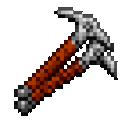
The Climbing Picks are an iron-tier pickaxe that let you scale any vertical surface like a ladder when held in either hand and walking into a wall, while still functioning as a normal iron pickaxe. The new Spike Boots can be right-clicked to equip into the feet slot when empty an…
This mod is licensed under the CreativeMode Mods License.