

Description
Play the full Farex Pull My Pearl song by Sh4d0w3680 and bring your jukebox to life.
Mod Wiki
Farex Pull My Pearl
Quickstart
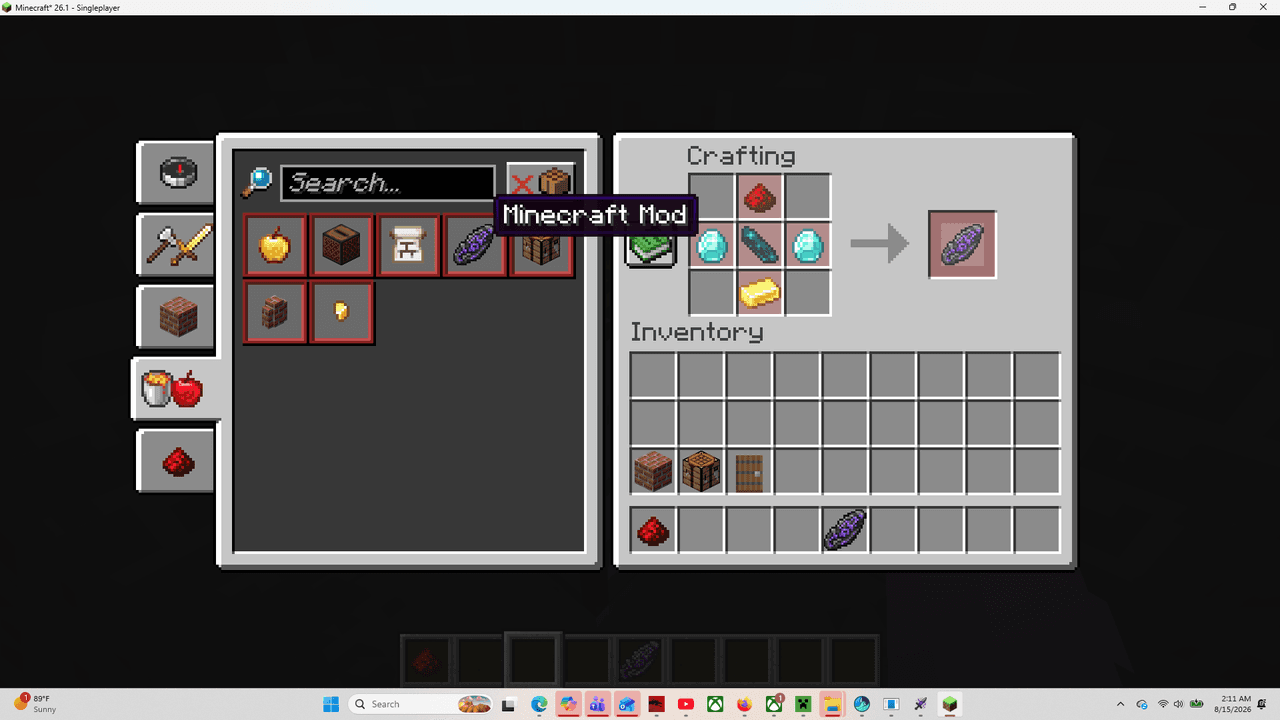
- Obtain the Farex Pull My Pearl music disc from the Tools & Utilities creative inventory, or craft it using the recipe below.
- Place a jukebox.
- Interact with the jukebox while holding the disc to insert it and start playing Farex Pull My Pearl by Sh4d0w3680.
- Interact with the playing jukebox again to eject the disc.
You can also obtain the item with:
/give @s farex-pull-my-pearl-fd7ojr2f:farex_pull_my_pearl_fd7ojr2f
Overview
Farex Pull My Pearl adds a jukebox music disc featuring the full Farex Pull My Pearl song by Sh4d0w3680. Use it like a standard Minecraft music disc in any jukebox.
What It Adds
- Farex Pull My Pearl music disc
- Jukebox playback for the song By Sh4d0w3680
- A shaped crafting recipe using disc fragments and an Ender Pearl
- The disc in the Tools & Utilities creative inventory
How To Use
- Place a jukebox in the world.
- Hold the Farex Pull My Pearl disc.
- Interact with the jukebox to begin playback.
- Interact with the jukebox again when you want to remove the disc.
The disc is a music item and can be played by jukeboxes. Each disc occupies one inventory slot.
Crafting And Obtaining
Craft the disc with eight Disc Fragment 5 items surrounding one Ender Pearl:


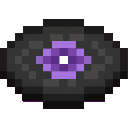
In Creative mode, look for Farex Pull My Pearl in the Tools & Utilities tab.
Abilities And Mechanics
- The item plays the full Farex Pull My Pearl song.
- The jukebox identifies the track as By Sh4d0w3680.
- The disc can be inserted into and ejected from a jukebox through normal jukebox interaction.
- The item does not stack; each disc occupies a single inventory slot.
Progression And Strategy
Craft the disc when you have access to Disc Fragment 5 and an Ender Pearl, then place a jukebox in a central area such as a base, lounge, or gathering hall. Keep the disc in a safe chest when it is not being played so it is ready for your next listening session.
How to install
This Java mod can be used on Windows and Mac PCs with the CreativeMode Launcher or any Minecraft launcher of your choice.

1. Download and install the new CreativeMode Launcher
2. Click to play on the top of the screen.
3. That's it — launches instantly. No complicated setup required.
Want to use on a different launcher? Download mod and manually install.
Players also liked
The Virus Mod


Enter Hygron rifts to be pulled into the Hygron Core — a sprawling raid stronghold of themed sections (corrupted courtyards, labs, cathedrals, factories, mirror halls, sky bridges and a final castle) where you fight patrols, ambushes, minibosses and cinematic bosses to unlock pro…
The valley civilization {horror}

Explore the Pool Rooms, Backrooms, and an impossible resort—then find the door home.

Shinobi Chakra Legacy


Begin your shinobi journey with a collectible guide to chakra, jutsu, clans, and missions.
Dragon Heart

The Dragon Heart is an epic, glinting trinket you hold and right-click to activate: it can play an optional dragon growl, grant a configurable list of potion effects for their configured durations and amplifiers, apply a cooldown, and uses durability instead of stacking until it…

This mod is licensed under the CreativeMode Mods License.